What Is Devin AI and Can It Really Code Like a Software Engineer?
The software development world is watching closely as Devin AI promises to transform how applications get built. This autonomous AI agent claims it can write code, debug problems, and deploy applications with minimal human oversight. Understanding whether Devin AI can actually deliver on these bold claims requires examining its capabilities and limitations in real-world settings. The technology offers intriguing possibilities for developers seeking to accelerate their workflow.
While exploring tools like Devin AI provides a valuable perspective on AI coding assistants, many founders and developers need working applications without wrestling with complex AI agent configurations. Getting from idea to deployed app often requires a more streamlined approach that handles the technical heavy lifting while letting teams focus on what makes their product unique. For those seeking this path, Orchids offers an AI app generator designed to deliver results fast.
Table of Contents
- Why Most AI Coding Tools Fall Short of Real Engineering
- What Is Devin AI, the Supposed Autonomous Software Engineer?
- The Good, Bad & Costly Truth (2025 Tests)
- How Devin AI Can Transform Your Engineering Workflow
- Turn Devin AI's Code Into a Real App Today
Summary
- Devin AI achieved a 13.86% success rate solving real GitHub issues end-to-end on the SWE-bench benchmark, compared to other systems that peaked at 1.96%. This gap represents the difference between suggesting code snippets and actually shipping working solutions that pass tests and handle edge cases without human intervention.
- Most AI coding tools fall short because they optimize for speed rather than understanding. The Stack Overflow 2025 Developer Survey found that 76% of developers use or plan to use AI tools, yet DX's 2025 Report revealed that only 26% report that these tools significantly improve their productivity. The disconnect stems from context loss, in which tools treat each question in isolation rather than maintaining continuity across architectural decisions.
- Devin excels at work requiring thousands of sequential decisions following established patterns. When you need to upgrade a deprecated API across 50 microservices or fix 200 dependency vulnerabilities flagged by security scanners, Devin handles the pattern matching, file modifications, and test validation without constant human oversight. The value comes from reclaiming hours spent on tedious execution rather than replacing engineering judgment.
- Real-world testing shows that Devin completed only 3 of 20 assigned tasks in one independent study. Its effectiveness depends heavily on how you scope and structure the work. Well-defined migrations with example patterns execute successfully across entire codebases, while ambiguous requests like "make the UI better" or "improve performance" cause the system to struggle.
- The gap between generated code and production deployment kills momentum for most AI coding projects. Code that works in Devin's sandbox still requires environment configuration, database setup, authentication handling, and infrastructure management before users can access it. This deployment complexity multiplies faster than coding complexity as application needs grow beyond single scripts.
- Orchids's AI app generator addresses this by letting you deploy production-ready apps in one click, whether you're working with Devin's outputs or your own code, while handling security audits and deployment management without manual DevOps configuration.
Why Most AI Coding Tools Fall Short of Real Engineering
The problem isn't that AI coding tools fail to write code—they do. The problem is they write code the way a junior developer copies from Stack Overflow: syntactically correct, contextually clueless, and dangerously confident. Most failures follow predictable patterns: the tools don't understand your business logic, they worsen existing process problems, and they make developers stop thinking critically at exactly the moments when thinking matters most.
, right side shows contextually aware production code (checkmark).png>)
Key Point: AI coding tools create a false sense of security by generating code that looks correct but lacks the contextual understanding that separates functional code from production-ready solutions.
"AI-generated code often passes initial tests but fails in real-world scenarios where business context and edge cases matter most." — Software Engineering Research, 2024
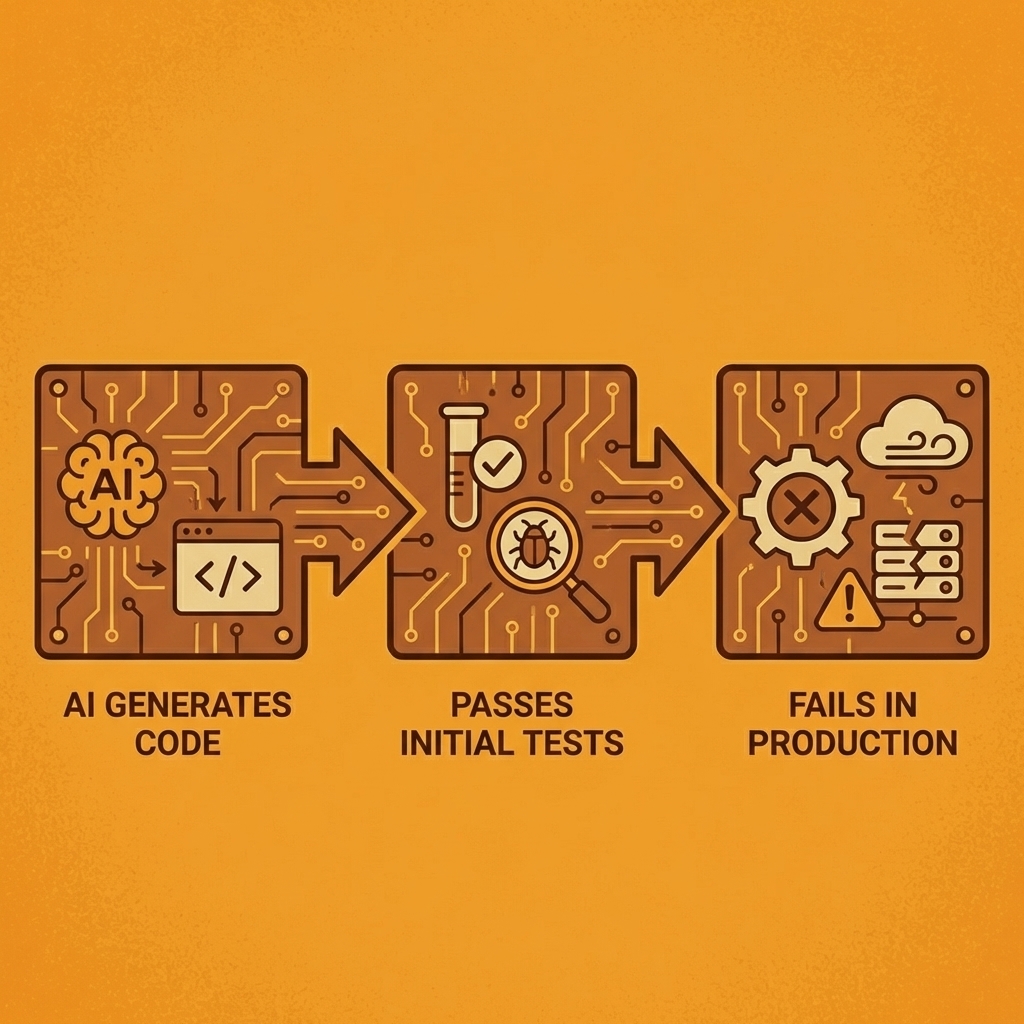
Warning: The biggest risk isn't broken code—it's code that works just well enough to make it into production before revealing its fundamental misunderstanding of your system's requirements.
Why do AI tools amplify existing problems?
AI tools speed up processes, but they don't fix broken ones. When you use an AI assistant on old code that has no test coverage, it creates more untested code at scale. I added Copilot to a project where our review process consisted of quick "looks good to me" checks during standups. The AI matched our standards: it created code that seemed to work and passed quick reviews, but then broke production in ways that customers discovered.
What should you fix before adopting AI coding tools?
According to research on AI implementation, only 26% of developers say AI coding tools help them get more done. Automation applied to a broken process simply accelerates the wrong outcome. Before adopting any AI coding assistant, establish the fundamentals: document your coding standards, test critical code paths, make code review mandatory, and set guidelines for what information cannot be included in your prompts.
Why do AI coding assistants suggest dangerous patterns?
AI coding assistants learn from public repositories, including millions of examples written by developers who hardcoded credentials and skipped input validation. I've had Copilot suggest SQL patterns vulnerable to injection attacks because they appear thousands of times in open-source code. The AI doesn't distinguish between good and dangerous examples—it pattern-matches.
How should you handle AI-generated code safely?
Accept boilerplate, such as DTOs and model definitions, with a quick review. Treat business logic suggestions as rough drafts that require human translation. Never trust AI-generated security code for authentication, cryptography, or sensitive data—write that yourself. For database queries, accept the structure but verify every parameter. AI provides speed on trivial work; you provide judgment on what matters.
How do AI tools affect your critical thinking skills?
This failure is sneaky because it feels like success. When AI creates code that looks right, your brain disengages critical evaluation mode. You stop asking "why this approach?" and start asking "does it compile?"
I've reviewed pull requests where developers couldn't explain their own code because they'd accepted AI suggestions without understanding them. The code worked until it didn't, and then nobody knew why.
What does the data show about AI adoption?
The Stack Overflow 2025 Developer Survey found that 76% of developers use or plan to use AI tools. Without careful implementation, this creates a new problem: developers who can generate code faster than they can understand it.
I use AI tools for three things: repetitive boilerplate, code exploration when learning a new library, and refactoring assistance for mechanical transformations. For critical business logic, security implementations, or anything involving money or user data, I write it myself. The AI can suggest. I decide.
How can integrated platforms improve AI workflow?
Many teams manage multiple AI tools and manually copy code for review. Platforms like Orchids integrate planning, coding, and debugging into a single conversational interface, letting you scope projects and review generated code without constant context switching. You work in one place where the AI handles organization, while you maintain control over critical decisions.
The real question isn't whether AI coding tools work. Under the right conditions, with proper constraints and human oversight, they boost productivity in measurable ways. The question is whether you're ready to use them as amplifiers of good process rather than replacements for engineering judgment.
Related Reading
The Good, Bad & Costly Truth (2025 Tests)
Cognition's Devin AI markets itself as the world's first AI software engineer. Unlike tools that suggest code snippets or generate functions, Devin works as an independent agent who plans multi-step engineering projects, executes them in a sandboxed environment with its own shell, code editor, and browser, and makes changes when needed. This is delegation, not autocomplete.
Key Point: Devin AI represents a fundamental shift from code assistance to autonomous engineering - it doesn't just help you code, it actually codes for you.
"This is delegation, not autocomplete." — The distinction that separates Devin AI from traditional coding assistants.
Reality Check: While Devin's autonomous capabilities sound impressive, the real-world performance and cost implications of this delegation approach are what truly matter for developers considering adoption.
What makes Devin different from other AI coding tools?
Devin's architecture sets it apart from prompt-and-pray tools that most developers use. While GitHub Copilot offers line-by-line suggestions and ChatGPT responds to separate questions, Devin maintains context across thousands of decisions within a single project. It learns from mistakes, adapts when tests fail, and continues working while you're away. The system debugs, refactors, and ships code, rather than simply writing it.
How does Devin perform on real-world coding challenges?
On the SWE-bench benchmark, which tests AI systems against real GitHub issues from Django and Flask, Devin achieved a 13.86% success rate solving problems from start to finish. The next-best system reached only 1.96%. Most AI tools fail when faced with issues that require architectural decisions, dependency management, and changes across multiple files. Devin handles these for $500 monthly on team plans.
Who benefits most from using Devin AI?
Devin targets three groups with overlapping but distinct needs. Engineering teams use it for code migrations between frameworks, security vulnerability patches, and test generation across hundreds of files—work that consumes senior developers' time without advancing product strategy. Devin handles these tasks simultaneously while humans focus on architecture.
How do project managers and founders leverage Devin?
Project managers can clear backlog items without consuming engineering hours on small features or API endpoints that follow existing patterns. Non-technical founders see the biggest change: they can describe a product idea in Slack and receive a working prototype in days without hiring a developer.
What are Devin's current limitations and best use cases?
Devin struggles with unclear requirements and mid-task scope changes, producing junior-level work despite understanding senior-level code. In one evaluation, Devin completed only 3 of 20 real-world tasks without human assistance.
It works best on contained projects with clear success criteria, not open-ended product development where judgment calls matter more than technical decisions.
Real-World Testing What Devin AI Can and Can't Do
Testing Devin against real engineering work reveals genuine value in some situations, though it fails predictably in others. The gap between marketing claims and real-world performance matters more than test scores.
Building a SaaS App in 2 Days: A PM's Experience
A product manager with basic coding skills asked Devin to build a complete SaaS application from scratch. Devin delivered a working product in 48 hours, a timeline that would take a full week from experienced developers. It set up databases, built frontend components, and added authentication without constant supervision.
When errors appeared, Devin fixed them independently, tracking the project across hundreds of decisions. For non-technical founders who need to test ideas quickly with investors, this speed advantage justifies the cost even when the code requires improvement later.
What specific patterns cause Devin to fail?
Devin's failures follow patterns. It creates infinite loops in recursive functions when edge cases aren't clearly defined, and third-party library conflicts stop it cold because it cannot resolve competing dependency requirements.
When faced with architectural decisions where multiple approaches work, it freezes or picks solutions that technically function but don't scale well. One team reported Devin building overly complex implementations for simple problems, adding abstraction layers that hindered future maintenance. The 15% completion rate on complex tasks without human intervention matches its benchmark performance.
How does constant tool switching affect development workflow?
Most teams switch between Devin for autonomous execution, Cursor for interactive development, and Copilot for code completion, disrupting flow with constant context switching. Platforms like Orchids integrate planning, debugging, and execution into a single conversational interface.
Instead of managing multiple AI tools and manually transferring context, you work in a single environment where the AI handles orchestration while you maintain control over critical decisions. This matters when building across multiple languages and frameworks, since switching tools requires rebuilding context each time.
Devin AI Pricing and Value for Money
Devin's pricing works for teams distributing specific, repeatable tasks to many people, but not for experimental work or one-time projects.
Pricing Tiers: Free, Individual, Team, Enterprise
The original individual tier cost $50 per month and came with 50 credits before it closed to new users. The current team plan costs $500 per month and includes 250 credits. Each credit equals one Agent Compute Unit. A typical frontend task uses 1–2 ACUs, allowing roughly 125–250 tasks per month depending on complexity. Devin 2.0 introduced a $20 monthly option for individual developers with reduced compute allocation. Enterprise pricing is custom and negotiated based on volume and support needs.
What ROI can organizations expect from large-scale automation projects?
The return on investment (ROI) calculation depends on what you're automating. Nubank achieved 20x cost savings on migration projects by having engineers review Devin's changes instead of writing migrations manually. Another organization reported 12x efficiency gains on ETL framework migrations, completing each file in 3-4 hours versus 30-40 hours for human engineers. These improvements justify premium pricing.
How do small teams evaluate cost-effectiveness?
Small teams face harder math. At $500 monthly for occasional bug fixes or small features, you're paying for unused capability. Devin makes sense when you have a backlog of defined, repetitive work that would otherwise consume senior developer time. It doesn't make sense when you're still determining what to build or when most tasks require architectural decisions rather than execution.
Devin AI vs Other AI Coding Tools (Cursor, Copilot, SWE Agent)
AI coding tools vary in how much they assist you versus how much you work independently. Where each tool falls on that spectrum determines which one will solve your needs.
Cursor vs Devin Workflow and Autonomy
Cursor integrates directly into your local development environment as an enhanced VS Code fork, with feedback loops running in seconds. Devin operates remotely via Slack with 12-15-minute iteration cycles: you delegate a task, Devin works independently, then returns with a pull request. One developer captured the difference: "I don't want to make a request and wait 15 minutes for a pull request. I much prefer Cursor's workflow, where I have all of this right in my local environment." Cursor keeps you in the driver's seat. Devin takes the wheel.
When should you choose Devin over other development tools?
Choose Devin when you need to delegate complete units of work, such as migrating 200 repositories to a new framework, generating test coverage across a monorepo, or fixing security vulnerabilities flagged by static analysis. Choose Cursor when you're actively developing and need an intelligent pair programmer who responds instantly to your decisions. GitHub Copilot fills the middle ground for context-aware autocomplete without independent execution.
How does SWE-Agent compare to Devin in performance?
SWE-Agent offers an open-source alternative with 12.29% accuracy on benchmarks compared to Devin's 13.86%, completing tasks in 93 seconds versus Devin's 5 minutes. The trade-off: managing your own infrastructure and less-polished tools in exchange for transparency and control. For teams with strong DevOps skills who want to understand how their AI agent makes decisions, this tradeoff makes sense.
Understanding what these tools can do doesn't tell us whether Devin changes how engineering teams work or simply automates tasks that simpler tools could handle faster.
Related Reading
- Vs Code Alternatives
- Hire an App Developer
- Mobile App Ideas
- AI Tools For Product Managers
- Replit Alternatives
- Appsheet Alternatives
- Softr Alternatives
How Devin AI Can Transform Your Engineering Workflow
Devin frees developers from work that drains time without requiring judgment. When you need to upgrade a deprecated API across 50 microservices, Devin handles pattern matching, file modifications, and test validation while you focus on architectural decisions. When security scanners flag 200 dependency vulnerabilities, Devin researches each CVE, applies patches, verifies compatibility, and documents changes without you spending three days in dependency hell. The value isn't replacing engineering thinking—it's reclaiming hours spent on tasks where the path forward is clear, but execution is tedious.
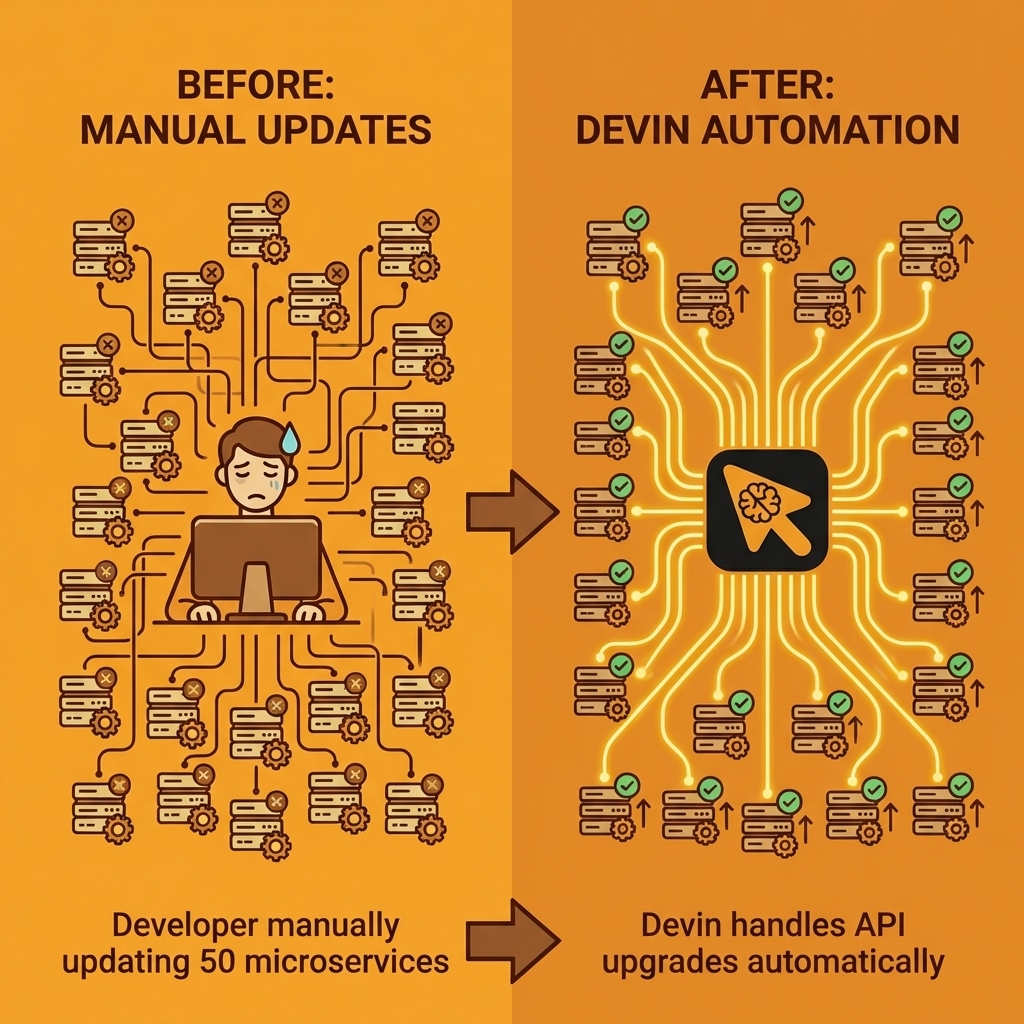
Key Point: Devin transforms repetitive engineering tasks into automated workflows, allowing developers to focus on high-value architectural decisions rather than manual execution.
"Devin handles pattern matching, file modifications, and test validation while developers focus on the strategic work that requires human judgment."

Takeaway: The real transformation happens when engineering teams can redirect their cognitive resources from tedious maintenance work to innovation and problem-solving that drives business value.
What types of repetitive work can AI developers handle?
The biggest challenge in most codebases isn't building new features; it's maintenance work that piles up faster than teams can handle: updating old API calls across 50 files, adding error handling to older modules, or creating unit tests for untested code. These tasks consume senior developer time without advancing the product. Devin handles them autonomously while you focus on problems requiring human thinking.
How much time can automated development save teams?
One team used Devin to fix security problems found by static analysis tools across multiple repositories. The AI handled dependency updates, tested for breaking changes, and submitted pull requests for review: work that would have taken a developer three days was completed overnight. The developer spent 90 minutes reviewing changes instead of three days writing them.
How does Devin break down complex engineering workflows?
Devin excels at work requiring thousands of small decisions within established patterns. Building a data migration pipeline that pulls information from old MySQL tables, transforms column formats, validates against business rules, and moves data into PostgreSQL, with proper error handling, involves dozens of steps. Each step demands care, but the logic is predetermined. Devin breaks down requirements, writes extraction queries, creates transformation logic, builds validation tests, handles edge cases, and iterates until data flows smoothly from start to finish.
What does coordinated feature implementation look like?
Cognition's 2025 Performance Review notes that 18 months since launch, the system has evolved from handling isolated coding tasks to managing entire feature implementations. Engineering work rarely fits into single-function completions. When you ask Devin to "add OAuth authentication to the API," it must install libraries, configure environment variables, implement token generation and validation, update route middleware, write integration tests, and document the new authentication flow—a coordinated sequence where each step depends on previous decisions.
How does Devin collaborate through development tools?
Devin works in a sandboxed environment with the same tools that engineers use: a code editor, terminal, and browser. When setting up a Stripe payment integration, Devin reads the API documentation, installs the SDK, writes webhook handlers, tests with Stripe's CLI, debugs signature verification failures by checking logs, and validates the flow using the Stripe dashboard.
You're not giving it code snippets or explaining error messages—it investigates problems the way you would, without the context switching that disrupts human attention.
How does this compare to traditional AI assistants?
Regular AI assistants suggest code based on your requests, but you must handle environment setup, dependency management, testing, and debugging yourself. As projects grow beyond early stages, this coordination overhead outweighs the time saved.
Tools like Orchids offer full-stack coding agents that handle planning, building code, and fixing problems in a single conversation, letting you choose which AI model performs the work based on your existing subscriptions. Devin focuses on running code automatically in a remote environment accessible through Slack.
How does Devin automatically catch and fix errors?
Devin catches mistakes through iteration, not perfection on the first attempt. When a database migration script fails due to an undropped foreign key constraint, Devin reads the error, identifies the dependency order issue, modifies the script to drop constraints before altering tables, and reruns the migration. The debugging loop happens without interrupting your design work.
I've watched it reduce a two-week framework upgrade timeline to three days by handling the mechanical file updates, import path changes, and configuration migrations that consume most upgrade effort.
What work should you delegate versus keep?
You still need to know what you're building and why certain approaches won't work in your system. Devin speeds up work when requirements are clear, but struggles when the path forward requires architectural judgment, user experience intuition, or understanding tradeoffs not captured in documentation.
The teams seeing the biggest productivity gains have identified which repetitive, well-defined work to delegate, freeing time for problems that require creative engineering. Clarity about what to delegate and what to retain determines whether Devin becomes a productivity multiplier or an expensive experiment that creates more debugging work than it eliminates.
Related Reading
- Lovable AI
- AI App Builders
- Best Mobile App Builder
- No Code AI Tools
- Best Vibe Coding Tools
- How To Create An App
Turn Devin AI's Code Into a Real App Today
The gap between generated code and production software isn't technical anymore. It's operational. You can have Devin write a complete feature, pass all tests, and watch it sit in a repository for weeks because deployment requires infrastructure decisions, environment configuration, and integration work that falls outside the AI's scope. The code works. The path to production doesn't.
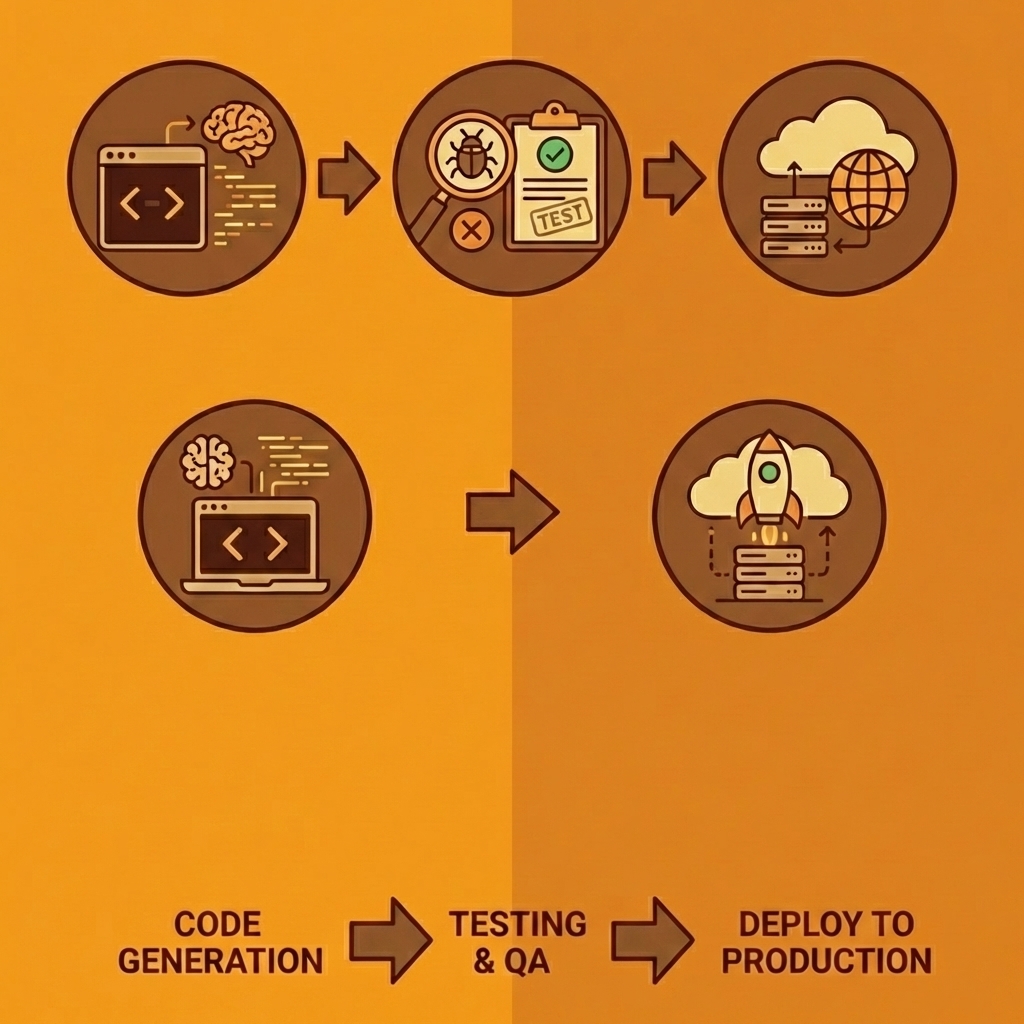
Tip: The real bottleneck isn't AI capabilities—it's the operational overhead that comes after code generation.
Most teams treat AI output as raw material entering their existing pipeline. Developers review the code, set up hosting manually, configure databases separately, wire up authentication through another service, and manage deployments through yet another platform. Each step requires context switching and technical decisions that slow momentum.

"The bottleneck isn't code generation anymore. It's everything that happens after the code exists."
Orchids collapses that timeline by treating deployment as part of the development conversation, not a separate phase. You bring code from Devin or write it directly in the platform, connect your database and authentication stacks in the same interface, and deploy to production without leaving the environment you built it in. One conversation takes you from idea to running application.
| Traditional Approach | Orchids Approach |
|---|---|
| Multiple platforms for each step | Single environment for everything |
| Manual configuration required | Integrated stack connection |
| Weeks to production | Minutes to production |
| Context switching between tools | Seamless workflow |
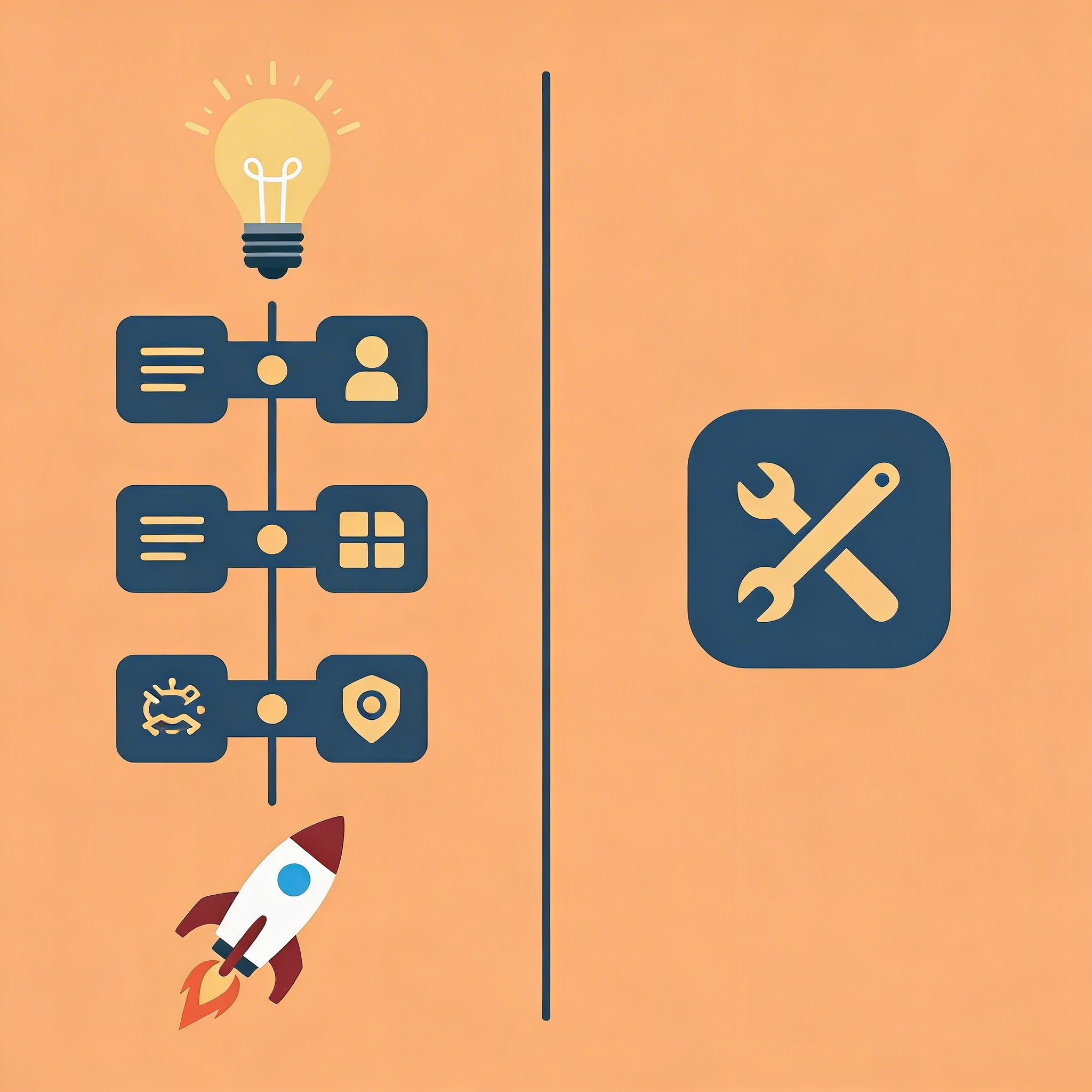
This matters when validating product ideas under investor pressure, clearing feature backlogs without burning senior developer time, or building across multiple platforms where setup overhead kills momentum. The bottleneck isn't code generation anymore—it's everything that happens after the code exists.
Takeaway: Speed to production is the new competitive advantage in AI-assisted development.
The value isn't in having AI write functions—it's in shipping those functions to users fast enough that the work compounds rather than stalls. Build your first app for free with Orchids today and turn AI-generated code into production software in minutes, not weeks.
Bilal Dhouib
Head of Growth @ Orchids