What is Cursor AI & 100+ Projects to Vibe Code with Cursor?
Cursor AI has emerged as one of the most talked-about AI-powered coding tools, combining intelligent code completion, natural language commands, and contextual understanding to transform how developers build software. This revolutionary code editor reads developer intent, finishing functions before they've typed half the prompt and dramatically reducing time spent on repetitive tasks. Whether you're a seasoned programmer or a complete beginner intimidated by traditional coding, Cursor AI makes building useful applications faster and more intuitive than ever before.
Understanding Cursor AI's capabilities opens up hundreds of practical project possibilities, from simple web applications to complex software solutions. Once you grasp the fundamentals and see the vast range of applications within reach, you'll want a streamlined way to turn those ideas into working products quickly. Orchids' AI app generator is the perfect next step, helping you move from concept to a functioning application without getting stuck in setup configurations or boilerplate code.
Table of Contents
- Why Traditional Coding Workflows Can Slow You Down
- What Cursor AI Is and How It Works
- 100+ Projects You Can Vibe Code with Cursor Today
- Turn Your Cursor AI Projects into Real Apps with Orchids
Summary
- Developers waste approximately 40% of their time on setup and repetitive tasks rather than on solving actual problems, according to research on workflow efficiency. Traditional coding demands manual dependency management, boilerplate configuration, and the repeated implementation of authentication flows and CRUD operations that developers have built dozens of times. This mechanical work consumes mental energy that should be devoted to architectural decisions requiring human judgment.
- GitHub Copilot now writes nearly half of developer code, with some Java developers reporting rates as high as 61%. However, nearly two-thirds of development teams report that manually verifying AI-generated code takes as long as, or longer than, writing code from scratch. Generic AI output often relies on deprecated methods or conflicts with specific project structures, creating a verification tax that erases speed gains.
- Between 60% and 75% of Copilot users report higher job satisfaction because they're no longer exhausted by mechanical tasks. The real productivity gain isn't just speed; it's redirecting mental energy from syntax lookup and common patterns toward architectural design and creative problem-solving. When developers aren't mentally depleted from repeatedly writing the same authentication flow, they have capacity left for work that actually requires human judgment.
- According to Forbes, Cursor AI has grown to over 100,000 paying customers, signaling real adoption among professional developers who need more than basic autocomplete. The platform indexes entire codebases so the AI understands project context, file relationships, and architectural patterns. Instead of autocompleting a single line, Cursor generates complete functions, refactors entire files based on intent, and propagates multi-file changes across connected components.
- The gap between the functional prototype and the deployed application includes deployment pipelines, environment variables, database provisioning, authentication setup, and monitoring infrastructure that AI editors weren't designed to handle. Most developers export their AI-generated code and rebuild the deployment layer manually using separate tools, reintroducing the context-switching overhead they avoided during development.
- Orchids's AI app generator extends conversational development through deployment, letting you describe infrastructure needs and coordinate setup across your chosen stack without leaving the development environment or manually configuring each service.
Why Traditional Coding Workflows Can Slow You Down
The belief that efficient coding requires mastering multiple IDEs, switching between libraries, and memorizing boilerplate frameworks creates more friction than forward momentum. Developers spend approximately 40% of their time on setup and repetitive tasks rather than solving the problems they were hired to address. This isn't about skill level—it's about workflow architecture that prioritizes tool proficiency over creative problem-solving.
"Developers spend approximately 40% of their time on setup and repetitive tasks rather than solving actual problems." — Cortex Developer Productivity Report, 2024
Key Point: Traditional coding workflows force developers to become tool masters instead of problem solvers, creating unnecessary bottlenecks in the development process.
Warning: The more tools and frameworks you try to master simultaneously, the less time you have for actual coding and creative solutions.
How does dependency management become its own project?
Managing dependencies becomes its own project. You need a simple date picker, and the AI suggests an entire library that adds 200KB to your bundle. Then you're debugging version conflicts, reading documentation for features you'll never use, and wondering whether you should have written the component yourself.
Each new API integration requires reading documentation, handling authentication, writing error handlers, and testing edge cases before building anything users will see.
Why does repetitive setup consume your most productive hours?
The repetitive setup consumes hours that should be spent on making architectural decisions. Developers implement the same authentication flows, write identical CRUD operations, and rebuild form validations they've created dozens of times before. This mechanical work demands attention and time, but requires little brainpower.
When you finally reach the interesting problem—the one requiring human judgment—you're already mentally exhausted from wrestling with syntax and boilerplate.
Why does AI-generated code slow down development?
GitHub Copilot now writes nearly half of developer code, with some Java developers reporting rates as high as 61%. However, nearly two-thirds of development teams report that manually checking AI-generated code takes as long as or longer than writing code from scratch. Generic AI output often uses outdated methods or conflicts with your project structure, undermining apparent speed gains.
How do framework inconsistencies impact productivity?
Code generation that depends on a specific framework often produces inconsistent results. The AI may create code from older versions or fail to understand your current architecture. You might spend thirty minutes debugging a generated component only to discover it uses a method replaced during last month's framework update. With complex logic involving nested conditions, you typically need to rewrite half the generated code because the AI cannot predict edge cases specific to your business requirements.
What happens when AI loses project context
You lose important information between sessions, forcing you to explain the same project setup repeatedly. You taught the AI about your database schema and API structure yesterday; today you're describing the same constraints and patterns again because the tool doesn't remember. This repetitive work turns collaborative development into disconnected conversations where you must constantly re-establish basic understanding.
Where Mental Energy Actually Goes
Between 60% and 75% of Copilot users report higher job satisfaction because they're no longer exhausted by repetitive tasks. The productivity gain isn't speed—it's redirecting mental energy from syntax and common patterns toward designing systems and solving problems creatively. When you're not mentally worn out from repeatedly writing the same authentication flow, you have capacity for work that requires human judgment.
How does complexity scaling create development bottlenecks?
Traditional programming struggles as projects scale because complexity grows faster than the ability to manually update affected parts. A single business-logic change might require touching 20 files, updating 10 API endpoints, and adjusting 5 database queries. The cognitive load of tracking dependencies manually creates bottlenecks that slow teams down. AI systems improve when exposed to new data, enabling optimization at scale without requiring developers to manually propagate changes through the codebase.
What makes hybrid AI and traditional programming effective?
The most effective systems in 2026 combine the stability of rule-based code with the adaptive power of AI. Traditional programming excels at tasks with clear rules—calculating taxes and processing transactions—while AI performs best when rules are unclear, such as recognizing patterns in user behaviour or predicting which features reduce churn. The question isn't which approach is superior, but how to design workflows that leverage each for what it does best.
Platforms like Orchids let developers work conversationally across any language and framework, reducing the context-switching overhead that fragments attention. Instead of managing separate tools for planning, debugging, and deployment, teams maintain flow state while our platform handles mechanical coordination.
Understanding what makes these workflows fundamentally different from the IDE-heavy approach most developers learned first is essential.
Related Reading
What Cursor AI Is and How It Works
Cursor AI is an AI-native code editor built on Visual Studio Code that integrates language models like GPT-4 and Claude directly into your workflow. Rather than switching between your editor, documentation, and ChatGPT, you can describe what you need, and the AI will generate code, improve functions, or explain logic without leaving your development environment.

Key Point: Cursor AI eliminates the friction of context-switching by integrating powerful AI models directly into your coding workflow, making AI assistance as seamless as syntax highlighting.
"AI-native development tools like Cursor represent the future of programming, where intelligent assistance becomes as fundamental as code completion." — Development Industry Analysis, 2024
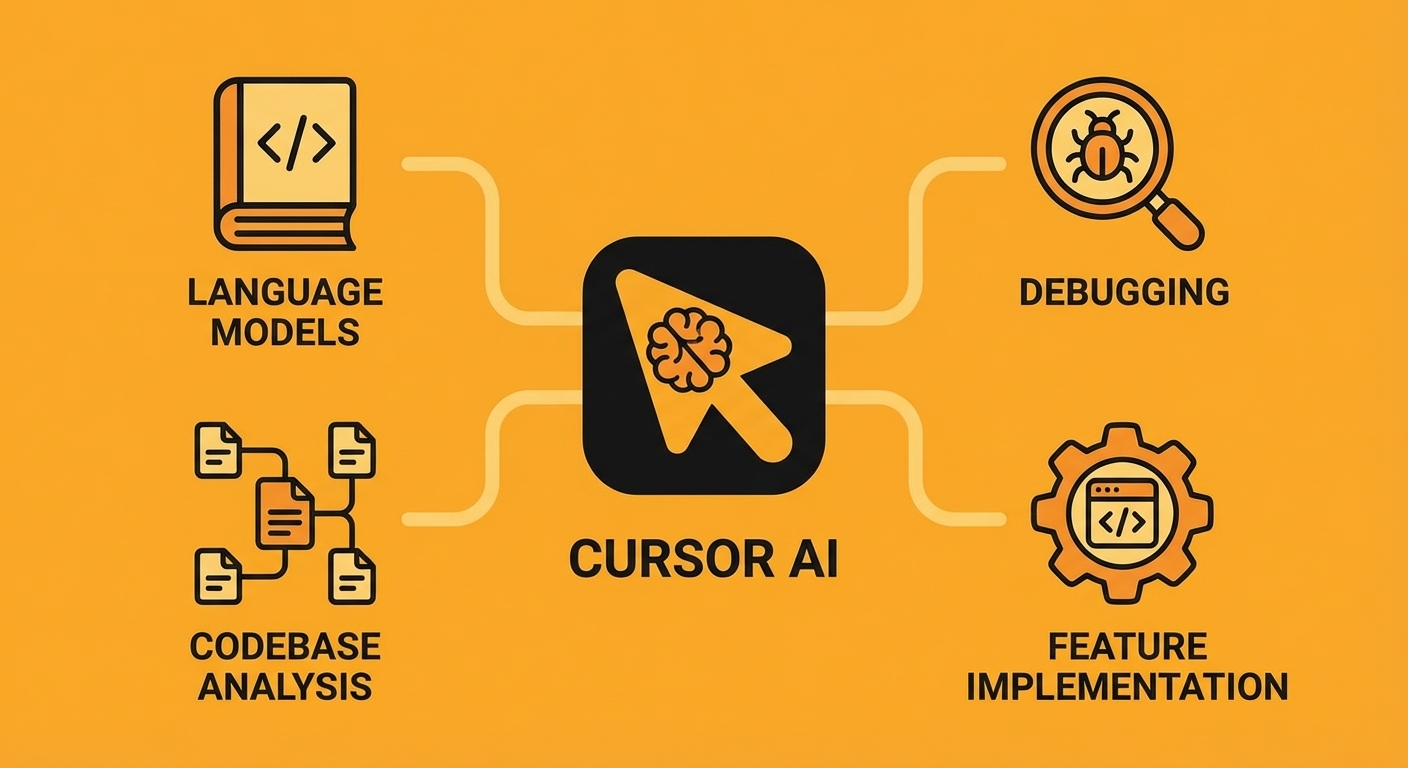
Tip: Think of Cursor AI as your always-available coding partner that understands your entire codebase and can help with everything from debugging to feature implementation without the need to copy-paste code snippets into separate AI chat interfaces.
How does Cursor understand your entire codebase?
The platform indexes your entire codebase, so the AI understands how files relate to each other, their dependencies, and the design patterns used across your project. When you ask "Where is the authentication middleware defined?" or "Refactor this function to handle async operations," Cursor responds with answers that fit your application's structure.
According to Cursor's platform specifications, developers work with a 200,000-token budget, enabling the AI to process extensive code context in a single interaction.
What makes Cursor function as a development partner?
Cursor works as a development partner, reading error messages, suggesting code improvements, and creating features from conversational requests. Forbes reports the editor has grown to over 100,000 paying customers, demonstrating that developers are adopting AI-first tools to translate ideas into working code.
How does AI-powered editing understand your coding intent?
Select a block of code, type "convert this to TypeScript with proper type annotations," and the cursor applies the change immediately. The AI infers types from code usage, adds interface definitions as needed, and preserves your code style by examining how you organize files, name variables, and handle errors across your project.
What makes AI refactoring effective for different skill levels?
The same capability applies to refactoring legacy code. Describe the outcome you want (async/await instead of callbacks, functional patterns instead of imperative loops) and the AI rewrites the implementation while preserving behaviour. Junior developers gain access to senior-level refactoring patterns; senior developers save hours on mechanical transformations.
How does codebase-aware chat eliminate documentation searches?
Most AI coding assistants treat each file as a separate context. Cursor indexes relationships between modules, so when you ask "How does user authentication flow through the application?" it traces the path from route handlers through middleware to database queries, including file names, line numbers, and explanations of how each component interacts.
What advantages does maintaining project context provide?
This eliminates the need to paste code snippets into separate AI chat interfaces, thereby losing project context. Cursor maintains awareness of your architecture, dependency versions, and custom utilities. Ask "What tests cover the signup flow?" and it identifies test files, describes coverage gaps, and suggests additional test cases based on edge cases in your implementation.
How does codebase awareness improve debugging workflows?
When debugging, paste the error into the Cursor's chat instead of manually searching error logs and cross-referencing stack traces. The AI identifies the failing function, explains why the error occurred based on your data flow through the code, and suggests fixes that align with how that function is used throughout your codebase.
How does Cursor recognize and parse compilation errors?
Cursor watches your terminal output and recognizes when code fails to compile or encounters runtime errors. It reads stack traces automatically, highlights relevant code sections, and suggests fixes based on the error type and surrounding context. A type mismatch in TypeScript triggers fixes that change both the function signature and all call sites. A null reference exception prompts you to add proper null checks at the data source.
Why does direct stack trace access improve debugging effectiveness?
This addresses a key frustration: AI gets stuck in debugging loops without a full error context. When AI has direct access to stack traces and can connect them with your codebase structure, it identifies root causes rather than suggesting surface-level patches. Asking AI to add debugging statements when stuck proves more effective than letting it guess, because AI excels at targeted debugging once it knows where to look.
Multi-model support for different coding tasks
Cursor supports both GPT-4 and Claude, allowing developers to choose which model handles specific requests. GPT-4 performs better on complex architectural questions and multi-step refactoring, while Claude excels at code generation tasks requiring adherence to specific patterns or style guides.
No single model dominates every coding scenario. Generating boilerplate API endpoints might work best with one model, while debugging a subtle concurrency issue benefits from another's reasoning approach. Developers switch models based on task requirements rather than being locked into a single AI provider's strengths and limitations.
Is Cursor AI free?
Cursor offers a free tier with a two-week Pro trial, 2,000 code completions, and 50 slow premium requests: enough to evaluate whether the editor suits your needs. After the trial, you can continue with fewer features or upgrade to Pro for $20 per month.
The Pro plan removes completion limits and provides 500 fast premium requests monthly, plus unlimited slow requests. Business plans add team features, including centralized billing, usage analytics, and single sign-on authentication for teams requiring administrative controls.
How does Cursor handle specific endpoint requirements?
Let's say you're building a task management application and need an endpoint that creates new tasks with validation. In Cursor's chat, describe what you need: "Create a POST endpoint at /api/tasks that accepts title, description, and due_date, validates required fields, saves to PostgreSQL, and returns the created task with a 201 status."
Cursor generates the route handler with input validation, database insertion using your existing connection pool, error handling for duplicate titles, and a properly formatted JSON response. It imports the correct database client, uses your established error response format, and follows your codebase's naming conventions.
What happens when working with new frameworks?
When you work with new frameworks or libraries, share documentation in the chat before asking for code. The AI will use those instructions instead of relying on outdated syntax, preventing suggestions for deprecated methods.
How does AI-assisted coding eliminate development friction?
Traditional development cycles include writing code, reading documentation, searching Stack Overflow, and fixing bugs. Each context switch breaks your focus. AI-integrated editors consolidate these steps into one place where you describe what you need in plain language and receive code tailored to your project.
Developers report writing code 2-3x faster, not because the AI writes more lines per minute, but because it eliminates the friction of translating ideas into code, learning API usage, and correcting type errors.
Where do teams see the biggest productivity gains?
Teams using AI coding tools like Orchids's AI app generator find the real advantage when building full-stack features spanning multiple files and layers. Rather than manually connecting frontend components, API routes, database schemas, and validation logic, developers describe what they need and let the AI generate coordinated implementations across the stack.
This shifts effort from mechanical coding toward architectural decisions and user experience refinement, where human judgment creates the most value. However, speed and convenience introduce unexpected challenges that most developers encounter only after committing to an AI-generated project.
Related Reading
- AI Tools For Product Managers
- Replit Alternatives
- Hire an App Developer
- Vs Code Alternatives
- Mobile App Ideas
- Appsheet Alternatives
- Softr Alternatives
100+ Projects You Can Vibe Code with Cursor Today
Below are over 100 project ideas organized by category. Each represents something you can start building conversationally with Cursor, whether you are testing a concept, learning a new stack, or shipping a functional tool. Categories range from beginner-friendly apps to complex systems across all skill levels and domains.
Key Point: These projects are designed to be immediately actionable - you can start any of these with Cursor's AI assistance regardless of your current coding experience level.
"With over 100 curated project ideas, developers can find the perfect starting point to explore AI-assisted coding across every skill level and domain." — Cursor Project Database, 2024
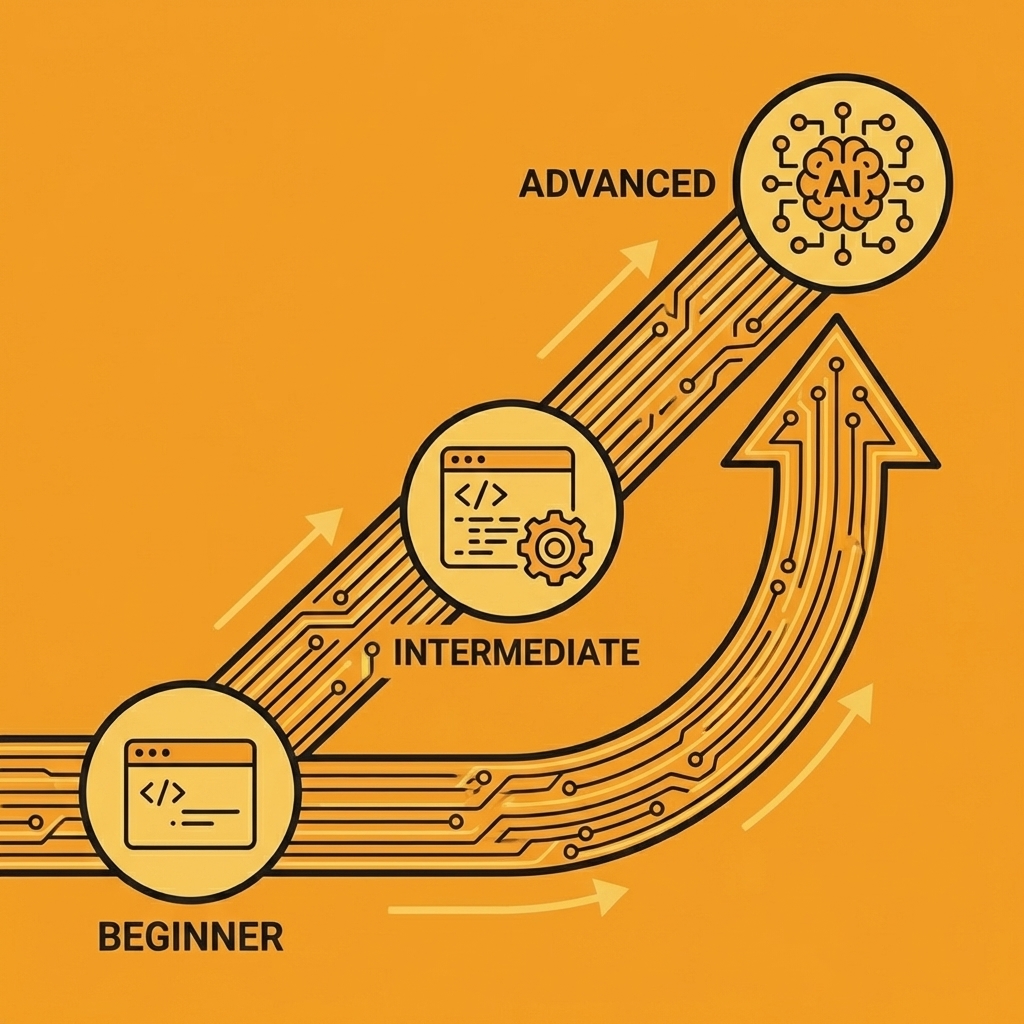
Tip: Start with projects that align with your current interests or professional goals - Cursor's conversational interface makes it easy to adapt any concept to your specific learning objectives or business needs.
The Vibe Coding Mindset
Successful vibe coding requires shifting from a developer mindset to that of a software architect: managing AI like a conductor manages an orchestra.
Think in Systems
Focus on describing the parts and how they work together, rather than on individual lines of code. AI can process substantial amounts of information at once, but it still makes mistakes. Provide as much detail as possible in your requests. Learn to write better prompts, and don't take shortcuts.
Embrace Iteration
Treat AI-generated code as a starting point. Check each change, run tests at each step, and save your work when it works. Use a test-driven approach; AI can break things without warning.
Develop Clear Communication
The better you explain what you want, the better results you'll get.
Maintain Critical Thinking
Always review and understand generated code. Your responsibility for the final product remains unchanged. You're now a debug engineer as much as a software engineer. Know the basics before blindly trusting AI.
Web & App Development
- Minimalist personal portfolio site: A single-page site showcasing your work with project cards and a contact form.
- AI-powered blog generator: Type in a topic and receive a formatted blog post with headings and metadata. Our Orchids app generator enables you to create content-rich applications like this without extensive coding.
- Recipe search app with ingredient filters: Search for recipes based on ingredients you have and dietary restrictions.
- Mood-based music recommendation site: Pick your current mood and receive a customized playlist.
- Local events discovery platform: Browse events near you filtered by date, category, and location.
- Digital business card generator: Create shareable QR codes containing contact details and social media links.
- Interactive resume builder: A drag-and-drop tool for creating formatted resumes that you can save or download.
- Customizable landing page template: pre-made sections that users can move around and fill in with their own information.
- AI chatbot for FAQs: A chatbot you can add to your website to answer common questions about your offerings.
- Virtual study group platform: Plan study sessions together, share notes, and track group progress on assignments.
Mobile App Ideas
- Offline note-taking app: Create and organize notes that sync when the internet connection returns.
- Habit tracker with streak rewards: Log daily habits and earn badges for maintaining consecutive days.
- Daily gratitude journal: Record three things you're grateful for each day, with the option to add photos.
- Language learning flashcards: Create custom decks with spaced repetition algorithms to help you retain information more effectively.
- Meditation timer with ambient sounds: Set your session duration and choose background audio for guided meditation.
- Expense tracker with charts: Put your spending into categories and view monthly trends using pie charts.
- Step counter with gamification: Track your daily steps and compete with friends on leaderboards.
- Pet health tracker: Record vet visits, medications, and weight changes for multiple pets.
- Plant care reminder app: Set watering schedules and receive notifications based on plant type.
- Local deals & discounts finder: Browse current promotions from nearby businesses with map integration.
- Offline note-taking app: Create and organize notes that sync when the internet connection returns.
Productivity Tools
- Markdown to PDF converter: Upload markdown files and download styled PDF documents.
- File organizer with tagging: Auto-categorize files by type and add custom tags for quick retrieval.
- Document version tracker: Upload files and maintain a change history with rollback capability.
- AI meeting notes summarizer: Paste transcripts to extract action items, key decisions, and follow-ups.
- Email template generator: Pick a scenario and receive a professional email draft ready to customize.
- Voice-to-text transcription tool: Record audio and get searchable text transcripts with timestamps.
- Task manager with priority scoring: Give urgency and importance scores to tasks so they rank automatically.
- Pomodoro timer with analytics: Keep track of focus sessions and see productivity patterns over time.
- Calendar sync dashboard: View events from multiple calendars in a single unified interface.
- Time zone converter: Compare multiple time zones side-by-side for scheduling international meetings.
Creative & Design Tools
- Meme generator with templates: pick layouts, add text, and save shareable images.
- AI color palette suggester: Describe a mood or theme and receive matching color combinations that work well together.
- Logo creator with prompts: Enter brand values and receive logo options for refinement.
- Font pairing recommender: Upload a main font to receive matching options for headers and body text.
- Digital mood board creator: Drag images, colours, and text snippets onto a canvas for visual brainstorming.
- Collage builder: Arrange photos with customizable layouts and filters.
- Pixel art editor: A grid-based drawing tool for exporting work as game sprites and icons.
- Animated GIF maker: Upload a series of images and adjust the frame rate to create smooth animations.
- 3D model previewer: Upload OBJ or STL files and rotate models in your browser to view them from different angles.
- Custom wallpaper generator: Create abstract patterns or gradients sized for desktop and mobile screens.
Data & Analytics
- Crypto price tracker: Watch real-time prices for selected cryptocurrencies with historical charts.
- Stock portfolio dashboard: Enter your holdings and view current value, gains, and diversification metrics.
- Weather trends visualizer: Compare temperature and precipitation data across cities over time.
- Social media analytics tool: Connect accounts and track follower growth, engagement rates, and top posts.
- Fitness progress tracker: Log workouts and visualise strength gains or endurance improvements.
- Website traffic heatmap: Integrate with analytics APIs to show where users click most frequently.
- Budget forecasting tool: Enter income and expenses to project savings over 6–12 months.
- Sentiment analysis dashboard: Paste customer reviews and receive sentiment scores with keyword extraction.
- Sports stats tracker: Follow teams and players with live scores and season performance summaries.
- Energy consumption monitor: Log utility usage and identify patterns to reduce monthly costs.
AI & Machine Learning
- AI image caption generator: Upload photos and receive descriptive text for accessibility tags.
- Chatbot for customer support: Train it using your FAQ documents to answer common questions independently.
- Text summarization tool: Paste long articles to receive concise summaries highlighting the main points.
- AI-powered quiz generator: Enter a topic and receive multiple-choice questions with answer keys.
- Handwriting recognition app: Take a photo of handwritten notes and convert them to editable text.
- Voice cloning experiment: Record a short audio sample and create new speech in that voice.
- AI-based recipe creator: Describe your ingredients and dietary preferences to receive custom recipes.
- Fake news detector: Examines article text for credibility indicators and verifies facts against known sources.
- Personalized workout planner: Answer questions about fitness goals and available equipment to receive custom routines.
- AI music loop generator: Pick a genre and tempo to create royalty-free background music loops.
Games & Fun Projects
- Word guessing game: Six attempts to guess a five-letter word with colour-coded feedback.
- Trivia quiz app: Choose categories and difficulty levels for timed multiple-choice questions.
- Sudoku solver: Input a puzzle grid and receive the completed solution with step-by-step logic.
- Multiplayer tic-tac-toe: Real-time game sessions with friend invites and win/loss tracking.
- Virtual pet game: Feed, play with, and care for a digital pet that grows based on interactions.
- Memory card game: Flip cards to find matching pairs with difficulty levels that adjust the grid size.
- Maze generator: Create random mazes with adjustable complexity and export as printable PDFs.
- Reaction time tester: Click when the screen changes colour and measure response speed in milliseconds.
- Story-based adventure game: Make choices that branch the narrative with multiple possible endings.
- Emoji puzzle game: Decode phrases represented by emoji combinations with hints available.
Community & Social
- Local volunteer matching app: Browse opportunities by cause, location, and time commitment.
- Neighbourhood watch alert system: Report and receive messages about local safety concerns.
- Book club discussion board: Start reading groups, vote on books, and share your thoughts about chapters.
- Skill-sharing platform: Offer to teach something and find others willing to teach you in exchange.
- Community garden planner: Assign plots, track planting schedules, and share harvest updates.
- Lost & found board: Post items you've lost or found with photos and location details.
- Event RSVP tracker: Send invitations, collect responses, and manage attendees with reminders.
- Group expense splitter: Determine who owes whom after shared costs from group trips or dinners.
- Local history archive: Upload photos and stories documenting how your neighbourhood has changed over time.
- Public opinion poll tool: Create surveys about local issues and view results segmented by demographic groups.
What are the essential e-commerce tools for online businesses?
- Product price comparison tool: Search items across retailers to find the lowest current price.
- Inventory tracker: Log stock levels, set reorder alerts, and generate turnover reports.
- Subscription billing system: Automate recurring charges with email receipts and payment retry logic.
- Digital coupon generator: Create unique discount codes with expiration dates and usage limits.
- Order tracking dashboard: Connect with shipping APIs to display real-time package locations.
- Restaurant menu QR code app: Create scannable codes for contactless ordering.
- Custom T-shirt design store: Let customers upload images, choose styles, and place orders.
- Marketplace for handmade goods: List items with photos, descriptions, and seller ratings.
- Service booking platform: Schedule appointments, send confirmations, and manage availability calendars.
- Loyalty points tracker: Customers earn points per purchase and redeem them for discounts or rewards.
Lifestyle & Wellness
- Sleep tracker with tips: Log your sleep hours and quality to receive personalized suggestions for better sleep.
- Water intake reminder: Set daily goals and receive notifications throughout the day to help you stay hydrated.
- Stress level self-check tool: Answer a few quick questions to receive a stress score and coping strategies.
- Mood diary with charts: Rate your mood daily to track emotional patterns over weeks or months.
- Meal planner with grocery list: Plan weekly menus and automatically generate shopping lists by ingredient.
- Healthy recipe swap platform: Share your favourite recipes and discover alternatives from others who prioritize healthy eating.
- Home workout timer: Follow exercise routines with interval timers and rest period countdowns.
- Yoga pose guide: Browse poses with photos, instructions, and suggested sequences for different skill levels.
- Daily affirmation generator: Receive positive statements each morning tailored to your focus areas.
- Guided breathing exercise app: Follow visual cues for inhale and exhale cycles that you can adjust.
Bonus Experimental Ideas
- AI-generated comic strip maker: Describe a scene and receive illustrated panels with dialogue bubbles.
- Virtual art gallery: Upload artworks and arrange them in a 3D walkable space.
- Interactive map of personal travels: Pin visited locations with photos and notes on a world map.
- Voice-controlled smart home dashboard: Give commands to control lights, temperature, and devices by speaking.
- AR-based interior design preview: Point your phone camera at a room and place virtual furniture to see how it fits.
What happens after building your experimental project?
Conversational tools handle basic setup, letting developers focus on features that improve the user experience. Akos.ma documented building 100+ projects this way, demonstrating how vibe coding shifts effort from boilerplate to meaningful development.
The challenge is deciding what to do once you've built something that works and want it to become more than a weekend experiment.
Turn Your Cursor AI Projects into Real Apps with Orchids
You've built something that works. The API responds, the interface renders, and the logic executes without errors. Now you need it running somewhere other than localhost, accessible to actual users, with a database that persists beyond your development session. This is where most conversational coding experiments stall. The gap between functional prototype and deployed application requires deployment pipelines, environment variables, database provisioning, authentication setup, and monitoring infrastructure that AI editors weren't designed to handle.

Key Point: The transition from working prototype to production-ready application is where most AI-generated projects fail, requiring manual configuration across multiple platforms.
Most developers export their Cursor-generated code and rebuild the deployment layer manually using separate tools for hosting, databases, and CI/CD. You must explain project structure to Vercel, configure Supabase separately, manage API keys across platforms, and debug integration issues between services that lack context about your application architecture.

"The gap between functional prototype and deployed application involves deployment pipelines, environment variables, database provisioning, authentication setup, and monitoring infrastructure that AI editors weren't designed to handle."
| Traditional Approach | Integrated Platform |
|---|---|
| Export code from Cursor | Continue conversational development |
| Manual Vercel configuration | Automated deployment setup |
| Separate database provisioning | Coordinated service integration |
| Fragmented API key management | Unified environment handling |

Platforms like AI app generator close this gap by extending conversational development through deployment. With Orchids, you describe what you need (a PostgreSQL database, Stripe integration, deployment to your own Vercel account), and our platform coordinates setup across your chosen stack without manual configuration of each service. This maintains the flow state that made Cursor productive, letting you move from working prototype to production application through the same conversational interface you used to write the code.
Warning: Breaking the conversational development flow by switching to manual deployment tools often leads to abandoned projects and lost momentum.
, right side shows unified Orchids platform.png>)
Build your first app for free and turn your AI-generated experiments into applications people can use.
Related Reading
Bilal Dhouib
Head of Growth @ Orchids