20 Best Replit Alternatives to Help You Code and Ship Apps Faster
Cloud IDEs can frustrate developers when lag disrupts coding flow, free tiers expire at critical moments, or limited deployment options block progress. The right Replit alternatives offer better performance, flexible pricing, robust language support, and smooth team collaboration features. Choosing a platform that matches your specific workflow eliminates bottlenecks and accelerates both development and deployment.
Traditional cloud coding environments often require extensive manual coding and complex infrastructure management. Modern solutions can transform this approach by leveraging intelligent automation to handle technical complexity, allowing developers to focus on problem-solving and value creation. For those seeking alternatives beyond conventional coding platforms, Orchids offers an AI app generator that streamlines the entire development process.
Table of Contents
- Why Are Developers and Founders Looking for Replit Alternatives?
- 20 Best Replit Alternatives That Solve Real Development Bottlenecks
- How to Choose the Right Replit Alternatives for Your Project
- Stop Struggling With Cloud IDE Limits — Ship Apps Faster with Orchids
Summary
- Cloud IDE limitations force developers into expensive workarounds that slow shipping velocity. Replit's checkpoint pricing model charges roughly $2 per AI request, which compounds costs when the AI loops on errors or generates non-functional code that requires multiple regeneration attempts. Developers report burning through credits on broken authentication flows and deployment issues that need manual fixes anyway, turning quick prototypes into expensive debugging sessions.
- Performance bottlenecks in shared sandbox environments break developer flow state and compound into hours of lost productivity. Free tier users experience 30-second project spin-up times and mid-edit freezes during peak server load, while even paid accounts face sluggish response times that worsen as codebases grow more complex. Small lags across a workday accumulate into significant delays compared to local development or dedicated cloud VMs.
- Prototyping tools and production platforms solve fundamentally different problems, and forcing one into the other's role creates the bottlenecks developers switched to avoid. Analysis from Bubble Blog shows that the platforms developers choose depend heavily on whether they're validating ideas quickly or shipping applications that require custom infrastructure, team collaboration, and advanced deployment configurations. The gap between these use cases explains why simplified environments can feel limiting as projects move beyond initial experimentation.
- Language and framework support determine whether a platform adapts to your stack decisions or forces you into predetermined technology choices. Tools focused exclusively on JavaScript frameworks work well until projects need Python for data processing, Go for backend services, or Rust for performance-critical components, forcing developers to either compromise on technology selection or manage multiple disconnected environments within a single codebase.
- Bring-your-own-LLM pricing models eliminate surprise charges when AI agents need multiple attempts to generate working code. Developers already paying for ChatGPT, Claude, Gemini, or GitHub Copilot subscriptions avoid per-request fees that assume AI succeeds most of the time, and control both the AI model selection and cost structure, rather than paying again for proprietary AI that might fail halfway through implementation.
- Orchids AI app generator fits this need by letting developers use their existing AI subscriptions to build and deploy across any language and framework without platform restrictions or per-request pricing.
Why Are Developers and Founders Looking for Replit Alternatives?
Replit's promise sounds perfect: describe what you want, and watch AI build it. But the reality differs when you're three hours into a project, and the AI agent keeps regenerating the same broken authentication flow, burning through credits while your deadline approaches. The platform's unpredictable checkpoint pricing, combined with AI that loops on errors rather than fixing them, turns quick prototypes into expensive debugging sessions that require manual intervention anyway.

Warning: The gap between AI promises and actual performance can turn simple projects into costly time sinks when tools fail to deliver reliable results.
"AI-powered development tools that can't consistently deliver working solutions create more problems than they solve, especially when pricing models penalize trial-and-error workflows." — Developer Experience Research, 2024
Key Point: That gap between promise and performance is driving developers toward alternatives that actually ship working code. Smart developers are prioritizing reliable execution over flashy AI features that break under pressure.
Limited control over the environment
Replit runs everything in sandboxed containers with rules you didn't set. For basic scripts or learning projects, this works. But specific runtime versions, custom system dependencies, or performance tuning hit walls. Strange bugs appear that don't exist on your computer. Package installations fail inexplicably. You end up working around Replit's limits instead of building.
The debugging problem worsens because you cannot replicate the environment on your computer. What works locally breaks in Replit's sandbox, and vice versa. For production-grade work, this difference is problematic.
Performance can lag
Cloud-based coding sounds convenient until you're waiting 30 seconds for your project to start or watching the IDE freeze mid-edit due to server overload. Free-tier users feel this the hardest, but even paid accounts experience slow response times during peak hours. Each delay breaks your concentration and, over a workday, adds up to hours of lost productivity.
Bigger applications exacerbate these issues. The more complex your codebase, the slower everything runs: loading files, running tests, and deploying changes all take longer than local development or more powerful cloud IDEs built to handle large projects.
Not ideal for pro dev workflows
Replit is designed to be simple, but this simplicity limits what professional teams can do. Version control is basic; CI/CD pipelines require workarounds or external tools, and advanced deployment setups require third-party services.
According to Replit Blog, Agent v2 (February), Agent 3 (September), and Design Mode (November) made things 2-3x faster. However, speed alone doesn't address the core limitation: Replit isn't built for teams shipping complex, production-grade applications with custom infrastructure needs.
Pricing doesn't scale well
The free tier gets you interested, but private repositories, better performance, and more storage cost $20 monthly, plus extra for Ghostwriter AI. For solo developers or small teams, this feels backward: you're paying top-tier prices for a platform that limits what you can build, compared to other options that offer full infrastructure control at similar or lower costs.
The frustration isn't the dollar amount. It's paying more while getting less flexibility than competitors who offer production-ready environments, advanced deployment options, and no sandbox restrictions for comparable prices.
Why does Replit's pricing model fail when AI outputs are unreliable?
Replit charges roughly $2 per AI request through its checkpoint system. This pricing only works if the AI consistently delivers working code. However, developers report the AI frequently fails to follow requirements, generates non-functional code, and breaks existing code while attempting fixes.
You use up credits fast when each attempt costs money but produces no usable results. The economic model assumes the AI succeeds most of the time. When it doesn't, you're paying for failed experiments that leave you further behind than when you started.
How do alternative platforms avoid these pricing pitfalls?
Platforms like Orchids take a different approach. Instead of locking you into a proprietary AI with per-request pricing, you bring your own ChatGPT, Claude, Gemini, or GitHub Copilot subscription. You're already paying for those tools—why pay again for AI that might not work?
That flexibility means you control both the AI model and the cost structure, eliminating surprise charges when the agent needs multiple tries. What works better when Replit's limitations start costing you time and money?
Related Reading
20 Best Replit Alternatives That Solve Real Development Bottlenecks
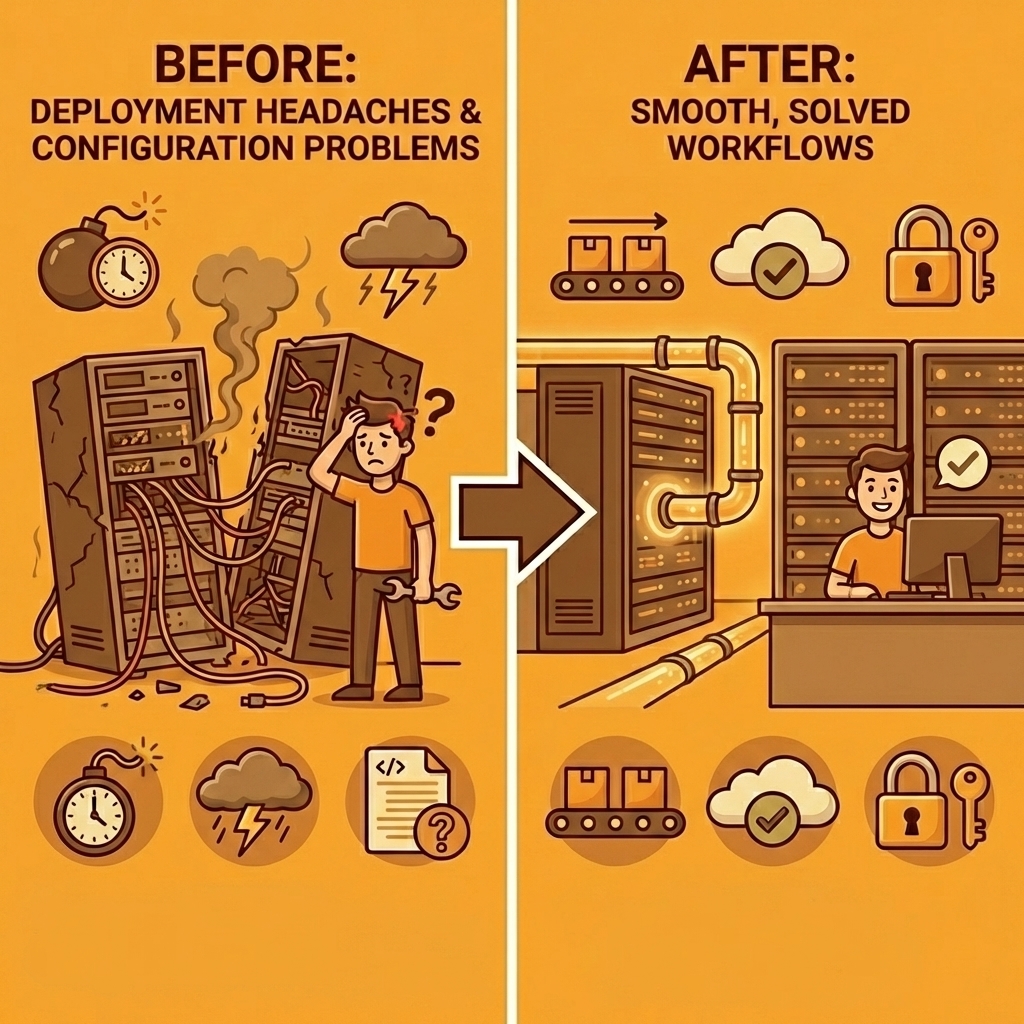
The alternatives that matter address specific problems: deployment headaches, environment configuration nightmares, or the gap between generating code and shipping working products. Zite Blog's analysis of 8 Replit alternatives shows that developers prioritize tools solving concrete workflow bottlenecks over general-purpose coding environments. What you need depends on where Replit's limitations hit hardest in your specific project.
Key Point: The best Replit alternative isn't the one with the most features; it's the one that eliminates your biggest development bottleneck.
"Developers prioritize tools solving concrete workflow bottlenecks over general-purpose coding environments." — Faros AI Developer Productivity Research
Pro Tip: Before choosing an alternative, identify your primary pain point with Replit—whether it's slow deployment, limited collaboration, or environment constraints—then match tools to those specific needs.
1. Orchids
Best for: AI-powered full-stack app building from natural language
Orchids lets you vibe-code and ship real apps fast with its AI app generator — not just websites in a preset template. Build anything (web, mobile, scripts, bots, extensions), bring your own LLM/API keys to control costs, and connect whatever stack you want for DB, auth, and payments. Deploy in one click, add a custom domain, and iterate UI/copy without derailing engineering.
What I like about Orchids
- Full-stack app generation from prompts
- Connect any database, auth, or payment system
- Deploy to Vercel or your custom environment
What I don’t like
- Slight learning curve for complex integrations
- Mainly web and mobile apps
2. Rocket.new
Best for: AI-powered app builder that generates full-stack apps from prompts
Rocket.new produces production-ready code for web and mobile apps from a single natural language description. Templates for dashboards, landing pages, and web apps make prototyping fast, and GitHub integration keeps version control simple.
What I like
- Generates full apps from a prompt
- Prebuilt database schemas, auth, and APIs
- Ready-to-deploy code with custom domains
What I don’t like
- Less flexible for unconventional architectures
- Not ideal for advanced enterprise workflows
3. GitHub Codespaces
Best for: Cloud-based VS Code environment for professionals
Codespaces spins up full dev containers in the cloud with VS Code ready to go. No local setup needed, and tight GitHub integration ensures smooth collaboration and multi-language support.
What I like
- Instant cloud dev environments
- Real-time collaboration
- Preconfigured dev containers
What I don’t like
- Cloud-only; limited offline support
- Can feel heavy for small projects
4. CodeSandbox
Best for: Quick browser-based web IDE
CodeSandbox is lightweight and fast for web apps. Start coding in seconds with templates for React, Vue, Angular, and Node. Real-time collaboration and live previews make it great for small teams and rapid prototyping.
What I like
- Start coding instantly in the browser
- Templates for common frameworks
- Live previews and collaboration
What I don’t like
- Limited backend flexibility
- Not ideal for full-stack production apps
5. Ona (formerly Gitpod)
Best for: Cloud IDE with autonomous AI agents
Ona expands cloud development into autonomous agents that can compile, run tests, and document code while you’re away. Perfect for exploring, delegating, and reviewing work across complex projects.
What I like
- Background agents run tasks autonomously
- Isolated, preconfigured environments
- Automated code review and testing
What I don’t like
- Complex setup for small projects
- Enterprise focus may overwhelm solo devs
6. Codeanywhere
Best for: Flexible container-based cloud IDE
Codeanywhere supports multiple languages and frameworks with a VS Code-like interface. Developers can use one-click containers, AI-assisted coding, and real-time collaboration for team projects.
What I like
- Containerized development environments
- AI coding assistance is built in
- Collaborative workspaces
What I don’t like
- UI can feel cluttered
- Some features require paid tiers
7. eesel AI
Best for: AI-powered support and knowledge bots
eesel AI quickly turns your helpdesk, docs, or knowledge base into an AI assistant. Perfect for automating customer support and internal workflows without coding.
What I like
- Go live in minutes
- Learns from past tickets and docs
- Full workflow control and testing
What I don’t like
- Focused only on support and knowledge management
- Not a general-purpose coding platform
8. Cursor
Best for: AI IDE with codebase-aware intelligence
Cursor reads your full project to give context-aware suggestions, refactor code, and generate tests. Built-in “apply” and “diff” features let you instantly accept AI changes.
What I like
- Context-aware suggestions across your codebase
- Large-scale refactoring made easy
- Commands for migrations, bug-finding, and testing
What I don’t like
- Limited offline use
- Subscription needed for full features
9. Glide
Best for: No-code mobile and web apps from data
Glide turns Google Sheets, Airtable, or SQL databases into mobile apps and internal tools without code. Drag-and-drop interface, templates, and integrated AI make it fast to launch.
What I like
- Build apps without technical skills
- AI-powered summaries and data extraction
- Comes with auth and templates
What I don’t like
- Limited customization for advanced workflows
- Data-heavy apps may need external integrations
10. Bolt.new
Best for: Developers building AI agents and managing token usage
Bolt.new generates full-stack applications from prompts with fine-grained control over AI memory and tokens. Perfect for prototyping AI agents or experimental apps.
What I like
- Public and private projects on the free tier
- Custom AI agents with memory
- Usage-based pricing with rollover
What I don’t like
- Complex for non-technical users
- Limited frontend capabilities
- Requires manual fixes for full features
11. Coder
Best for: Enterprise cloud dev environments on your infrastructure
Coder gives regulated organizations full control over dev environments using Terraform, Docker, and enterprise-grade security.
What I like
- Host anywhere: cloud or on-prem
- Centralized environment management
- Enterprise security and governance
What I don’t like
- Overkill for small teams or indie projects
- Paid tiers required for full features
12. Shipper.now
Best for: Idea-to-live product in minutes
Shipper.now instantly builds full-stack apps from a description — React, Tailwind, backend logic, deployment — without needing code. Focus on ideas; Shipper handles engineering.
What I like
- Instant live product deployment
- Clean, responsive, SEO-ready sites
- Zero setup or environment configuration
What I don’t like
- No built-in coding interface
- Backend-heavy apps still need external tools
- Not collaborative like Replit
13. Lovable
Best for: Beginner-friendly AI coding and team collaboration
Lovable simplifies AI coding with a visual interface and small-team support. Great for learning or collaborative experimentation without deep setup.
What I like
- Clean starter codebases
- Supports full-stack apps
- Friendly for small teams
What I don’t like
- Not production-ready for serious apps
- Manual setup needed for auth/payments
- The token-credit system can be confusing
14. V0 by Vercel
Best for: Fast AI-generated frontends
v0 turns UI descriptions into editable React code. Excellent for landing pages, dashboards, and clean Tailwind layouts. Iterates quickly on sections.
What I like
- Generates polished UI from prompts
- Tailwind + Next.js support
- Rapid iteration on individual components
What I don’t like
- Not full-stack; backend wiring is manual
- React skills needed to polish and deploy
15. Windsurf
Best for: Local AI-assisted coding
Windsurf runs all AI locally, letting you pair program, ask questions, and refactor without sending code to the cloud. Ideal for privacy-conscious teams.
What I like
- Fully local models
- Offline support
- Fast, context-aware suggestions
What I don’t like
- No UI generation or deployment
- Assumes strong coding knowledge
- Limited community/resources
16. GitHub Copilot
Best for: Autocomplete-style AI coding inside your IDE
Copilot plugs into VS Code or other IDEs to suggest lines of code, complete functions, and write tests in real time. Perfect for experienced devs deep in a codebase.
What I like
- Seamless IDE integration
- Speeds up repetitive coding
- Context-aware suggestions from public code
What I don’t like
- Doesn’t guide product/UX decisions
- No full app generation or deployment
- Suggestions can be incorrect or insecure
17. JetBrains + Junie
Best for: Multi-step coding tasks in professional IDEs
JetBrains with Junie provides cloud-hosted dev environments, AI coding agents, and automated workflows across Java, Python, Kotlin, .NET, and more. Ideal for enterprise-level projects.
What I like
- Full IDE feature set with AI assistance
- Automated multi-step task execution
- Supports multiple languages/frameworks
What I don’t like
- Complex setup for solo developers
- Paid licenses required for enterprise features
18. Base44
Best for: AI-powered full-stack web applications
Base44 turns plain-English app descriptions into complete systems, including frontend, backend, database schemas, and business logic. Backend-first architecture makes it great for SaaS and internal tools.
What I like
- Full-stack apps from natural language
- Built-in authentication and workflows
- API layer auto-generated
What I don’t like
- Opinionated architecture may feel restrictive
- Focused on web apps, not general software
19. Blink
Best for: Non-technical AI + no-code web apps
Blink combines AI prompts with visual logic builders to let non-technical users launch web apps, internal tools, and dashboards quickly.
What I like
- Low learning curve
- Built-in database and auth
- Fast deployment without servers
What I don’t like
- Limited for complex/custom systems
- Less control over architecture
20. Softgen
Best for: Ultra-simple AI web app generation
Softgen lets anyone generate web apps from plain-language prompts. Focuses on speed and simplicity for internal tools or small SaaS projects.
What I like
- Prompt-to-app workflow
- Built-in hosting and data management
- No environment setup needed
What I don’t like
- Limited flexibility for complex apps
- Template-driven architecture
- Not suited for production-scale systems
Related Reading
- Hire an App Developer
- Softr Alternatives
- Appsheet Alternatives
- Mobile App Ideas
- Vs Code Alternatives
- AI Tools For Product Managers
How to Choose the Right Replit Alternatives for Your Project
Map out what you're building before you pick a tool. A weekend prototype needs different infrastructure than a SaaS product serving paying customers. Identify your real constraints: timeline pressure, team size, technical complexity, and the level of infrastructure control you'll need. The platform that gets you coding fastest might trap you later when you need custom deployment pipelines, team collaboration features, or production-grade performance.

Key Point: The right platform choice depends entirely on your project scope and long-term goals. What works for rapid prototyping may become a bottleneck for production applications.
Warning: Don't let convenience override scalability needs. Many developers choose platforms based on immediate ease of use, only to face migration headaches as their projects outgrow the platform's capabilities.

Workflow complexity determines infrastructure needs
Simple scripts or learning projects work fine in lightweight browser IDEs. Production applications need environments that support background workers, scheduled jobs, database migrations, environment variables, secrets management, and multi-service architectures. Teams discover this limitation weeks into development when their platform cannot handle basic deployment requirements.
According to Bubble Blog's analysis of 9 alternatives, prototyping tools prioritise speed and simplicity, while production platforms emphasise control, scalability, and deployment flexibility. Using a prototyping tool for production recreates the bottlenecks you switched platforms to avoid.
Why does language support matter for your development workflow?
Check whether your platform supports the full stack you need before committing. Some alternatives focus only on JavaScript frameworks and web development, which doesn't work when your project needs Python for data processing, Go for backend services, or Rust for performance-critical components.
Multi-language support means the platform handles package managers, build tools, and runtime environments for each language without requiring manual setup.
How do modern platforms handle full-stack development?
Platforms like Orchids handle full-stack development across any language and framework through conversational interfaces, eliminating the "does this tool support my stack?" question. You can build web apps in React, mobile apps in Flutter, CLI tools in Python, or browser extensions in JavaScript without switching environments or reconfiguring toolchains.
How do collaboration features scale for development teams?
Solo developers can handle clunky collaboration tools because they rarely need them. Teams writing code together need real-time editing, shared environments, and clear visibility into who changed what. The collaboration gap emerges when two developers accidentally overwrite each other's work, or when onboarding a new team member requires half a day of environment setup instead of sharing a link.
Some platforms treat collaboration as an afterthought, adding basic features that break under real team workflows. Others build it into the core architecture, making pair programming and code reviews feel natural rather than forced.
Why does performance matter for production applications?
Performance and scalability separate tools built for learning from platforms designed for shipping. Production applications require consistent performance regardless of server load or time of day. Platforms with dedicated containers, cloud VMs, or local machine integration deliver faster build times and more stable environments than shared sandbox systems that degrade during peak usage.
When deployment speed directly impacts your ability to iterate and ship features, performance becomes a core selection criterion. But knowing what to evaluate matters only if you test it on real work, not theoretical requirements.
Stop Struggling With Cloud IDE Limits — Ship Apps Faster with Orchids
Testing a new project idea shouldn't mean struggling with sandbox restrictions, burning through credits on broken AI loops, or rebuilding deployment pipelines from scratch. The tools that help you ship are the ones that get out of your way, let you build what you described, deploy it without friction, and iterate based on real feedback.

Key Point: Orchids eliminates the gap between idea and working software by letting you bring your own AI subscription (ChatGPT, Claude, Gemini, or GitHub Copilot) and build across any stack without platform restrictions.
Orchids eliminates the gap between idea and working software by letting you bring your own AI subscription (ChatGPT, Claude, Gemini, or GitHub Copilot) and build across any stack without platform restrictions. Our AI app generator helps you create a web app, mobile prototype, CLI tool, or browser extension through conversational prompts, then deploy with one click using custom domains. Import existing code, connect your preferred database and authentication services, run security audits, and scale to your own Vercel account when you're ready. You control the AI model, the cost structure, and the infrastructure decisions instead of fighting limitations built into someone else's sandbox.
"The tools that help you ship are the ones that get out of your way and let you build what you described, deploy it without friction, and iterate based on real feedback." — Modern Development Philosophy
Tip: Use your existing AI subscriptions instead of burning through platform credits on experimental features.
Describe a feature idea in plain language, generate a working prototype, deploy it live, and collect real user feedback within hours instead of days. Start building your first app for free with Orchids, our AI app generator that helps you move past cloud IDE constraints and deliver software today.

Related Reading
Bilal Dhouib
Head of Growth @ Orchids