Side-By-Side Cursor vs Windsurf Feature Comparison Guide
Choosing the right AI coding assistant can mean the difference between shipping your product next week or next month. As AI-powered development tools reshape how developers write code, the decision between Cursor and Windsurf becomes crucial for workflow efficiency. This comparison cuts through the marketing noise to show exactly what each tool does well, where each falls short, and which one matches different coding styles.
Understanding the strengths of these AI coding assistants helps developers make informed decisions about their development stack. Once you know which tool fits your workflow, the next step is to apply that knowledge to actual projects using Orchids's AI app generator.
Table of Contents
- Most Developers Compare AI Coding Tools the Wrong Way
- In-Depth Cursor vs Windsurf Features Compared
- What Most AI Coding Tools Still Can’t Do
- Comparing AI Coding Tools Is Only Step One — Shipping the App Is What Matters
Summary
- Most developers pick AI coding tools based on surface features like autocomplete speed and language support rather than asking whether the tool matches their actual coding workflow. The Stack Overflow Developer Survey shows 84% of developers are using or planning to use AI tools in their development process, but adoption doesn't equal understanding. Choosing the wrong tool creates slower debugging cycles, context that evaporates mid-task, and cleanup work that outweighs the productivity gains.
- Context limitations create real bottlenecks during intensive development sessions. No AI-powered IDE can support 30 minutes of continuous coding in a single chat thread because context includes everything: chat history, input/output tokens, and the full changelog of edited files. Cursor's practical context ranges between 10,000 and 50,000 tokens due to manual file selection constraints, while Windsurf offers around 200,000 tokens through its RAG-based approach, giving it an advantage for larger codebases.
- Pricing structures reveal different platform philosophies. Cursor offers up to 500 fast premium requests per month on the $20 Pro plan, with continued access at API pricing plus a 20% markup when you exceed limits. Windsurf provides unlimited usage on the $10 Pro plan, but accessing Claude models requires bringing your own API key due to strained vendor relationships. The $5 monthly price gap matters less than whether you'll consistently hit usage limits.
- AI coding assistants generate impressive code snippets but stop short of delivering working applications. According to Aubergine Insights, 90% of AI coding tools struggle with complex architectural decisions and cross-file refactoring. The gap between generated code and deployed product remains stubbornly wide because you still need to connect authentication systems, configure databases, wire up payment processors, set up deployment pipelines, and manage environment variables across multiple environments.
- Writing code represents maybe 30% of the work required to ship software. The other 70% involves building Docker containers, configuring CI/CD pipelines, setting up monitoring and alerting, managing secrets and environment variables, configuring load balancers, and establishing rollback procedures. AI tools generate Dockerfiles and GitHub Actions workflows, but can't debug why your container fails in production while working locally, leaving developers stranded at the deployment boundary.
- Orchids addresses this by handling the complete path from conversational prompt to deployed product, connecting databases, authentication, payment processors, and deployment infrastructure without leaving the IDE.
Most Developers Compare AI Coding Tools the Wrong Way
AI coding tools aren't interchangeable despite what most comparison articles suggest. They're built around fundamentally different development workflows and AI interaction models. Choosing the wrong one means slower debugging cycles, lost context mid-task, and a codebase that fights you rather than flows.

Key Point: The real difference between AI coding assistants isn't their feature lists or pricing tiers — it's how they actually integrate into your daily development rhythm and whether they preserve context across complex coding sessions.
"Most developers spend up to 30% of their time switching between tools and rebuilding context that should have been automatically preserved." — Developer Productivity Research, 2024

Warning: Comparing AI coding tools based on surface-level features like code completion speed or language support misses the critical factors that determine whether a tool will actually improve your development velocity or become another productivity bottleneck.
Why do developers fall into the comparison trap?
The comparison trap happens because we treat these tools like competing smartphones with different spec sheets. According to the Stack Overflow Developer Survey, 84% of respondents use or plan to use AI tools in their development process. Most developers choose based on surface features (autocomplete speed, language support, price) rather than asking the harder question: does this tool match how I actually write code?
Why do developers have different reactions to AI tools?
Developers fall into two distinct groups, and most tool comparisons ignore this. Craft-focused developers see programming as a creative expression and enjoy solving problems and improving logic. For them, AI code generation feels like someone else finishing their crossword puzzle: the mental satisfaction disappears.
How do delivery-focused developers view AI assistance?
Developers who focus on delivery see code as a way to reach a goal. When AI can write better basic code in seconds rather than minutes, using it isn't cheating—it's removing the obstacles between ideas and working software. I'd rather spend time on architecture decisions and business logic than writing another HTTP handler.
This isn't about skill level. Companies hire engineers to deliver value, not to enjoy the coding process. The Stack Overflow Developer Survey shows that 51% of professional developers use AI tools daily, citing measurable productivity gains.
What happens when you choose the wrong coding assistant?
The wrong AI coding assistant creates real productivity losses. Context awareness breaks down mid-task, forcing you to re-explain what you're building. Debugging suggestions miss the actual error because the tool doesn't understand your architecture patterns.
Code suggestions follow generic templates that don't match your team's conventions, creating more cleanup work than value.
How do Claude Code and OpenAI's Codex differ in workflow optimization?
Claude Code and OpenAI's Codex are optimized for different workflows. One excels at understanding large codebases through semantic search, while another generates more accurate boilerplate but struggles with architectural context.
The question isn't which tool is best; it's which tool matches how you build software.
Why does deep expertise with one tool beat shallow knowledge of many?
Most developers waste time trying multiple tools at a surface level instead of mastering one deeply. Deep expertise with a single tool that fits your workflow consistently outperforms shallow knowledge of three tools that don't.
You learn its quirks, how to guide it when it's stuck, and when to step in manually. Understanding which tool improves your productivity requires looking past marketing claims and feature lists.
Related Reading
In-Depth Cursor vs Windsurf Features Compared
Cursor and Windsurf are fundamentally different in how they handle context management, run agents, and access models. Cursor gives you detailed control by letting you choose your context manually and provides direct access to Claude 4 for difficult projects. Windsurf makes context management easier through RAG-based indexing and costs less money, but you must provide your own Claude API key. Neither one is better in every situation—they work best for different types of work.
| Feature | Cursor | Windsurf |
|---|---|---|
| Context Management | Manual selection | RAG-based indexing |
| Model Access | Built-in Claude 4 | Requires API key |
| Cost | Higher | Lower |
| Control Level | High manual control | Automated ease |
Key Point: Cursor excels at precision control for complex projects, while Windsurf prioritizes automated efficiency and cost savings.
"The choice between manual context control and automated RAG-based indexing represents a fundamental trade-off between precision and convenience in AI coding assistants." — AI Development Analysis, 2024
Takeaway: Choose Cursor for detailed project control and built-in model access, or Windsurf for streamlined workflows and budget-conscious development.
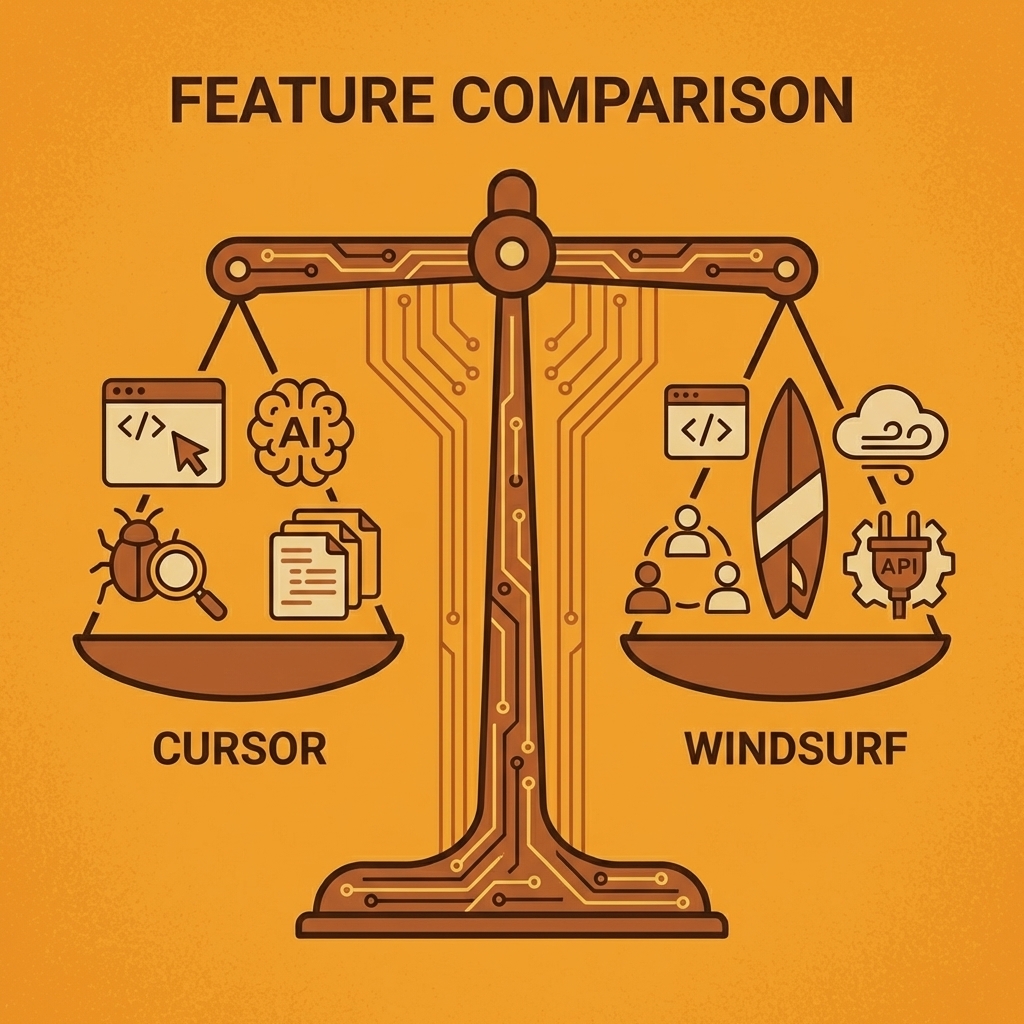
Windsurf vs Cursor Quick Comparison Table
| Feature | Cursor | Windsurf |
|---|---|---|
| Starting Price | Free (200 completions) → $20/month Pro | Free (25 credits) → $15/month Pro |
| AI Agent | Agent mode with advanced tooling | Cascade with deployment focus |
| Best For | Experienced developers, large codebases | Beginners, vibe-coders, personal projects |
| Key Differentiator | Access to Claude 4 and Max Mode for complex projects | One-click app deployment for instant sharing |
Choose Cursor if you need access to the latest models, want to use it in production systems, or need precise control over your context. Choose Windsurf if you want to deploy faster, have budget constraints, or prefer automatic context management.
The $5 monthly price difference matters less than usage patterns. Cursor charges per request, while Windsurf uses credits that charge only for the first prompt, regardless of subsequent actions.
AI Agent Capabilities Cursor's Agent Mode vs Windsurf's Cascade
Agentic execution means the AI performs multiple coding tasks independently: reading files, writing code, running commands, and deciding next steps without constant human direction. Both Cursor and Windsurf deliver this through similar patterns—you provide a prompt, watch live edits appear, then accept or reject changes through diff previews.
What specific features do Agent Mode and Cascade offer?
Cursor's Agent Mode includes grep searches for finding patterns across files, fuzzy file matching that tolerates filename typos, and broader codebase operations. Windsurf's Cascade provides standard file editing, web search, and terminal commands. Both tools support web search, though Cursor integrates it more naturally into coding workflows.
How do terminal commands affect workflow in both tools?
When the AI agent waits for a terminal command to finish, it halts the flow in both tools. Cursor lets you click "skip the terminal command" to bypass this. Windsurf requires you to type "continue" to resume after it stops during terminal operations.
What are the pricing and usage limits for each platform?
Cursor offers up to 500 fast premium requests per month on the Pro plan, then switches to API pricing plus a 20% markup beyond that limit. Windsurf offers unlimited usage on the Pro plan for $10 a month, though access to the Claude model requires your own API key due to vendor relationship constraints.
Which tool works better for different project types?
Windsurf's Cascade creates smooth teamwork through live context awareness. When you manually edit code and ask Cascade to continue, it immediately understands where you stopped and picks up from that exact point, like working alongside another developer.
For production-grade projects requiring advanced tools and Claude 4 access, Cursor delivers better results. For smaller personal projects where deployment speed matters more than model selection, Windsurf removes friction at a lower cost.
How do AI coding tools understand your project context?
Context determines what information the AI sees when generating code: your current files, project structure, chat history, and previous edits. Context size is measured in tokens, where roughly 750 words equals 1,000 tokens.
What's the difference between manual and AI-driven context selection?
Cursor takes a developer-driven approach. You manually organize context using @ symbols to reference specific files, folders, or code snippets. Cursor automatically pulls in your current file and semantically similar patterns, but you control exactly what gets included. This precision matters for complex projects where irrelevant context creates noise.
Windsurf uses AI-driven context through retrieval-augmented generation, automatically indexing your entire codebase to build an understanding of project structure, past actions, and likely next steps. Cascade stays aware of your real-time actions, reducing the need for manual file specification. This convenience occasionally includes irrelevant files.
How much context can these tools actually handle?
Both tools lack clear context limit documentation. Claude 4 supports up to 200,000 tokens, while Gemini models handle up to 1 million tokens. Neither IDE provides access to the full model context. Cursor's practical context ranges between 10,000 and 50,000 tokens due to manual file selection, whereas Windsurf offers around 200,000 tokens through its RAG-based approach, giving it an advantage for larger codebases.
What happens when you hit context limits during development?
Context becomes a bottleneck during intensive development sessions. No AI-powered IDE can support 30 minutes of continuous coding in a single chat thread. When you hit the limit mid-debugging or during complex feature implementation, you must start fresh, which disrupts conversational continuity.
Cursor attempts to solve this through conversation history summaries, but compressing 100,000+ tokens into a few paragraphs loses critical detail needed for meaningful continuation. Windsurf offers "Memories" that automatically save project facts to persistent workspace storage, though this doesn't address large-scale limitations. For maximum context needs, Cursor's Max Mode provides up to 1 million tokens for compatible models, though it costs API pricing plus a 20% markup outside your subscription.
How seamless is the transition from VS Code?
Both IDEs build on VS Code's foundation, making the switch nearly seamless for experienced users. You can import settings from VS Code, the competing IDE, or start fresh, though keybinding issues can arise when moving between tools.
What skills do you need to become proficient?
Learn these main ideas: turning on Agent mode or Cascade to automate tasks, making code changes in your work, accepting or rejecting suggestions by reviewing differences, selecting which files and information to use, setting up rules and memories, and choosing the right models. Plan to spend about 30 minutes reading how to use these tools and 30 minutes practising to master them.
If you are new to VS Code, you will need about two more hours to set up and configure your environment.
Which interface works better for different skill levels?
Cursor offers a cleaner interface by placing advanced settings on separate pages, while Windsurf displays more options in the main interface. For newcomers to coding, familiar with VS Code basics, Cursor is easier to start with. Experienced developers will notice little difference between the interfaces.
People who want to write code by feel and create full apps without touching code won't find either IDE perfect: these VS Code-based tools require hands-on coding. Dedicated coding agents like Claude Code might work better for that use case.
Code Completion & Writing Assistance
Both platforms offer AI-powered Tab features that predict multiple lines of code, fix errors, and navigate to logical next locations.
How does Cursor's Tab feature work?
Cursor's Tab uses a custom model that suggests entire diffs, allowing it to change existing code around your cursor and handle multi-line edits. It examines recent changes and lint errors to make contextually relevant suggestions.
What makes Windsurf's Tab different?
Windsurf's Tab runs on SWE-1-mini, their in-house model built for speed. It uses a wider range of context—including terminal history, Cascade chat interactions, recent editor actions, and clipboard content (with opt-in permission)—to create suggestions that understand your overall workflow beyond the current file.
How do both systems handle rapid code building?
Both systems support tab-tab-tab editing, accepting multiple suggestions in sequence to rapidly build code. Cursor calls this Cursor Prediction and anticipates your next cursor location after accepting an edit. Windsurf offers similar functionality through
Related Reading
- Appsheet Alternatives
- Mobile App Ideas
- Replit Alternatives
- Vs Code Alternatives
- Softr Alternatives
- AI Tools For Product Managers
- Hire an App Developer
What Most AI Coding Tools Still Can’t Do
AI coding assistants can create impressive code, but they don't finish the job of making working applications. According to Aubergine Insights, 90% of AI coding tools struggle with complex architectural decisions and cross-file refactoring. You still need to connect authentication systems, set up databases, wire up payment processors, configure deployment pipelines, and manage environment variables across development, staging, and production.
Why can't AI understand your specific business constraints?
AI models suggest code patterns based on probability distributions from their training data, not your specific business constraints, scalability requirements, or technical debt. When you ask an AI to design a microservices architecture, it generates generic service boundaries without knowing your team size, deployment capabilities, or operational maturity. Teams that accept AI-generated architectures often discover they create operational nightmares in production because the AI cannot account for actual infrastructure limitations.
What architectural decisions require human context?
The building decisions that matter most require understanding business context, team dynamics, and long-term product vision. Should this feature live in the monolith or become a separate service? Will this database schema support your growth trajectory? How do you structure modules so junior developers can contribute without breaking core functionality? No amount of context window expansion solves this because the information doesn't exist in your codebase yet.
What makes real-world integrations so challenging?
Creating a React component is straightforward. But connecting that component to Stripe for payments, Auth0 for authentication, AWS S3 for file storage, and SendGrid for emails is considerably harder. You must consult five different API documentation sites, securely manage API keys, handle rate limits, add retry logic, and resolve integration issues. AI coding assistants can help write initial integration code, but they cannot diagnose why your webhook fails or why your S3 bucket permissions keep failing.
Why do production failures become so complex to debug?
Real applications require dozens of these integrations working together reliably. Each service has its own authentication method, error handling, and deployment process. When something breaks in production, you must identify the failure across multiple systems—something the AI that helped write the initial code cannot do, since it lacks access to your production logs, infrastructure setup, and visibility into cascading failures.
Why does deployment require so much manual work?
Writing code represents maybe 30% of the work needed to ship software. The remaining 70% involves building Docker containers, setting up CI/CD pipelines, creating monitoring and alerting systems, managing secrets and environment variables, configuring load balancers, and establishing rollback procedures.
AI tools can generate Dockerfiles and GitHub Actions workflows, but they cannot diagnose why your container fails in production while working on your computer, or why your deployment pipeline randomly times out.
What challenges do developers face beyond coding?
Many developers building products need to show real progress to secure funding and join accelerators, not just working prototypes. This requires handling everything from code to production infrastructure.
AI coding assistants speed up the coding phase but leave you stuck at the deployment boundary. You either learn DevOps yourself or hire someone who already knows it.
But writing code and deploying it leaves one critical piece missing.
Related Reading
- Best Vibe Coding Tools
- Lovable AI
- How To Create An App
- No Code AI Tools
- AI App Builders
- Best Mobile App Builder
Comparing AI Coding Tools Is Only Step One — Shipping the App Is What Matters
Model flexibility is the missing piece. Cursor locks you into their model selection and pricing. Windsurf forces you to bring your own API keys for Claude access. Both create vendor dependency that limits how you work. When you need Claude for architectural decisions but GPT-4 for code generation, switching between tools breaks your flow. When pricing changes or model availability shifts, your workflow becomes hostage to decisions outside your control.
Key Point: Model lock-in creates workflow friction that slows down development and limits your technical choices.
Orchids solves this by letting you use any AI model through your existing subscriptions. Connect ChatGPT, Claude, Gemini, or GitHub Copilot without having to choose between them. You're not locked into a single AI provider's strengths and weaknesses. Use the right model for each task without context-switching between editors.
"The real test of any development tool is whether you can ship a working application that real users can actually access."
The real test of any development tool is whether you can ship a working application that real users can access. Orchids handles the complete path from conversational prompt to deployed product: connect databases, authentication, payment processors, and deployment infrastructure without leaving the IDE. One-click deployment gets your app live with a custom domain. Import existing code, run security audits, and maintain full control over your stack choices.
| Feature | Traditional Tools | Orchids |
|---|---|---|
| Model Choice | Single vendor lock-in | Any AI model |
| Deployment | Manual setup required | One-click deployment |
| Stack Control | Limited flexibility | Full control |
| Workflow | Context switching | Unified environment |
Tip: Start with a simple project to test the full development-to-deployment pipeline before committing to larger applications.
Try building something real. Describe the app you want, connect your preferred AI models and stack, then deploy your first working project. Build your first app for free with the AI app generator and turn your next idea into something people can use.
Bilal Dhouib
Head of Growth @ Orchids