20 Best Vibe Coding Tools for No-Code, AI, and Hybrid Workflows
The gap between a great app idea and a working product feels impossibly wide when traditional development cycles slow everything down. The best vibe coding tools solve this problem by combining drag-and-drop interfaces, AI-powered assistants, and hybrid workflows that let builders add custom code only when needed. These platforms prioritize speed and flexibility, helping creators turn concepts into functional apps without getting trapped in lengthy development processes.
Modern app builders focus on matching how people naturally think about creating rather than forcing rigid templates or overwhelming technical complexity. They help users sketch workflows, connect essential components, and quickly deploy useful products. Whether prototyping new features or launching complete applications, the right platform bridges no-code simplicity with the power to customize that scales as projects grow, like Orchids' AI app generator.
Table of Contents
- Why Traditional Coding Tools Don't Capture the Vibe
- 20 Best Vibe Coding Tools That Actually Boost Flow
- Tips for Picking the Best Vibe Coding Tool
- Turn Your App Ideas into Reality Without Writing a Single Line of Boilerplate
Summary
- Traditional coding tools prioritize syntax correctness over creative momentum, forcing developers through layers of setup that break flow before building even begins. Research from Trickle found that vibe coding workflows deliver 40% faster development than traditional approaches, not because of typing speed but by eliminating friction between idea and execution. The gap comes from removing ceremony-like project setup, configuration files, and environment management that traditional IDEs demand upfront.
- Developers spend 20 to 30 percent of their time on setup and configuration rather than actual feature development, according to workflow analysis studies. Traditional IDEs break focus by demanding precision before exploration, requiring developers to define types, structure modules, and configure linters when they should be testing assumptions and pivoting quickly. This works for maintaining mature codebases, but suffocates the creative act of discovering what a product should be.
- AI-powered coding platforms now rank on benchmarks such as App Bench and UI Bench, which measure how accurately they generate functional applications from natural language prompts. High scores on these tests mean fewer broken builds and less time fixing incorrectly generated code, directly addressing the quality concerns that plagued early vibe coding experiments. The shift toward conversational development reflects builders' desire for tools that understand intent rather than just check syntax.
- Security analysis has become critical as vibe coding moves from demos to production. Platforms now automatically check generated code for common vulnerabilities such as exposed environment variables, insecure API calls, and improper authentication patterns, and have blocked over 100,000 insecure deployments since launch. This security-first approach addresses one of the biggest criticisms of AI-generated code and enables professional teams to adopt these tools for real applications.
- Bubble's 2025 survey of 793 current and former builders found teams aren't asking for better autocomplete or smarter linters but for tools that understand intent and handle implementation details. The fundamental change is moving from transactional workflows, where you write code and fix errors, to conversational ones, where you describe what you want and iterate from working prototypes. This matches tool speed to thought speed, which defines what "capturing the vibe" actually means.
- Orchids supports this workflow by letting developers bring their own API keys from ChatGPT, Claude, Gemini, or GitHub Copilot, allowing them to switch between AI models based on specific tasks rather than being locked into a single provider's capabilities.
Why Traditional Coding Tools Don't Capture the Vibe
Most coding tools focus on ensuring code is written correctly rather than on creative momentum. They assume developers want to write perfect code slowly, when what people need is to move from idea to working prototype fast enough that the creative spark stays alive.

Key Point: Traditional development environments prioritize code correctness over creative flow, breaking the essential connection between inspiration and execution.
"The biggest barrier to innovation isn't technical complexity—it's the friction between having an idea and seeing it actually work."

Warning: When tools force you to focus on syntax perfection instead of rapid iteration, they kill the momentum that turns good ideas into breakthrough solutions.
How do traditional IDEs break creative flow?
Traditional IDEs force you into their structure: you must configure your environment, set up your build pipeline, manage dependencies, and debug errors before you can start building. By the time you're ready to code, you've lost your focus.
What does research show about development speed differences?
The real cost shows up in how developers spend their time. Research from Trickle found that vibe coding workflows deliver 40% faster development speed compared to traditional approaches.
That gap isn't about typing speed or code completion: it's about removing friction between "I want to build this" and "I'm building this." Traditional tools add layers of extra steps—project setup, configuration files, environment variables, package management—that pull you further from the creative act of building.
Why do rigid IDEs break developer focus?
Rigid IDEs break focus because they're designed for maintenance, not creation. When prototyping, you need to sketch quickly, test assumptions, and change direction when something doesn't work. Traditional tools demand precision upfront: define types, structure modules, and configure linters. This works for maintaining mature codebases with clear requirements, but suffocates exploration of what the product should be.
How does cognitive load impact development flow?
The cognitive load builds up as you juggle file structure, import paths, build configurations, and test setup alongside your feature. Each choice fragments your attention.
Flow state requires continuous focus on a single problem, yet traditional tools force you to switch between "what I'm building" and "how the tools work"—developers report spending 20 to 30 percent of their time on setup and configuration instead of feature development.
How does vibe coding change error handling?
Traditional coding treats errors as failures to be fixed. Vibe coding treats them as feedback in a conversation. When moving fast, you describe what you want and make changes as you go: "Build me a user dashboard with real-time updates." Then: "Make the charts interactive. Add filtering by date range. Show loading states." This is prompt-first development, where the tool adapts to how you think rather than forcing you to adapt to how it works.
What do developers actually want from coding tools?
According to Bubble's 2025 survey of 793 current and former builders, developers want tools that understand their intent and handle implementation details, not better autocomplete or smarter linters. Traditional IDEs operate in a cycle: you write code, they check syntax, you fix errors, and repeat. They cannot translate "here's what I want" into "here's how to build it."
How does setup time destroy creative momentum?
Every minute spent setting up is a minute not building. Traditional tools demand extensive preparation before you can start: installing dependencies, configuring build tools, setting up development servers, initializing databases, and writing boilerplate. By the time you're ready to implement your idea, you've exhausted the creative energy that sparked the project. This is why many side projects die in the setup stage. The idea was exciting. The tooling was exhausting.
What makes vibe coding tools different?
Tools built for vibe coding flip this model on its head. Start with working code, then refine. Describe what you want and get something functional immediately, then iterate. When setup takes seconds instead of hours, you can explore ten ideas in the time traditional tools would let you set up one. That's matching tool speed to thought speed, which is what "capturing the vibe" means.
Why do most vibe coding experiments fail?
But speed without the right scaffolding creates its own problems, which is where most vibe coding experiments fail.
Related Reading
20 Best Vibe Coding Tools That Actually Boost Flow
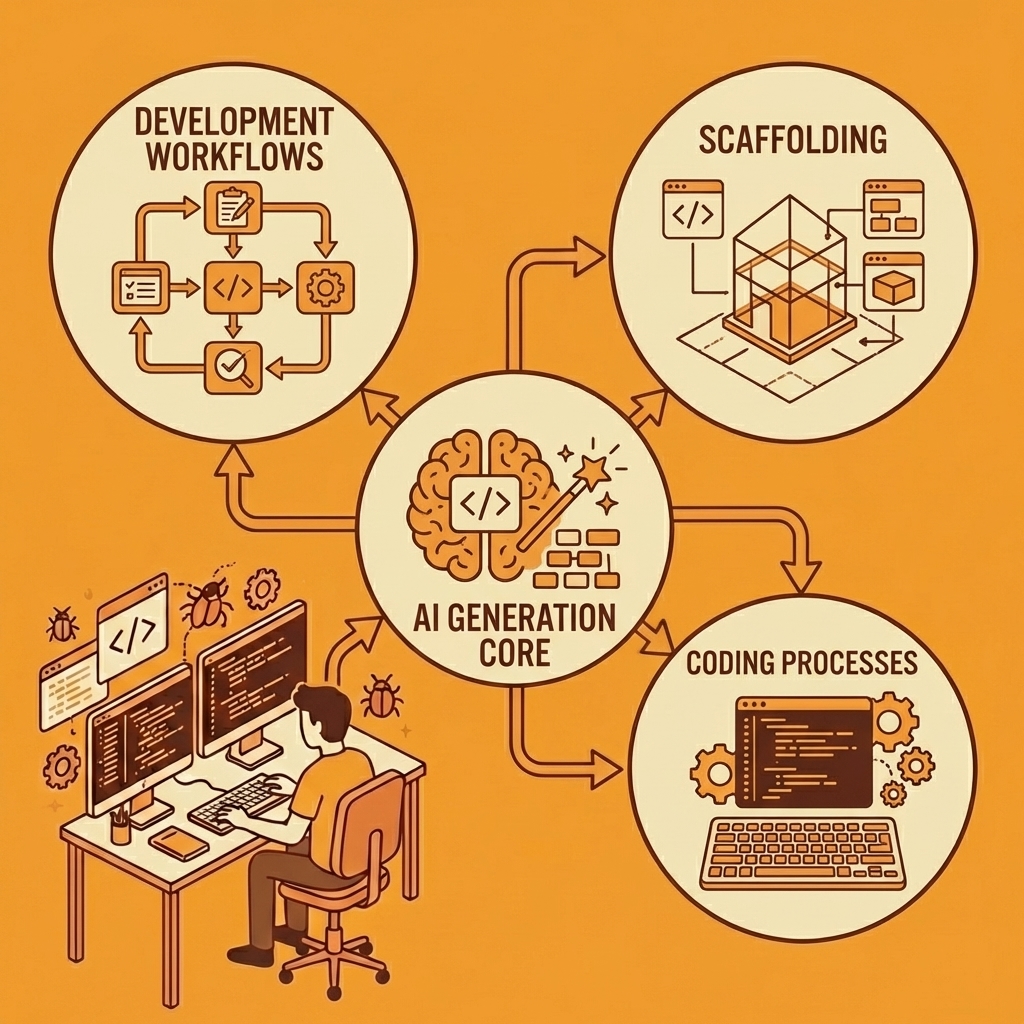
The tools below show what happens when AI generation meets real development workflows. Each handles scaffolding differently: some prioritise speed for non-technical builders, others emphasise code quality for enterprise needs, and some work best with specific frameworks. Selecting the right tool matters because the wrong choice can create more problems than it solves.
Key Point: The best coding tool isn't the most popular one—it's the one that matches your specific workflow and technical requirements.
"Choosing the right development tool can mean the difference between 2-hour builds and 20-minute deploys." — Developer Productivity Research, 2024
Tip: Test each tool with a small project first to understand its scaffolding approach before committing to larger implementations.
1. Orchids
Orchids is a performance-first AI IDE for building across any language and framework through conversational chat. You bring your own API keys from ChatGPT, Claude, Gemini, or GitHub Copilot—no vendor lock-in or duplicate payments if you already subscribe elsewhere. Different models excel at different tasks: Claude handles complex logic better, while GPT-4 generates cleaner frontend code. Orchids lets you switch based on your needs.
How does Orchids perform on industry benchmarks?
The platform ranks #1 on both the App Bench and the UI Bench, which measure how well AI tools create working applications and user interfaces from natural-language instructions. These benchmarks test real scenarios: building login systems, connecting databases, and handling unexpected problems. High scores mean fewer broken builds and less time fixing AI output errors.
What can you build and deploy with Orchids?
Orchids builds web apps, mobile apps, scripts, bots, browser extensions, and CLI tools that work with any database, authentication, and payment stack. Deploy in one click, add custom domains, and make UI or copy changes without disrupting engineering work. Export to your Vercel account with your database intact, import existing code, run security audits, and manage everything from one interface.
The free tier lets you test the workflow before committing. For teams with premium AI subscriptions, Orchids becomes the interface layer that makes those models productive for development.
2. Tempo Labs
Tempo Labs sits between no-code and full-code development. You select authentication technology and backend infrastructure at project start. The system generates code, Product Requirements Documents, and user flow diagrams, which prove helpful when sharing work with other developers or external AI tools.
How does Tempo Labs handle development workflow?
Flow diagrams show how users move through the app without reading code. Add components using visuals, AI prompts, or exported code. Payment integration works with Stripe and Polar. Authentication and database setup connect to Supabase or Convex.
What are the current limitations and best use cases?
Tempo recently launched GitHub repo import to bring existing Next.js applications into the visual editor, though the feature wasn't working reliably across different project structures at the time of publication. When it becomes more stable, it could connect prototyping and production work. Tempo currently works best for new projects where you control the architecture from the start.
3. Bolt.new / Bolt.diy
Bolt.new creates websites, web apps, and mobile apps from natural-language prompts using two AI agents: the Claude Agent for production-quality builds and the v1 Agent for fast prototypes. Claude Agent produces more reliable code but requires more time and tokens, while v1 Agent prioritises speed at the cost of potential fixes later.
What backup and version control features does Bolt offer?
Bolt automatically backs up projects and maintains version history, so you can instantly restore your work if AI changes break something or you want to explore a different direction. The platform uses Expo to create cross-platform mobile apps from a single codebase, eliminating the need for separate iOS and Android development.
How does Bolt handle project compatibility and browser support?
You can import projects from other platforms like Lovable to continue work without rebuilding, reducing vendor lock-in concerns. Bolt works best on Chrome and Chromium-based desktop browsers. Mobile browsers are not fully supported, and browser extensions may interfere with functionality.
What are the main limitations of Bolt?
The v1 Agent creates incomplete builds more often on complex projects. The Claude Agent consumes more tokens, increasing usage costs. Older Supabase-connected projects cannot switch to Bolt Database, limiting options for long-time users. Developers requiring deep configuration or custom runtime behaviour may find the platform limiting.
4. Replit
Replit combines a browser-based IDE with AI-powered full-stack development, letting you write code by hand or generate applications through natural language prompts. It serves both developers seeking control and non-developers prioritising speed.
What features does Replit offer for development?
The platform builds websites, mobile apps, browser-based games, chatbots, and analytics dashboards. Real-time preview shows live updates as you code, and auto-save to the cloud lets you resume work from any device.
The code editor includes syntax highlighting, debugging tools, and integrated terminals. AI assistance generates code, fixes issues, and accelerates workflows. Version control tracks changes, and you can access unique app URLs or connect custom domains.
Who should consider using Replit?
Replit works well for both beginners and professionals, offering easy starting points for new users while remaining powerful enough for advanced developers. You can start building immediately without installing anything or configuring your environment.
What are Replit's main limitations?
Performance problems can arise in large, resource-intensive projects that require heavy computing. Developers needing complete control over their local setup or deep system customisation may feel constrained.
Running code in the cloud can be slower than on your own computer. Installing dependencies sometimes fails because libraries are built for traditional environments. Using significant computing power, advanced features, or continuous deployments increases costs.
Sensitive business use cases that require completely separate on-site setups may not work well.
5. Base44
Base44 by Wix focuses on simple personal mobile apps for non-coders. It handles deployment, hosting, data storage, and user authentication automatically. The platform builds workout planners, travel itinerary apps, personal budget trackers, and note-takers.
What key features does Base44 offer?
AI discussion mode gives you a safe space to brainstorm ideas and plan features without changing the live app. Smart AI add-ons let you add chatbots, predictive analytics, automation, or personalized insights with minimal effort.
Automated infrastructure setup handles database creation, schema planning, API setup, authentication, storage, email systems, and server logic. Auto-generated API endpoints create secure APIs for all entities and workflows.
Version control tracks every change—UI, logic, and data models—letting you undo mistakes or revert instantly. Analytics and testing dashboards provide real-time insights into user behaviour, app performance, QA reports, and bug tracking.
How does Base44 benefit development teams?
Base44 lets non-technical users build complete applications using natural language, automating the backend, frontend, APIs, and infrastructure to accelerate development.
Teams can work together in real time with everything needed for email, authentication, APIs, and payment setups included. Apps are responsive and mobile-ready without manual design adjustments.
What are Base44's limitations?
The platform is designed for simple mobile apps only. You cannot create complex, large-scale applications. Backend control is limited, restricting advanced customization and external package integration.
Performance slowdowns occur with large or complex applications. Visual customisation and authentication options are limited, with basic authentication that may feel rigid for applications requiring flexible or custom-branded user flows.
6. Lovable
Lovable creates complete full-stack applications, including frontend, backend, database schema, authentication, and hosting configuration. Multi-modal input accepts text prompts, design mockups, Figma imports, or voice commands, accommodating different working styles and making it easier to communicate complex requirements than text alone.
Lovable works with Supabase for automatic database management and GitHub for code ownership. You can export code to continue development elsewhere or hand it to IT for production hardening.
How does Lovable accelerate development workflows?
According to developer reports on vibe coding tools, teams using Lovable cut the time from idea to working prototype from six weeks to three hours. The platform addresses three main business needs: building core business systems entirely on Lovable, creating internal tools trapped in development backlogs, and testing product ideas with working prototypes rather than static mockups.
Real-time collaboration lets multiple team members work simultaneously, with changes appearing instantly. The conversational development model enables everyone to contribute regardless of coding knowledge.
What are the limitations of generated code quality?
Code quality depends on complexity. Generated code may fail or introduce security vulnerabilities if the requirements are unclear. While non-developers can create software, they may lack the expertise to maintain it long-term or identify subtle bugs.
How has Lovable performed in the market?
Lovable reached $100 million in recurring revenue within eight months of launch, then doubled to $200 million four months later, earning a $6.6 billion valuation in December 2025. Backers include CapitalG, Nvidia's NVentures, Salesforce Ventures, and Databricks Ventures.
7. Cursor
Cursor is an AI-powered coding assistant that helps developers write, debug, and refactor code through AI autocomplete, chat, and natural language prompts. The Agent understands tasks, knows your codebase, reads files, runs commands, and performs coding work autonomously.
Deep codebase understanding through embedding-powered recall helps AI find relevant files and answer specific questions about your code. You can choose from top models by OpenAI, Anthropic, Google Gemini, and xAI for each task.
How does Cursor streamline the coding workflow?
Ask for exact file-specific or line-specific edits using simple language to make fast changes without manual navigation. Custom autocomplete suggests multi-line edits, smart rewrites, and next steps. You can start tasks from Slack, issue trackers, or mobile and finish them in the Cursor IDE or CLI.
Extensions, keybindings, and themes are imported from VS Code immediately. Cursor reduces manual coding work and automates repetitive tasks, improving code quality through consistent, structured output that matches project patterns.
Developers stay focused longer by reducing tool switching between documentation, terminals, and editors. It supports solo developers and teams through shared workflows, custom rules, and standardised practices. The ability to work across IDE, web, mobile, and CLI accommodates different development styles.
What are Cursor's limitations and considerations?
Cursor works best with JavaScript, TypeScript, Python, and modern frameworks. Projects using uncommon languages or unusual tech stacks may get weaker results. Large or complex repositories can lead to slower thinking or incomplete understanding, especially in older codebases. AI-generated changes may introduce errors that require careful review.
Heavy internet connection requirements affect offline or low-bandwidth work. Developers in strict security or air-gapped environments may find it unsuitable due to cloud-based processing. Costs increase for large projects or frequent heavy AI use. Cursor is not a replacement for deep domain expertise; complex architectural decisions still require experienced developer oversight.
8. Windsurf
Windsurf is an AI-powered code editor that understands entire repositories to provide contextual suggestions and precise refactoring. Developers can generate functions, modules, tests, and documentation with minimal prompting. Deep refactoring tools safely restructure code while preserving logic.
What features does Windsurf offer developers?
Multi-language support is available for JavaScript, TypeScript, Python, Go, and more. Smart debugging automatically finds issues, suggests fixes, and explains errors. Version-aware understanding tracks context across files, commits, and changes. Team collaboration support ensures consistent code patterns and best practices across developers.
How does Windsurf improve development productivity?
Windsurf boosts productivity by automating repetitive tasks and generating boilerplate code. Code quality improves through consistent refactoring and the enforcement of standards. Onboarding accelerates as new engineers come up to speed on large codebases more quickly. Debugging time decreases through accurate suggestions and guided fixes.
What are Windsurf's limitations and drawbacks?
Projects that are messy or poorly organised may lead to less accurate suggestions. Most AI features depend on cloud inference, which limits offline functionality. Context gaps may appear in very large monorepos or highly abstract architectures.
Fine-tuning prompts may be needed for complex tasks, particularly those requiring highly specialized or domain-specific logic where human expertise is essential. Subscription costs can be prohibitive for solo developers or small teams.
9. Vercel v0
Vercel v0 generates production-ready React code through visual Design Mode editing. The platform creates live previews and clean React code from natural language descriptions, letting you adjust spacing, colours, and layouts visually while maintaining the underlying code structure.
How does the v0-1.0-md model enhance development workflows?
The v0-1.0-md model works with code editors like Cursor through an OpenAI-compatible API for manual refining, with near-instant response times. It can handle complex multi-component applications that earlier versions couldn't manage.
Integration with Vercel's infrastructure provides one-click deployment, automatic SSL certificates, and edge hosting, enabling you to go from prompt to production URL in minutes. Recent additions include backend capabilities with Supabase and Neon database integration.
What security measures protect the quality of generated code?
Every piece of code created undergoes a security check for exposed environment variables, insecure API calls, and improper authentication patterns. The platform has blocked over 100,000 insecure deployments since launch, addressing a major criticism of AI code generation.
Which teams benefit most from v0's capabilities?
v0 works well for teams that need high-quality frontend code quickly. It excels at turning designs into code, making prototypes, and building polished UI components. Its focus on security and code quality makes it suitable for professional development.
For frontend work or design-heavy applications, v0 delivers fast AI generation with carefully crafted code. Limitations include limited backend capabilities, premium feature costs, and cloud-only operation.
10. Hostinger Horizons
Hostinger Horizons puts AI code generation, hosting, domains, and email in one place. Describe your app idea in any of 80+ supported languages via chat, and Horizons generates code instantly with a live preview. Refine your project with additional prompts, upload sketches, or use voice commands.
How does deployment and hosting work?
Deployment is one click with no server configuration, SSL setup, or DNS management. Hosting includes free SSL, automatic backups, and help with domain registration. Select-and-edit functionality lets you highlight specific preview elements and modify them directly.
What powers the AI capabilities and integrations?
Google's Gemini 3 model powers communication and coding agents, delivering more accurate code and a better understanding of unclear requests. Autofix success rates jumped from 50% to 80% with this update.
Horizons supports Stripe for payments, Supabase for databases, and various APIs through a straightforward setup. A built-in CMS handles content management, while full ecommerce integration includes inventory management, payment processing, and shipping setup.
How does the template marketplace work?
Remixable templates let users publish web apps or websites as templates and earn up to $150 per referral when others customise them. This marketplace system could accelerate the availability of starting points for common use cases.
What are the main limitations and ideal use cases?
Platform maturity is the main limitation. Horizons launched in 2025 with rapid improvements, but its template library remains smaller than that of established competitors. Complex applications with sophisticated logic or unusual requirements may exceed the platform's capabilities. It works best for standard web apps, internal business tools, and straightforward SaaS products.
Hostinger Horizons is ideal for solopreneurs, startups, and small businesses seeking a complete solution without technical complexity. If you're already using Hostinger for hosting, Horizons eliminates the need for separate coding environments.
11. Wix Harmony
Wix Harmony combines code-based building and visual editing into a hybrid platform that lets you switch between natural language prompts and precise manual control. Aria, Wix's own AI agent, specialises in building ready-to-use websites.
How does Aria maintain site integrity during AI changes?
Unlike typical website coding tools, where AI changes can break code unexpectedly, Aria understands the full context of your website. You can request anything from simple colour palette updates to complete page redesigns or shopping features, and Aria applies changes across your entire site without introducing bugs.
You benefit from 99.99% uptime guarantee, SSL certificates, and professional security monitoring. Built-in capabilities include advanced shopping features, scheduling, transactions, payment processing, accessibility monitoring, industry-leading SEO and location tools, and GDPR-compliant infrastructure.
What editing flexibility does the platform provide?
You can create sections, pages, or custom components by conversing with Aria, then switch immediately to drag-and-drop editing for precise changes. Aria generates real components with built-in logic and editable code, giving you more power than surface-level generation.
What are the current limitations and availability?
This is a brand-new product with limited real-world testing. A gradual rollout over the coming weeks means availability may vary by location, and early adopters will beta-test the platform.
Wix Harmony suits existing Wix users wanting faster creation, businesses prioritizing reliability over cutting-edge features, and teams comfortable with Wix's ecosystem. Enterprise infrastructure and zero additional cost make it compelling for risk-averse organisations. For those committed to standalone custom coding platforms or who need the latest AI capabilities, the gradual rollout and its newness may warrant a wait-and-see approach.
12. OutSystems
OutSystems combines low-code visual development with AI assistance through its Mentor feature, representing the enterprise end of the low-code spectrum. Over 2,000 customers, including Fortune 500 companies, use OutSystems for mission-critical applications.
How does Mentor enable enterprise vibe coding?
Mentor enables "enterprise vibe coding." You describe what your application needs to do in plain language, and Mentor creates application blueprints including data models, user interfaces, screens, and business logic. Unlike pure-vibe coding tools, Mentor shows you the plan first, so you can review and refine it before generating code. This human-in-the-loop approach prevents runaway generation issues plaguing fully autonomous AI agents.
OutSystems enforces governance and security through proper development lifecycle management with version control, testing environments, security scanning, and compliance checks, which are essential for regulated industries like banking, healthcare, and insurance.
What advanced features does OutSystems offer?
Agent Workbench lets organizations build custom AI agents that automate workflows, integrate with core systems, and handle complex business processes. Agents can securely access SAP, Dynamics, or proprietary APIs without the data exposure risks of generic LLMs. Data Fabric provides a virtual data layer that securely connects to organizational data.
Recent Mentor updates include natural language processing improvements that enable more fluid, real-time dialogue. Integration of Mentor directly into ODC Studio as an AI copilot brings assistance where developers work. For teams modernizing legacy applications, Mentor accelerates migration to modern tech stacks.
What are the limitations and ideal use cases?
Learning to use this platform requires more time and effort than simple no-code platforms. Regular business users cannot build complex applications independently, unlike with Hostinger Horizons or Lovable. Developer skills are necessary to access all platform features.
OutSystems works best for large companies with in-house developer teams that need reliable, controlled low-code tools combined with AI speed. It suits organizations in regulated industries, those modernizing legacy systems, and businesses with strict compliance and security requirements.
13. Dazl
Dazl addresses a common frustration: AI tools generate impressive first drafts but struggle during refinement when context gets lost. The platform solves this with "the next era of vibe coding," allowing you to switch smoothly between conversational prompting, visual editing panels, and direct code manipulation.
How does Dazl's interface work?
The interface feels like a design tool, but it works like an IDE underneath. You chat with AI to develop your app, then switch to visual panels for precise changes or dive into code for detailed control. Dazl shows all generated logic, structure, and behaviour with no hidden parts.
Who founded Dazl, and what's their target audience?
Founded by Wix co-founder Nadav Abrahami and former TikTok executive Assaf Sagy, Dazl targets product managers, designers, and developers seeking AI speed without sacrificing control. The 30-person team of Wix veterans brings deep expertise in frontend frameworks. Early users praise its context awareness, which prevents AI from "losing the thread" during iterative changes.
What are Dazl's pricing and current limitations?
Dazl emerged from stealth in September 2025 with $10 million in seed funding. Pricing starts at $25 per month for 1,000 credits, with limited integrations and planned features including git support.
Dazl works best for teams that want more control than pure-vibe coding platforms offer, while still valuing AI acceleration. As an early-stage tool, it has limited maturity, and switching between chat, visual, and code interfaces requires some adjustment.
14. Tempo
Tempo targets React application development through a visual IDE that blends design-tool UX with code-first architecture. Its standout feature is the Figma Plugin: designers create mockups in Figma, then sync them directly to Tempo, where developers continue building business logic, eliminating traditional design-to-development handoff friction.
The visual editor uses drag-and-drop to generate components quickly, while AI, powered by Gemini, suggests Tailwind classes and optimizations. Pre-built templates for Stripe payments, Clerk authentication, and Supabase databases accelerate the implementation of common SaaS features. The platform integrates with VS Code and GitHub and supports Expo for React Native mobile apps.
What do users think about Tempo's performance?
Reviews are mixed. Some appreciate the workflow improvements and balance between visual editing for speed and code access for precision, while others cite significant gaps between promises and performance. The React-only focus limits its applicability, and at $30/month for the Pro version with 150 credits, Tempo costs more than general-purpose AI coding platforms.
Tempo suits React-focused development shops, product teams shipping React web apps at scale, and agencies needing design-development collaboration. It's excessive for simple websites or projects outside the React ecosystem.
15. HeyBoss
HeyBoss focuses on "vibe money" instead of "vibe coding," helping business owners generate revenue rather than code. The platform combines website building with CRM, email marketing, SEO, payments, and hosting in an all-in-one subscription for small and medium-sized businesses.
How does HeyBoss simplify the building process?
ChatMode asks clarifying questions before building, which reduces the frustrating cycle of repeated attempts that occurs with other AI platforms when creating code from unclear prompts.
The system creates websites, online stores, booking systems, portals, and internal tools from simple descriptions. The free plan includes 5 daily AI edits, 3 monthly projects, and access to scrapers, voiceovers, video generators, and image editors.
What marketing features does HeyBoss include?
The GEO system automatically creates search-engine-optimized content for Google and AI search, handling marketing tasks that technical tools often overlook.
How does HeyBoss pricing work?
The platform uses a credit system, with building costs ranging from $50–$200 for simple sites to $500–$800 for complex ecommerce stores. Usage-based pricing lacks the clarity of flat subscriptions.
HeyBoss prioritizes business functionality over code control, targeting small and medium-sized business owners, solopreneurs, and service providers who want a complete business infrastructure without learning to code.
16. Memex
Memex runs on your machine, creating virtual environments and storing everything in local files. It automatically installs dependencies, creates directories, and runs Windows PowerShell commands to prepare your system for building.
What can you build with Memex?
You can build APIs, machine learning projects, or 3D applications. The editor is simple, and Memex's AI engine handles the build process. However, your antivirus may flag files for suspicious behaviour, and black PowerShell windows will pop up during library installation. The interactions with other Windows services remain unclear.
How do you control Memex's reasoning process?
You can change reasoning steps, custom instructions, and reasoning effort controls. Some reasoning steps may run indefinitely, requiring you to stop and retry them manually.
Memex has an open, unrestricted feel, ideal if you want to use real power without guardrails. For safety, consider running it inside a virtual machine.
17. Claude Code
Anthropic released Claude Code as a terminal-based AI tool designed to understand your entire codebase and assist with development through contextual conversations. It stores session memory in markdown files, allowing continuity across sessions and reducing the need to re-explain project structure.
How does Claude Code support development workflows?
Claude Code focuses on agentic assistance rather than full autonomy. It can refactor code, explain logic, write functions, and execute multi-step tasks directly from the terminal. Its deep context awareness makes it useful for navigating large projects, debugging issues, and maintaining consistency across files.
What are the main limitations of Claude Code?
The tool is resource-intensive and among the most expensive in terms of token usage. It is not designed for fully autonomous app generation, meaning developers still need to guide workflows carefully. For smaller projects, its capabilities may feel excessive compared to lighter tools.
18. GitHub Copilot Workspace
GitHub Copilot Workspace expands on traditional Copilot by turning ideas into structured plans, code, and pull requests in one flow. It bridges the gap between prompt-based generation and real-world software development practices.
How does Copilot Workspace improve productivity?
You can describe a feature in plain language, and the system generates a step-by-step plan, relevant code changes, and a working implementation. It integrates directly with repositories, making it easier to review, test, and deploy updates without switching tools.
What are its strengths and limitations?
Its tight integration with GitHub makes it ideal for teams already using that ecosystem. However, it depends heavily on repository structure and may struggle with poorly organised projects. Advanced customization and non-standard workflows may require manual adjustments.
19. Codeium
Codeium is a fast, lightweight AI coding assistant that offers autocomplete, chat, and code generation across multiple IDEs. It supports dozens of programming languages and integrates with popular editors like VS Code, JetBrains, and Neovim.
What makes Codeium stand out?
It provides strong performance with minimal setup and offers a generous free tier, making it accessible for individual developers. The autocomplete is responsive and works well for common coding patterns, speeding up repetitive tasks.
What are the limitations?
While efficient, Codeium lacks the deeper reasoning and project-wide understanding found in more advanced tools. It works best as a productivity booster rather than a full development solution for complex applications.
20. Tabnine
Tabnine focuses on privacy-first AI code completion, offering both cloud-based and on-premise deployment options. It is designed for teams that require strict data security while still benefiting from AI-assisted development.
How does Tabnine support secure development?
The platform allows companies to run models locally, ensuring that sensitive code never leaves their environment. It learns from your codebase to provide tailored suggestions that match your internal standards and patterns.
What are the trade-offs?
Tabnine prioritises security and predictability over cutting-edge AI capabilities. Its suggestions may feel less advanced than those of newer AI agents, but it remains a reliable option for organisations with strict compliance requirements.
Related Reading
- Mobile App Ideas
- Appsheet Alternatives
- Softr Alternatives
- Hire an App Developer
- Vs Code Alternatives
- AI Tools For Product Managers
- Replit Alternatives
Tips for Picking the Best Vibe Coding Tool
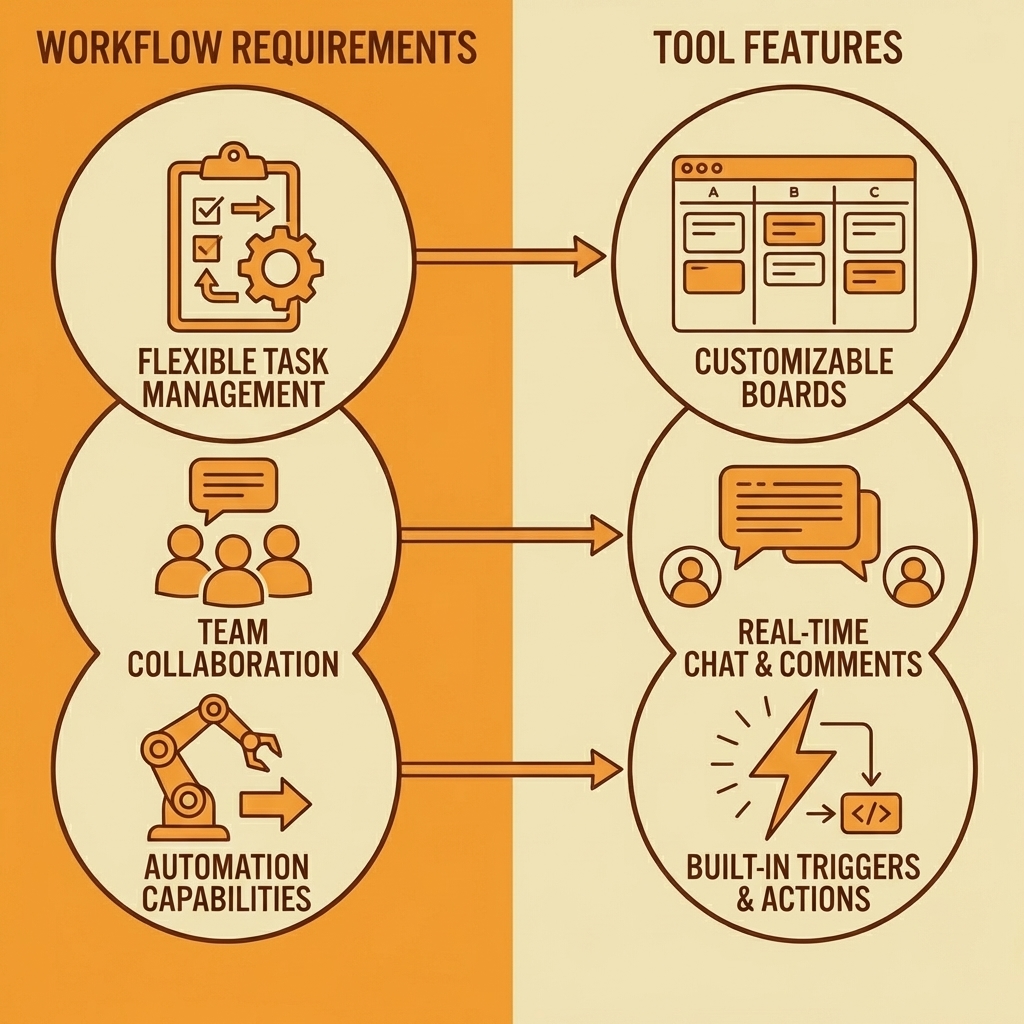
Test the same prompts across multiple platforms before you decide. The same request ("build a task management dashboard with user authentication") reveals how each tool handles complexity, generates code quality, and recovers from errors. Use free tiers for this evaluation.

Key Point: Always test with identical prompts to get apples-to-apples comparisons between different AI coding tools.
Define what success looks like before you compare features. A tool that reduces setup friction matters more if you prototype frequently. Integration with your existing stack becomes critical for production applications. Collaboration support only matters if multiple people work on the codebase. Most developers skip this step and choose based on marketing claims rather than actual workflow needs.

"75% of developers choose coding tools based on marketing claims rather than testing them against their actual workflow requirements." — Developer Survey, 2024
Warning: Don't fall into the trap of choosing tools based on flashy features you'll never use instead of the core functionality that matches your daily coding habits.
How do you compare AI coding tools effectively?
Sign up for three to five different platforms. Pick a real feature you need to build, not a tutorial example. Authentication flows, payment integration, or API connections work well because they demonstrate how tools handle security, external dependencies, and state management.
According to research from Trickle (2024), vibe coding workflows deliver 40% faster development speed when the tool matches your specific use case.
What should you test in the generated code?
Wait while the apps process your request. Some tools prioritize speed and return incomplete builds, while others take longer to produce more reliable code.
Test the generated output by trying to break it: click buttons that shouldn't work, submit forms with invalid data. See which tools anticipated edge cases and which left you with a polished demo that crashes under real use.
How do AI tools handle iterative changes?
Ask each tool to modify what it built. "Add email notifications when tasks are completed." "Let users filter by priority level." "Show loading states during API calls." This iteration reveals which platforms track their work across conversations and which lose track after three prompts. False errors requiring IDE restarts slow your work more than sluggish code generation.
Which tools excel at different development tasks?
Try using different tools for a week. One tool might excel at frontend work but struggle with database queries. Another might create clean React components but produce messy backend logic. By examining patterns across different tasks, you can identify which tool best addresses your slowest workflows.
How do you validate a platform before investing
When you find a platform that speeds up your work, invest in extra credits and test its limits with complex projects. Most tools break down when projects grow too large or have unusual requirements. Discover those limits during testing, not after you've committed your production codebase to a platform that cannot scale.
What do teams want from conversational development workflows
Teams using conversational development workflows report a fundamental shift in how they build software, according to Bubble's 2025 survey of 793 builders. They want tools that understand their intent and handle implementation details, not autocomplete.
Platforms like Orchids let you bring your own API keys from ChatGPT, Claude, Gemini, or GitHub Copilot, so you can switch models based on what you're building. Claude handles complex logic better; GPT-4 generates cleaner frontend code. Testing quickly reveals which model-tool combination works best for your workflow.
But knowing which tool fits your process only matters if you can ship without introducing security holes or technical debt.
Turn Your App Ideas into Reality Without Writing a Single Line of Boilerplate
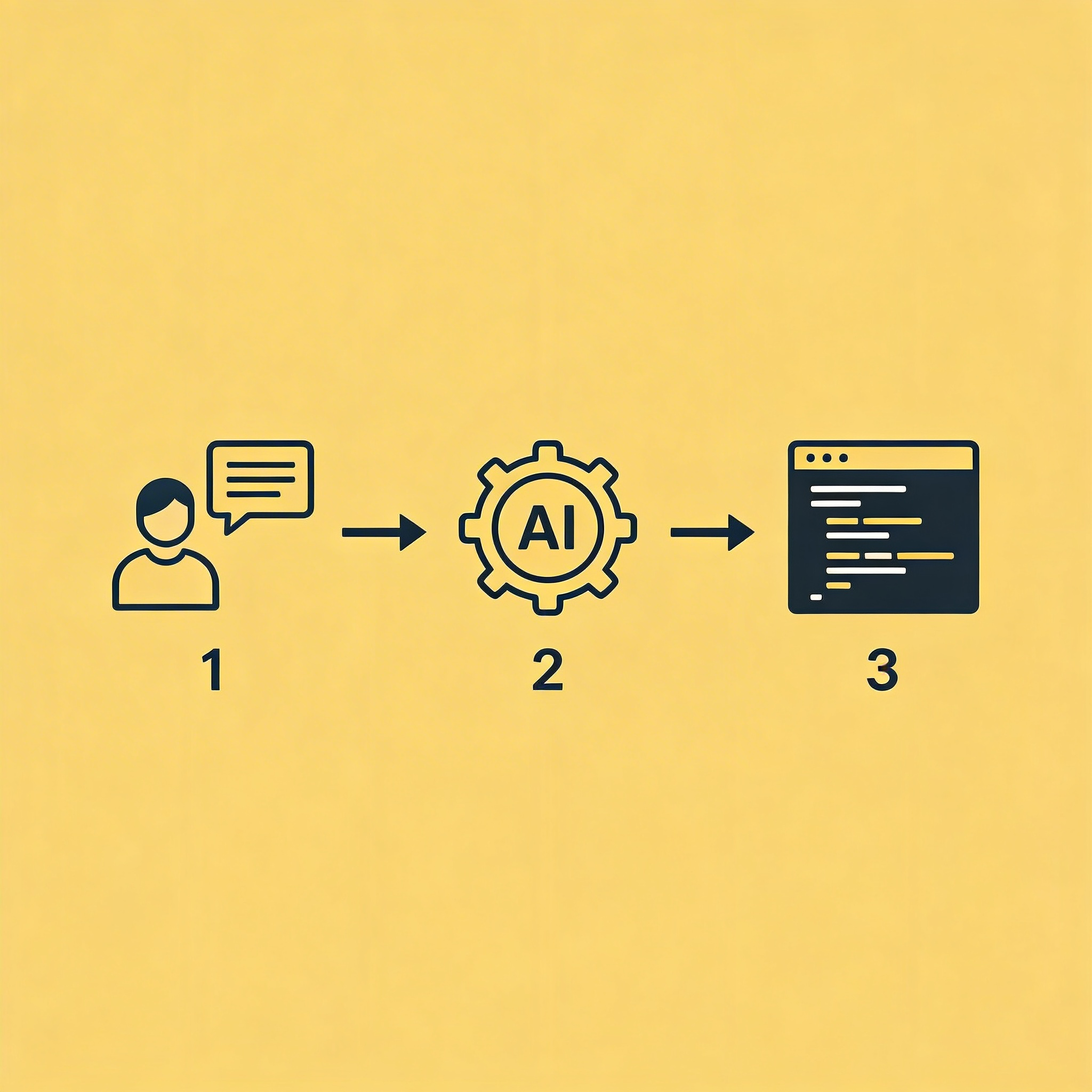
Orchids is an AI-powered IDE where you describe what you want to build and get working code across any language or framework. Bring your existing ChatGPT, Claude, Gemini, or GitHub Copilot subscription, then use Orchids as the interface that transforms those models into production development tools. The platform handles setup, deployment, database connections, authentication, and payment integration, so you can focus on features rather than configuration.
Key Point: Transform your existing AI subscriptions into complete development environments instead of just chat tools.
"Most developers already pay for premium AI subscriptions but use them mainly for chat assistance or debugging." — The untapped potential of AI development tools
Most developers already pay for premium AI subscriptions but use them for chat assistance or debugging. Orchids transforms those subscriptions into full development environments. Switch between models based on what you're building: Claude for backend logic, GPT-4 for clean frontend components, Gemini for data processing tasks. This flexibility prevents lock-in to a single AI provider's strengths and weaknesses.
Tip: Leverage different AI models for their specific strengths rather than relying on just one for all development tasks.
Start with a Small Project
Pick something real: a customer feedback tool for your SaaS product, an internal dashboard tracking team metrics, or a mobile app prototype you've been sketching for months. Describe it to Orchids in plain language and watch it generate the scaffolding: database schema, API endpoints, authentication flows, and frontend components. What normally takes hours of setup happens in minutes.
The generated code isn't a black box. Modify it directly for precision or use AI prompts for speed. Export to Vercel with your database intact when ready to scale beyond the platform. This matters because vibe coding works long-term only if you maintain code ownership and can transition to traditional development as projects mature.
Deploy and Test Live
One-click deployment gives you a live URL immediately. Share it with users and collect feedback based on their actual behaviour instead of assumptions. Most prototypes fail because deployment is complicated and takes weeks. Orchids closes that gap to minutes, letting you test ideas while momentum is still there.
Security analysis runs automatically on every deployment, blocking common issues such as exposed environment variables, insecure API calls, and improper authentication patterns. Over 100,000 insecure deployments have been stopped since launch. This approach lets you move fast without accumulating technical debt.
Start your free account with Orchids today and build your first app without writing boilerplate code: web apps, mobile apps, scripts, bots, or browser extensions using the AI subscriptions you already pay for.
Related Reading
Bilal Dhouib
Head of Growth @ Orchids