31 Best AI Tools for Product Managers to Optimize Your Workflow
Product managers face constant context switching between roadmap planning, user research, sprint management, stakeholder updates, and data analysis. Days fragment into dozens of disconnected tasks across multiple tools, making it difficult to maintain focus and drive meaningful progress. The right AI tools can consolidate workflows into intelligent platforms that enable faster decisions, eliminate busywork, and help ship better products.
Generating working prototypes and MVPs no longer requires waiting weeks for engineering resources. Modern solutions transform product ideas into functional applications, allowing teams to validate concepts with real users before committing to full development cycles. Rather than juggling wireframing tools, documentation platforms, and endless feedback loops, product managers can leverage an AI app generator that turns vision into something customers can actually use and respond to.
Table of Contents
- Why Product Managers Need AI to Keep Up
- How Can AI Tools Actually Help Product Managers?
- 31 Best AI Tools for Product Managers
- Turn Product Ideas Into Working Apps with Orchids Today!
Summary
- Product managers spend 15 hours per week on synthesis and documentation rather than decision-making, according to workflow analysis studies. AI compresses pattern-recognition tasks like summarizing 200 support tickets from an afternoon to 10 minutes, freeing time from data gathering to focus on strategic trade-offs. The speed difference compounds across every sprint: one PM generates a competitive analysis in 20 minutes, while another spends two days manually researching. Companies hiring AI Product Managers increased by 35% in 2024, not because the role changed overnight, but because teams finally measured how many hours were disappearing into translation work across customer feedback channels, stakeholder updates, and technical documentation.
- AI-powered testing tools reduce time spent on routine QA tasks by up to 40%, particularly in workflows where manual effort scales poorly. Automated test case generation based on product specifications detects edge cases that humans miss by processing more scenarios faster. The value is driven by early visibility rather than prediction accuracy. When one PM catches a resourcing conflict three days before it derails a release versus three hours after, the difference isn't skill but tooling that flags dependency risks two weeks earlier based on historical project data analysis.
- According to Pendo's 2024 survey, 87% of product managers believe AI will significantly impact their role in the next 3-5 years, largely because it accelerates feedback analysis workflows. Customer insights scattered across support tickets, sales call transcripts, user interviews, analytics dashboards, and Slack threads traditionally require hours of manual reading. AI-powered NLP tools surface actionable themes in minutes, compressing the time from raw feedback to strategic roadmap decisions from days to a single work session, while preserving the judgment-based prioritization only humans can do.
- Airtable's Product Predictions 2025 Report found that 55% of product leaders are already investing in AI, but investment without constraint-based selection just creates tool sprawl. The framework for effective tool adoption is straightforward: identify your largest time-consuming bottleneck (feedback analysis, roadmap planning, or documentation creation), select 2-3 tools that specifically address that constraint, then measure whether workflows compress by at least 30% within two weeks. Tools that don't deliver measurable time savings in the first evaluation window are solving the wrong problem, regardless of their feature lists.
- The real competitive threat isn't AI replacing product managers, but faster-moving PMs who use AI to ship products more quickly, align stakeholders more clearly, and prioritize with better data. When traditional workflows assume everyone has the same tools and constraints, that assumption no longer holds. The measure of success isn't how much AI you use but how much faster you move from insight to decision, from decision to alignment, and from alignment to shipped value that customers actually experience.
- Orchids' AI app generator addresses this by letting product managers build working applications through conversational prompts, rather than waiting for engineering cycles to validate ideas with real users.
Why Product Managers Need AI to Keep Up
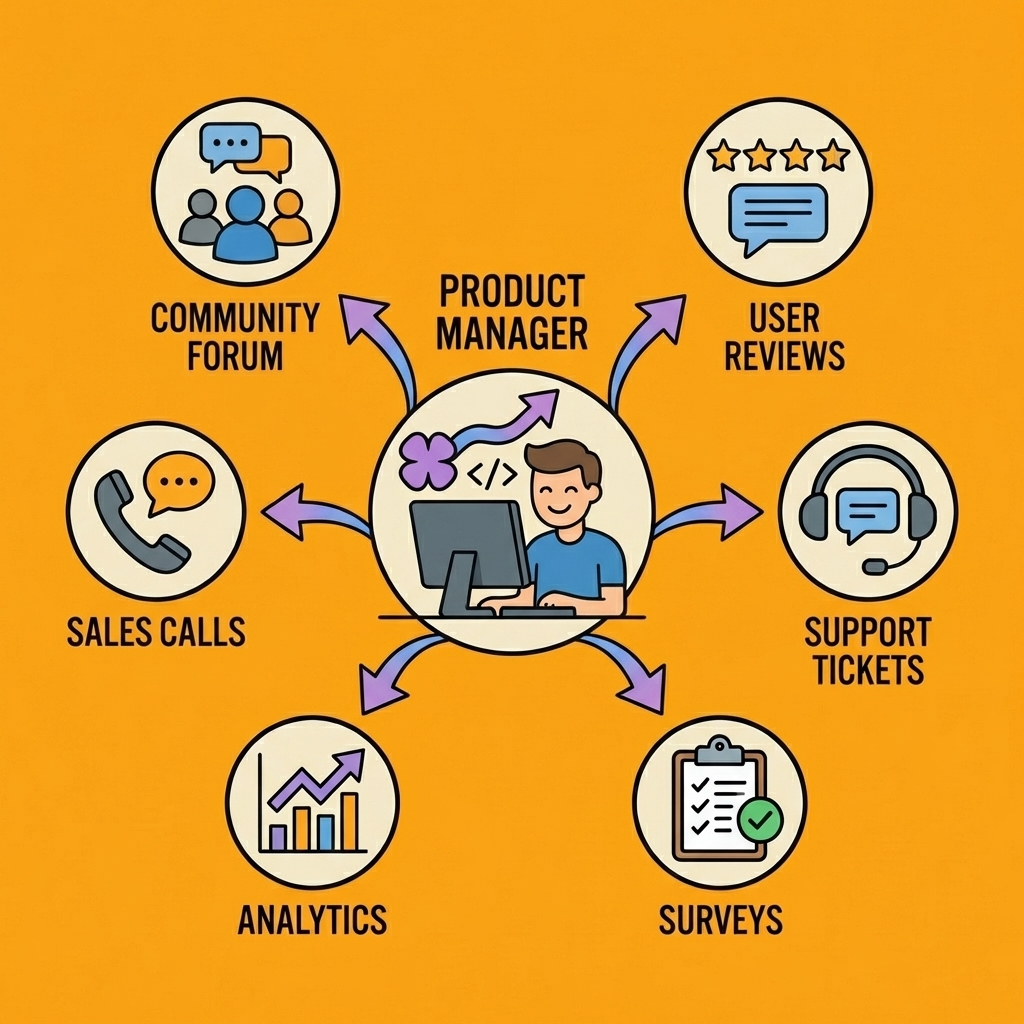
Product managers handle feedback from six different channels, explain technical limits to non-technical stakeholders, write instructions that serve engineering, design, and sales simultaneously, and then repeat in the next sprint. According to the General Assembly's AI and Product Management Survey, nearly all PMs use AI daily to avoid drowning in coordination overhead. The question is where AI makes a real difference.
"Almost all PMs use AI every day because the alternative is getting buried in coordination overhead." — General Assembly's AI and Product Management Survey
Key Takeaway: The shift from whether to use AI to where AI creates the biggest impact represents a fundamental change in how product managers approach their daily workflows.

Pro Tip: Smart PMs focus AI adoption on the highest-friction coordination tasks first—the ones that currently consume the most time yet add no strategic value.
The repetition tax
Most PM work follows a pattern: gather input, synthesize it, document decisions, communicate context, repeat. Customer feedback arrives in Slack threads, support tickets, sales calls, user interviews, and analytics dashboards. You spend Tuesday afternoon copying insights from five sources into one document. Wednesday morning, you're explaining the same prioritization logic to three different teams. By Friday, you're updating a roadmap that seven people interpret differently. Companies hiring AI Product Managers increased by 35% in 2024 because teams measured how many hours disappear into translation work. When a PM spends 15 hours weekly on synthesis and documentation instead of decision-making, that's a workflow problem.
Where AI actually saves time
The gap isn't in what AI can do. It's in knowing which bottlenecks to eliminate first. AI handles pattern recognition faster than humans: summarising 200 support tickets, spotting feature requests across customer segments, drafting spec first drafts from prior documents. It doesn't replace judgment—it removes the manual steps before judgment happens. Instead of spending an afternoon reading feedback to find themes, you review AI-generated themes in 10 minutes and spend the afternoon deciding what they mean for your roadmap. The time savings redirect hours per week from documentation to stakeholder alignment, from data gathering to strategic trade-offs.
The real risk isn't replacement
The fear that AI will replace PMs misses the actual threat. AI won't take your job. Another PM who uses AI to ship faster, align stakeholders more clearly, and prioritize with better data will. When one PM generates a competitive analysis in 20 minutes while another spends two days manually researching, the speed difference compounds across every sprint. When one PM uses AI to draft three spec variations for different audiences while another writes one generic version, the communication gap widens. The old playbook assumed everyone had the same tools and constraints. That assumption no longer holds.
Building what you need, when you need it
The traditional workflow creates bottlenecks: either you find existing tools, or you wait months for engineering to build internal solutions. When you need a custom dashboard to track metrics your analytics platform doesn't surface or a prototype to test an idea before committing engineering resources, waiting isn't viable. Platforms like Orchids let PMs create functional tools through conversation, turning "we should build something to track this" into a working solution the same afternoon. Creating what you need without waiting for dev cycles or settling for generic software removes obstacles to decision-making.
What does AI success actually look like for product managers?
Success isn't about using AI for everything. It's about using AI to remove the problems that stop you from doing the work only you can do. AI won't decide your product vision, negotiate trade-offs between engineering complexity and user value, or build trust with stakeholders who disagree with your priorities.
Those are still human problems that need human judgment. But if you're spending 10 hours weekly on tasks AI can do in 10 minutes, you're wasting time on repetitive work instead of strategic thinking.
How should you measure AI effectiveness?
The measure isn't how much AI you use, but how quickly you move from insight to decision, from decision to alignment, and from alignment to shipped value.
But knowing AI can help and knowing how to make it help are two different problems.
Related Reading
How Can AI Tools Actually Help Product Managers?
AI closes the gap between needing an answer and getting one. It delivers value in three workflows: shaping the product, shipping it, and keeping everyone aligned. AI handles repetitive thinking work—pattern recognition, synthesis, documentation—so you can focus on the decisions those patterns inform.
| AI Workflow | Primary Value | Key Activities |
|---|---|---|
| Shaping the Product | Strategic clarity | Market research, user insights, feature prioritization |
| Shipping It | Execution speed | Documentation, testing scenarios, and release planning |
| Keeping Everyone Aligned | Communication efficiency | Status updates, stakeholder reports, decision logs |
"AI handles repetitive thinking work so product managers can focus on the decisions those patterns inform." — Core PM Efficiency Principle
Key Point: The real power of AI tools isn't replacing your judgment—it's eliminating the busy work that prevents you from using that judgment effectively.
Pro Tip: Start with one workflow at a time. Master AI-assisted documentation before moving to complex analysis tasks. This builds confidence and measurable value quickly.
How does AI compress strategy work from hours to minutes?
Strategy work used to mean spending days gathering data before thinking about what it means. Customer feedback lives in support tickets, sales call transcripts, user interviews, analytics dashboards, and Slack threads. Manually reading through 200 support tickets to find patterns takes hours.
AI-powered NLP tools surface those patterns in minutes, compressing the time between raw feedback and actionable themes from an afternoon to ten minutes. According to Pendo's 2024 survey, 87% of product managers believe AI will significantly impact their role over the next 3-5 years, largely because it accelerates workflows.
The strategic work—deciding what those themes mean for your roadmap, which trade-offs to make, and how to sequence features—still requires your judgment.
Why does faster analysis lead to better roadmap decisions?
Roadmap prioritization follows the same logic. Predictive analytics can process historical usage data, customer segment behaviour, and market trends to suggest which features align with business objectives. You retain final decision-making authority.
One PM might spend two days researching competitive positioning manually. Another uses AI to generate that analysis in 20 minutes, then spends the rest of the week stress-testing assumptions with stakeholders. The second PM isn't working less; they're avoiding data collection that machines handle better.
How does AI transform quality assurance testing?
Quality assurance traditionally meant writing test cases by hand, running them, logging bugs, and repeating until something broke. AI-powered testing tools automatically generate test cases based on product specifications and detect edge cases that humans miss by processing more scenarios more quickly. AI tools can reduce time spent on routine tasks by up to 40%, particularly in QA workflows where manual effort scales poorly. You're not eliminating human oversight; you're eliminating hours spent on repetitive test creation, so QA teams can focus on exploratory testing and edge cases that require creative thinking.
How does AI improve resource allocation and project planning?
Resource allocation improves when AI analyzes historical project data to predict bottlenecks. Instead of discovering halfway through a sprint that your team is blocked waiting for design assets, AI-driven project management platforms flag dependency risks two weeks earlier. When one PM catches a resourcing conflict three days before it derails a release and another catches it three hours after, the difference isn't skill—it's tooling.
How does AI prevent information silos from derailing projects?
Most alignment problems stem from information asymmetry. Engineering knows constraints that the product doesn't; sales hears objections that customers never mention in user interviews.
AI-enhanced collaboration platforms aggregate input from different channels, track sentiment in communications, and surface misalignments before they become conflicts. When a stakeholder's Slack messages shift from supportive to skeptical, sentiment analysis flags the change. You address concerns early instead of discovering opposition during a launch review. The time saved isn't in the conversation itself: it's in having the right conversation at the right moment, rather than three weeks too late.
Why does AI-assisted documentation save hours of writing time?
Creating documentation follows similar logic. Writing specs takes hours because you're translating technical limits, user needs, and business goals into a format that multiple teams can use and act on.
Generative AI creates first drafts based on earlier specs and project details. You then edit, improve, and add important details without starting from scratch. The first draft takes minutes instead of hours. The thinking work shifts from "how do I organize this?" to "does this cover what matters?"
What's the real advantage of AI for product managers?
AI doesn't replace your judgment. It removes the manual steps before judgment happens. The PMs who ship faster aren't necessarily smarter; they've stopped spending 10 hours weekly on tasks AI handles in 10 minutes.
Related Reading
- Mobile App Ideas
- Hire an App Developer
- Replit Alternatives
- Appsheet Alternatives
- Vs Code Alternatives
- Softr Alternatives
31 Best AI Tools for Product Managers
Identify your constraint first. Pinpoint the workflow consuming the most time without proportional value: feedback analysis scattered across support tickets and interviews? Roadmap planning requiring multiple misaligned meetings? Documentation creation consuming entire afternoons? The tool solving your largest bottleneck delivers more impact than five tools addressing minor inefficiencies. According to Airtable's Product Predictions 2025 Report, 55% of product leaders are investing in AI, but unbounded investment without constraint-based selection leads to tool sprawl.
"55% of product leaders are already investing in AI, but investment without constraint-based selection creates tool sprawl." — Airtable Product Predictions 2025 Report
Key Point: The tool solving your largest bottleneck delivers exponentially more impact than multiple tools addressing minor inefficiencies.
Match the tool capability to your specific constraint. If feedback analysis is the bottleneck, prioritize NLP-powered categorization and sentiment tracking. If roadmap planning drags on, look for platforms that automate timeline updates and stakeholder notifications. If documentation slows shipping, choose a generative AI that drafts specs from meeting notes. Evaluate integration with your existing stack, then measure time saved in the first two weeks. If a tool doesn't compress a workflow by at least 30% within that window, it's solving the wrong problem.
Takeaway: A 30% workflow compression within two weeks is the minimum threshold for determining whether an AI tool addresses your actual constraint rather than creating additional complexity.

1. Orchids
Orchids lets you build and ship real applications through conversational prompts: actual web apps, mobile tools, scripts, bots, and extensions that solve specific product management needs. When you need a custom dashboard to track metrics your analytics platform doesn't show or a prototype to test an idea, waiting for dev cycles creates bottlenecks.
You describe what you need, the AI generates functional code, and you deploy in one click. Bring your own LLM or API keys to control costs. Connect whatever stack you want for your database, authentication, and payments.
How does Orchids streamline product development workflows?
The platform handles UI changes, copy updates, and feature additions without disrupting engineering work. When stakeholder feedback requires a quick prototype variation, you can generate it in minutes instead of waiting for the next sprint.
Import existing code, run security audits, and deploy to your own Vercel account when ready. Product managers often describe ideas that get lost in translation between spec and implementation. Building the thing yourself and showing exactly what you mean accelerates alignment and reduces friction.
2. Airtable ProductCentral
Airtable ProductCentral creates a centralised hub for product information at large companies. Roadmaps, feature requests, customer feedback, and team resources stay in one platform instead of being scattered across spreadsheets, Slack threads, and project management tools.
How does AI enhance product management workflows?
Built-in AI analyzes customer feedback to identify common themes, tracks competitors in real time, and suggests how to allocate your team's time based on headcount. When priorities shift during a sprint, timelines update automatically. Stakeholders can subscribe to automatic launch updates through Slack and email, eliminating the need to ask "Can you send me the latest roadmap?"
What visibility does the platform provide to stakeholders?
The platform connects features to business goals, so executive dashboards show not just what's shipping but why it matters. AI-driven roadmapping identifies misalignments before they derail releases, flagging capacity gaps two weeks early rather than three days before launch. Custom views let different stakeholders see relevant information without irrelevant details. Integration with Jira, Azure DevOps, Figma, and Slack means data flows between the tools rather than requiring manual updates.
3. ChatGPT
ChatGPT can create product documentation, analyse feedback, and generate ideas through conversation. Describe a feature, user needs, and technical capabilities, and it will produce a structured PRD draft within minutes. You can then refine it, add critical details, and tailor it for your audience. The time savings come from starting with a coherent draft rather than a blank page. The same approach works for user stories, survey questions, release notes, and stakeholder summaries. Your thinking shifts from "how do I organize this?" to "does this capture what matters?"
How does ChatGPT's coding capability accelerate prototyping?
The tool's coding abilities let you build prototypes quickly without engineering resources. ChatGPT creates working code snippets to test ideas or visualise concepts. The tool remembers conversation context, so you can make changes without re-explaining background information. Support for multiple languages helps when researching international markets or translating user feedback globally. APIs and integrations connect ChatGPT with your own systems and data, extending its usefulness beyond standalone conversations.
4. Google Gemini
Google Gemini processes text, images, and data simultaneously, streamlining research workflows. Rather than juggling multiple tools, Gemini consolidates everything in one place. Upload competitor screenshots, and Gemini extracts key features, design patterns, and UX flows in a single analysis. Review design mockups and receive feedback on interface elements without manually marking them up. Process spreadsheets of user data to identify trends that would take hours to spot manually. Ask questions, upload materials, and receive insights that synthesise content from different sources.
How does Google Workspace integration enhance team collaboration?
Gemini integrates smoothly with Google Workspace, benefiting teams already using Google's tools. You can search across Google Docs, Sheets, and Drive without leaving your current document. The long context window enables you to analyse large documents in a single session, which proves valuable when reviewing lengthy product specifications or detailed market research. Advanced reasoning abilities connect disparate information, such as matching user feedback themes with usage data patterns. Real-time access to information ensures your research reflects current market conditions.
5. Mixpanel
Mixpanel tracks how customers interact with products by monitoring individual events, giving you a clear view of user behaviour. You can see exactly which actions retain customers and which features drive churn, rather than relying on aggregate metrics that obscure patterns.
How does Mixpanel help segment and analyze user behavior?
Divide your users into groups based on their behaviour, demographics, or usage levels. This helps you identify your best customers and understand why certain groups disengage. Create conversion funnels to pinpoint where users drop off, then optimise those specific steps. A/B test results show your confidence level in the findings, allowing you to validate ideas with data rather than assumptions.
What automated insights does Mixpanel provide?
Automated insights surface unusual patterns without manual dashboard monitoring. If a feature gains traction with a specific user group, Mixpanel alerts you. If users risk churning due to incomplete actions, you can identify the connection early. Predictive analytics forecasts user behaviour based on historical data, letting you prioritise the most impactful actions. When you release a change, you see its effect on user behaviour within hours, not days.
6. Amplitude
Amplitude maps complete user journeys, showing how customers discover, adopt, and extract value from products. Instead of knowing that 40% of users churn after two weeks, you see which specific action sequences retain users and which paths lead to churn.
The platform uses AI to uncover behavioral patterns, measure feature adoption rates, predict churn risk, and identify interventions that reduce attrition before users leave.
What behavioral insights does Amplitude provide?
Behavioral grouping categorises users by their actions rather than demographics, revealing patterns that traditional methods miss. Visual path analysis tools show the most common user journeys through your product and highlight unexpected deviations.
Experiment tracking connects A/B tests to long-term changes in user behaviour, while automated anomaly detection alerts you to unexpected metric shifts. Complete data governance and privacy controls support teams in regulated industries where compliance is critical.
7. Perplexity
Perplexity gathers information from across the web with citations shown as numbered footnotes. For a competitive analysis, ask about competitors' features, pricing, and positioning to get sourced answers you can verify.
How does Perplexity help with market research?
Research market trends without spending hours reading industry reports, and test product ideas by quickly finding relevant data and studies. Real-time web search means you're working with current information, not training data that's months or years out of date. Focus modes let you optimise for academic research, writing, or general questions depending on your needs.
What advanced features does Perplexity offer?
Labs mode (for Pro users) lets you build projects like reports or dashboards from simple prompts, compressing the time to create deliverables. Conversational threads maintain context, so you can ask follow-up questions without re-explaining background information. Source transparency matters when presenting research to stakeholders: you're reviewing cited information and deciding what it means for your product decisions, not accepting AI-generated claims without questioning them.
8. NotebookLM
NotebookLM creates personalised AI assistants trained on your specific documents. Upload product specifications, customer research, market reports, or meeting notes, then ask questions conversationally instead of searching through hundreds of pages. Get answers based on your actual documents with citations to specific passages. Combine insights across multiple research files to identify patterns and themes that span sources, and create summaries from lengthy specifications without reading linearly.
The audio overview feature creates podcast-style summaries to help absorb information while commuting or between meetings. Note-taking capabilities let you capture thoughts and link them to relevant sections of documents. Privacy-focused design ensures your documents aren't used to train Google's models, which is critical when working with proprietary product information or sensitive customer data. Onboarding new team members accelerates when you create an AI assistant trained on your product knowledge, allowing them to gain context without waiting for scheduled meetings.
9. Sora
Sora creates videos from text descriptions, accelerating product demos and concept visualizations. Instead of waiting for design resources or video production teams, you can describe what you need, and Sora creates it.
How does Sora help with product development?
Make product demo videos that show features before development starts. This helps people understand ideas that are difficult to convey in static documents. Create concept videos for presentations and explainer content for product launches without expensive production costs.
Build user experience flows visually to test ideas with users before allocating engineering resources. Create marketing materials and social media content that showcase product features in compelling ways.
What makes Sora flexible for different needs?
You can adjust video lengths and styles to match your audience and situation, and improve videos based on feedback without starting over. Creating visual content through speech removes barriers that typically slow product sharing.
10. Merlin
Merlin brings AI help to any webpage through a browser extension, eliminating the need to switch between tools when researching or communicating. Summarize long articles while researching market trends without leaving your tab. Draft emails and Slack messages without opening separate tools. Analyze competitor websites and extract key features or messaging strategies. Generate social media posts about product updates directly from any webpage. Translate content in real-time when researching international markets.
What makes Merlin's browser integration so effective?
Browser integration (Chrome, Edge, and others) means the tool lives where you work. Multiple AI models (GPT-4, Claude, and others) let you choose the right tool for each task. Context-aware assistance understands the page you're viewing and provides relevant help. Quick commands using keyboard shortcuts compress common workflows into single keystrokes. Chat history and saved responses let you reuse effective prompts and build on previous work.
11. Otter.ai
Otter.ai transcribes meetings, interviews, and conversations in real time, so you can focus on listening without juggling note-taking. During customer interviews, this means you capture every detail automatically while staying fully engaged in the conversation.
How does Otter.ai help with meeting management?
Create meeting summaries that highlight key decisions and action items. Document stakeholder decisions for attendees and share transcripts with those who couldn't attend. Search across transcripts to find when specific topics or decisions were discussed, which is critical for recalling context from weeks prior.
What collaboration features does Otter.ai offer?
Speaker identification shows which person made which comment, helping you review feedback and track who raised specific concerns. The tool works with Zoom, Google Meet, and Microsoft Teams to automatically transcribe scheduled calls. Teams can edit and comment on transcripts together to improve accuracy and add context. AI-generated summaries condense hour-long meetings into concise highlights, freeing you to listen actively during important conversations instead of taking notes.
12. Reclaim.ai
Reclaim.ai helps you organize your calendar to find time for focused work, meetings, and personal tasks. You can schedule focus time for important work like roadmap planning and feature specifications, and the system protects those time blocks while adjusting around urgent meetings.
How does Reclaim.ai protect work-life balance?
Protect work-life balance by scheduling breaks and personal time that can be adjusted when conflicts arise. Sync multiple calendars to prevent conflicts between work and personal commitments. Automatically reschedule tasks and meetings when priorities shift. Track time spent on different activities to understand where your attention goes.
What integration and scheduling features are available?
The tool integrates with Google Calendar and Outlook, fitting smoothly into your current setup. Smart scheduling analyzes your calendar patterns to identify optimal times for tasks. Flexible holds prevent meeting conflicts by blocking movable time slots. Habit scheduling automates recurring tasks, while team scheduling features coordinate multiple people without back-and-forth availability discussions.
13. Zendesk
Zendesk analyzes support tickets to identify common issues, emerging problems, and feature requests at scale. You can extract recurring customer pain points by analyzing ticket patterns across thousands of conversations and pulling feature requests from support interactions to build data-driven roadmaps grounded in customer needs.
How does Zendesk help monitor customer satisfaction trends?
Monitor customer sentiment to gauge satisfaction with specific features. Identify emerging issues by tracking spikes in ticket volume and shifts in sentiment.
How can you measure the impact of a product change with support data?
Measure how your product changes affect customers by tracking support tickets before and after the release of new features. If a new feature reduces the number of tickets about a specific problem, the solution works. If tickets increase after a change, you receive an early warning that something needs fixing. AI-powered ticket categorization and sentiment analysis identify frustrated customers and reveal patterns across issues. Integration with product management tools connects customer feedback directly to product decisions.
14. Spark
Spark manages email using AI to prioritize messages, suggest quick replies, and keep your inbox organized. For product managers receiving numerous stakeholder emails and customer feedback, critical communications receive immediate attention while less urgent messages are automatically organized for later review.
How does Spark streamline email responses and scheduling?
Quick reply suggestions reduce response time for routine communications, while scheduling ensures messages reach recipients when they're most likely to read them.
What collaboration and organization features does Spark offer?
Work with team members to coordinate emails to stakeholders. Snooze emails so they reappear based on your calendar, ensuring follow-ups happen at the right time. Automatic sorting into personal, notifications, and newsletters reduces clutter.
Natural language search finds specific emails using conversational questions without remembering exact keywords. Calendar integration connects email context with scheduled events, and cross-platform support works across devices.
15. Miro
Miro is a digital whiteboard tool with AI features that helps product managers collaborate on roadmaps, user flows, and early ideas. You can use AI to organize ideas and automatically group related themes during brainstorming or retrospectives.
How does Miro support visual product planning?
Create visual user story maps that help teams understand the complete customer journey. Generate mind maps from text to visualise product concepts and feature relationships. Conduct product discovery workshops using templates optimised for frameworks such as Jobs to Be Done or Opportunity Solution Trees.
What collaboration features does Miro offer?
Work together to build roadmaps with real-time input and stakeholder comments, eliminating static documents that arrive after decisions are made. An infinite canvas provides unlimited creative space for complex product planning.
AI-powered sticky-note clustering automatically groups related ideas. Real-time collaboration supports unlimited participants for large stakeholder workshops. Extensive templates provide starting points for common product management activities. Integration with Jira, Asana, and other tools connects visual planning with execution workflows.
16. Jira
Jira simplifies agile product management by automating routine tasks and providing smart suggestions for sprint planning, backlog management, and issue tracking. You can automate story point estimation based on your team's past velocity and task complexity. You can predict sprint completion by analysing your team's capacity and task dependencies, giving stakeholders realistic timelines.
How does Jira prevent project delays and bottlenecks?
Find potential problems before they impact your work by examining ticket dependencies and team capacity. Create sprint reports that reveal productivity trends. Suggest optimal task assignments based on each team member's skills and availability. This balances workload and reduces bottlenecks.
What workflow and integration capabilities does Jira offer?
You can customize workflows to work with any agile method: Scrum, Kanban, or a hybrid approach. Roadmapping tools help you plan and visualize your product's long-term roadmap. Detailed reports track velocity, cycle time, and other metrics to support continuous improvement. Integrations connect with tools already in your development process. Automation rules triggered by changes in issue status reduce manual work and keep your information up to date.
17. Gong
Gong records and analyzes sales calls to identify customer needs, problems, and buying signals. For product managers, this provides AI-powered insights across numerous customer conversations.
How does Gong help identify winning product features?
Find out which product features are discussed most often in successful sales calls. This reveals what drives customer purchases. Track when competitors are mentioned and how your product compares to alternatives. Learn about common customer questions and concerns before purchase decisions. This information helps you craft stronger product messaging and prioritise key features.
What insights can you gain from conversation analysis?
Test your product ideas by listening to what customers say, not relying on secondhand reports. Searchable conversation archives and AI analysis help you find patterns you would miss reviewing conversations manually. Topic tracking monitors specific themes like pricing concerns, feature requests, and competitive comparisons. Integration with CRM systems connects conversation insights to deal outcomes, helping you understand which product attributes correlate with closed business.
How does Motion combine project management with AI scheduling?
Motion combines project management with AI-powered scheduling to plan your day and keep projects moving. It understands task dependencies, deadlines, and priorities, and then builds an optimal schedule that adapts in real time. The scheduler automatically places tasks on your calendar based on priorities and deadlines, adapts dynamically when meetings are added or priorities shift, and manages project dependencies to ensure prerequisites are completed in the correct order.
How does Motion help balance multiple projects simultaneously?
Handle multiple projects simultaneously without manual coordination. Motion alerts you when deadlines are at risk based on your workload capacity, giving you early warning to adjust scope or add resources. The AI scheduler prioritises tasks by urgency and importance, learning from your actual work patterns. Task dependencies ensure work proceeds in the correct order, whilst project templates standardise workflows, and calendar integration aligns tasks with your scheduled time.
19. Confluence AI
Confluence AI enhances Atlassian's knowledge management platform with smart features that help you create, collaborate on, summarise, and discover documentation.
How does Confluence AI accelerate documentation creation?
Create documentation drafts quickly from rough notes or meeting transcripts, saving time on writing specs. Find information across your knowledge base by asking questions in plain language rather than using keyword searches. Turn long product specifications into short executive summaries that stakeholders can read.
What automated features does Confluence AI provide?
Automatically update documentation when product details change across pages, keeping everything consistent without manual checks. AI-powered search understands context and intent, not just keywords. Automatic page summaries provide quick overviews without reading entire documents. Integration with Jira connects documentation to development work.
20. Linear
Linear makes it easier to handle issues, projects, and product development by using AI that automatically sorts issues, suggests labels and assignments, and predicts timelines. Smart automation reduces administrative work so product managers can stay organised and keep moving forward.
How does Linear automate issue management?
Automatically assign incoming issues to the right team members based on content and past patterns. Track development progress to see what's being worked on and what's blocked. Predict project completion dates based on your team's velocity and issue complexity to give stakeholders realistic timelines.
What features support product development workflows?
Organise work into cycles and projects aligned with product development phases. Create product roadmaps that directly align with development work and track progress in real time. AI-powered issue suggestions for labels, priorities, and team assignments reduce manual sorting. Git integration connects code changes with issues. Linear for Slack agent brings issue management into team communication. Keyboard shortcuts and command palette support fast workflows for power users.
21. Notion
Notion brings together notes, databases, wikis, and project management tools. Its AI agents can create content, summarize documents, translate languages, and organize information.
How does Notion AI help product managers organize their work?
For product managers, Notion AI helps create product wikis for onboarding, generate documentation drafts for collaborative refinement, and build databases to organize feature requests, user research, and roadmap planning with linked relationships. You can also use AI to summarize meeting notes and research documents.
What features make Notion AI effective for team collaboration?
Create templates for recurring tasks such as PRDs, sprint planning, and retrospectives. Notion AI writes, edits, summarizes, and brainstorms within your workspace, eliminating the need to switch between apps. The database system with multiple views lets you see the same information in different ways.
Collaboration features support real-time editing and commenting. Integrations with Slack, GitHub, Figma, and other tools connect Notion with your broader stack.
22. Productboard
Productboard creates a central hub for product decisions by collecting feedback from support tickets, sales calls, user interviews, and analytics into one insights repository. AI-powered scoring ranks features by impact and effort, eliminating subjective debates from prioritization. Visual roadmaps communicate product strategy to stakeholders in interactive formats.
How does Productboard connect customer feedback to product development?
Keep track of feature requests from customer feedback so teams know what to build and why it matters. Close the feedback loop by telling customers when their requested features are ready. This builds trust and demonstrates you listen to them. AI-powered feedback analysis can automatically organize and tag themes.
Prioritization frameworks like RICE and weighted scoring structure decision-making. Customizable roadmaps with multiple views serve different stakeholder needs. Integration with development tools connects strategy to execution.
23. Lovable.dev
Lovable helps you define product tone, identify the emotional core of features, and shape more human UX. The platform transforms ideas into functional prototypes with buttons, flows, and emotional design.
What features does Lovable offer for product development?
Rapid prototyping lets you describe a feature or user problem and get a working prototype without design resources. Idea wireframing helps you organize concepts before opening Miro or blank documents. UX and marketing copy generation create empathetic, on-brand content that aligns with context, tone, and user needs.
How does Lovable improve the design process?
The tool brings emotion back into UX, making products memorable beyond usability. It saves hours of work on word, tone, and flow logic. Guide it with mood, product voice, and intent to get results that fit your needs. Refine outputs based on your understanding of users and product positioning rather than copy-pasting. The value lies in shorter iteration cycles, not eliminating product judgment.
24. Gamma.app
Gamma creates clean, beautiful, interactive presentations from doc-style input. Write rough notes about a feature idea, and Gamma transforms them into a deck. Summarize sprint outcomes, add visuals, and produce a presentation in under 10 minutes.
How does Gamma streamline presentation creation?
Create story-based slide decks from PRDs to help teams align faster without hours of formatting. The tool builds interactive slides that can be shared like Notion, letting people click through instead of passively watching.
What value does Gamma provide beyond speed?
The value goes beyond speed: it removes tedious tasks (lining up fonts, changing screenshot sizes, picking layouts) that drain energy without adding strategic value. You focus on the story and main messages while Gamma handles the design.
Start with something that already looks good, rather than blank slides, then make changes as needed. For pitching ideas, sharing sprint recaps, giving project updates, and getting stakeholder approval, you save time while maintaining professional quality.
25. TwinMind
TwinMind is a smart AI notepad that listens, summarises, and highlights decisions, action items, and questions from meetings or documents. Run it during user interviews or internal syncs to capture the flow, decisions, and key takeaways while you focus on thinking and facilitating.
How does TwinMind streamline meeting workflows?
Auto action items pull next steps from messy meetings without manual review. You copy and paste the output into Jira or Notion and move forward.
While you're thinking, facilitating, or whiteboarding, TwinMind tracks the conversation and delivers a clean, usable summary. No more post-meeting blank slates where you can't remember who committed to what. The cognitive load shifts from "what did they say?" to "what does this mean for our decisions?" This proves critical when running multiple discovery conversations or stakeholder syncs in a single day.
26. Excel AI
Excel's built-in Analyze Data feature uses AI to find insights from product metrics without manually building pivot tables. Upload cohort retention or funnel data and ask which user segment is leaving faster.
The system automatically suggests trends and correlations, and charts from questions let you type "show me average NPS by week" to get a visual without manually building one.
When should you use Excel AI for analysis?
It's ideal for exploring survey results or usage logs when you want directional insights without writing complex SQL. Since the data is already in Excel, you don't need to learn a new tool.
For quick analysis during meetings or rapid hypothesis testing, Excel AI compresses exploration time from hours to minutes. The limitation is depth: dedicated analytics platforms handle complex behavioural analysis or predictive modelling better. For everyday product metrics review, Excel AI removes friction.
27. QuestionPro
QuestionPro combines powerful survey tools with generative AI (QxBot) to create, send, and analyse surveys in seconds. QxBot creates question drafts, suggests logic branches, and identifies key sentiment trends. The AI-powered Research Edition significantly reduces survey design time. Advanced analytics, including MaxDiff, conjoint analysis, and sentiment tagging, are integrated into one dashboard.
What are the limitations and considerations for QuestionPro?
Adhering to global compliance standards (GDPR, HIPAA, and ISO 27001) is essential for regulated industries. The AI features require the Research Edition tier, which may exceed your needs for simple NPS surveys. The user interface can feel overwhelming for new users. Response panel costs increase when targeting specific audiences. However, for teams running frequent research surveys, the time saved in creating and analysing surveys delivers real value.
28. Leonardo.AI
Leonardo.AI creates high-quality, realistic images with advanced editing tools (inpainting, upscaling, background removal) that work in seconds. The Phoenix foundational model maintains a consistent style across all images, which is essential for pitch decks, mockups, and marketing materials. Style presets automatically lock in your brand's look and feel. Collaborative workspaces let you set permission levels for team members and protect intellectual property in shared libraries. You can generate unlimited variations to quickly create and test different A/B concepts for improving UI elements or feature flows.
What are the limitations and practical benefits?
Free-tier limits (150 tokens per day) can slow heavy testing phases, and prompt sensitivity often requires multiple iterations to achieve the exact composition. High-resolution and animation features consume premium credits. For product managers who need visual assets to communicate ideas, Leonardo.AI eliminates the need for design resources for initial drafts. You generate options, select the strongest direction, then refine with designers—reducing concept-to-visual time from days to hours.
29. UserTesting
UserTesting captures real user interactions with products through video-backed feedback on prototypes, live features, or design mockups. You recruit vetted participants, run moderated or unmoderated tests, and observe users' screens while hearing their thought processes. Video and audio capture show exactly how users interact with your product. Insights Hub centralizes findings with tags, clips, and sentiment for cross-team sharing.
What features does UserTesting offer for validation?
Prototype and live testing switches easily between Figma/Sketch prototypes and production builds, allowing you to check everything from start to finish. Benchmarking with QXscore compares new features against competitors and tracks usability improvements over time.
What are the limitations of UserTesting?
Drawbacks include high costs for heavy usage, slow recruitment for niche audiences (taking days to find participants), and a learning curve for tagging, clip editing, and report generation. For validating features and understanding user behaviour, UserTesting provides depth that analytics alone cannot deliver.
30. Ideamap.ai
Ideamap.ai's infinite visual canvas helps teams break through ideation walls with a real-time, AI-assisted whiteboard that generates related concepts, clusters themes, and surfaces fresh angles. AI Actions (SCAMPER, reverse thinking) automate idea generation, delivering dozens of spin-offs in moments. AI-driven brainstorming provides instant suggestions and topic detection to maintain session momentum.
What features and limitations should teams consider?
The facilitator toolbox includes built-in frameworks (SCAMPER, analogies, agendas) for structured ideation. OpenAI and Stability AI integration uses GPT-4 for text and Stability AI for visuals, generating concept sketches alongside brainstormed bullets. Real-time collaboration enables multiple users to work together, merge maps, and vote on top ideas.
Template limitations may not support every niche method, and its heavy reliance on JavaScript requires a modern browser without offline mode. A learning curve exists for finding AI Actions and customizing workflows. For teams that brainstorm frequently, Ideamap.ai eliminates the friction of blank whiteboards and stalled brainstorms.
31. User Interviews
User Interviews connects you with a vetted group of 5 million+ participants. It automates screening, scheduling, and incentives. With a 1-hour median time to first match and complete operations support, you access the right voices for studies without building a panel from scratch. Operations-guided recruiting includes a specialist who refines screener criteria and ensures the quality of participants.
What are the key benefits and limitations?
An all-in-one hub manages invites, screeners, scheduling, and incentives in a single tool, eliminating the need to switch between platforms. Enterprise-grade compliance (SOC 2, SSO, 2FA, GDPR) supports regulated product domains.
Panel costs for niche B2B segments add up quickly, and the self-serve threshold requires some teams to invest in training. Advanced research methods such as conjoint analysis require external tools. For teams running continuous discovery, User Interviews removes the recruitment bottleneck that traditionally slows qualitative research.
Choosing what fits
The 31 tools above solve different problems: some make feedback analysis faster, others speed up roadmap planning, several remove documentation bottlenecks, and a few make research recruitment easier. The mistake is trying to use all of them at once. Instead, find your biggest problem, pick the 2-3 tools that specifically fix it, and measure how much time you save in the first two weeks. If a tool doesn't make a workflow 30% faster, it's solving the wrong problem. The goal is to make workflows faster so you can spend more time on strategic decisions rather than on manual tasks.
But having the right tools is only half the equation.
Turn Product Ideas Into Working Apps with Orchids Today!
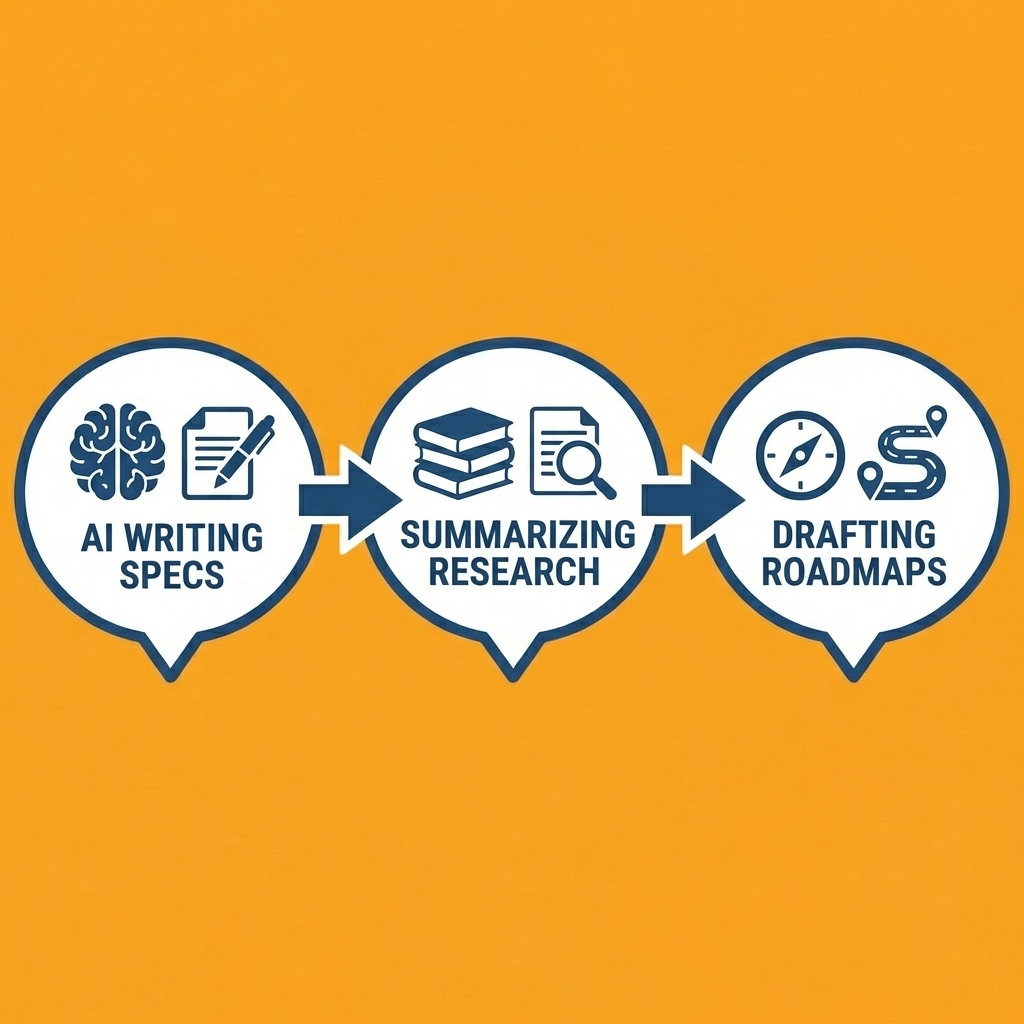
Most product managers use AI to write specs, summarize research, or draft roadmaps. But these tools stop at documents. The bottleneck is turning ideas into something users can try. Waiting on engineering cycles, infrastructure setup, and databases slows experiments to a crawl.
Key Point: The biggest challenge isn't generating ideas—it's transforming them into testable prototypes without technical dependencies.
The traditional approach—waiting for dev capacity, writing detailed specs, hoping implementation matches your vision—creates delays. Proof-of-concept requests sit in backlogs for weeks. By the time engineering builds the prototype, market conditions shift or stakeholder enthusiasm cools. The cost isn't time; it's momentum and missed opportunities.
"Proof-of-concept requests sit in backlogs for weeks. By the time engineering builds the prototype, market conditions shift or stakeholder enthusiasm cools."
Platforms like Orchids let you build working applications through conversational prompts. Rather than stopping at specs, describe what you need—a custom dashboard, feedback tool, or workflow automation—and deploy it the same day. The platform lets you bring your own LLM or API keys to control costs and connect your preferred stack for databases, authentication, and payments. You can create without waiting for dev cycles, removing dependencies that block decisions.
Tip: Use no-code platforms to validate product concepts before committing engineering resources to full development cycles.

Try this simple experiment
Write your product idea or feature concept in one paragraph. Use an AI app generator to create a working prototype, deploy it, and gather real user feedback. Our AI app generator lets you test ideas in hours or days, not weeks, accelerating your learning about what matters most.
Start today. Build your first app for free with Orchids, the AI app generator that helps product managers move from idea to shipped software faster.
Related Reading
Bilal Dhouib
Head of Growth @ Orchids