20 Best Softr Alternatives for Efficient No-Code App Builders
Softr users often hit walls with pricing constraints, limited customization options, or missing features that prevent them from building their ideal applications. The right alternative can transform the entire development process, offering the flexibility to create exactly what's needed without compromising on functionality or budget. Many no-code platforms offer better scalability options, greater design freedom, or specialized tools that align with specific project requirements.
Moving beyond traditional drag-and-drop builders opens up entirely new possibilities for rapid development. Rather than spending hours configuring templates and wrestling with rigid components, modern solutions let developers describe their vision and watch it come to life through intelligent automation, enabling faster prototyping and smoother iterations with Orchids' AI app generator.
Table of Contents
- Why Professionals Look for Softr Alternatives
- Key Features to Evaluate When Choosing a Softr Alternative
- 20 Popular Softr Alternatives and When to Use Them
- Build Your First App for Free with Our AI App Generator
Summary
- Softr's documentation recommends keeping five blocks per page to maintain speed, revealing architectural constraints rather than best practices. As Airtable bases grow past a few hundred records, page loads slow noticeably, and filters become sluggish. Teams building analytics dashboards or CRMs with expanding datasets quickly hit this performance ceiling, constrained by both the frontend builder and the backend data source's inherent limitations.
- Spreadsheet-based platforms feel intuitive initially, but collapse under complex data models requiring relationships between tables, transaction handling, or multi-source queries. According to fahimai.com, Softr's external data source architecture works for over 50,000 businesses building simple apps, but teams needing referential integrity, indexing for performance, and evolving data structures require relational databases like PostgreSQL or MySQL instead.
- Backend logic in frontend-first builders becomes a workaround game involving stitched-together external automation tools and fragile integrations. One team building a multi-tenant CRM hit Softr's Professional plan cap of 5 user groups, forcing them to either upgrade to the Business tier or duplicate entire apps, including all integrations and automations, for each client. Neither option scaled sustainably as the product grew.
- Template-driven platforms optimize for speed and simplicity by trading off the depth of customization that serious products eventually demand. When apps need fine-grained role management, complex multi-tenant logic, or deeply customized UI interactions, teams find themselves working against the platform instead of with it. Differentiated SaaS products require flexibility that extends beyond surface-level styling into markup, behavior, and interaction patterns that templates weren't designed to provide.
- Most no-code builders focus almost entirely on responsive web apps, treating mobile support as an afterthought. Teams building customer-facing products increasingly need native iOS or Android experiences or advanced progressive web apps with offline functionality, but platforms without mobile-first architecture force them to bolt on additional solutions that fragment their stack and never feel properly integrated.
- AI app generator addresses this by generating full-stack code across any framework, including React, Next.js, Python, Swift, or Flutter, letting teams describe what they need in plain language and deploy working applications with custom domains in one click or export to their own infrastructure when ready.
Why Professionals Look for Softr Alternatives
Softr works well for quick client portals or internal dashboards. The drag-and-drop interface connects to Airtable or Google Sheets without code. As projects scale from prototypes to handling business logic, limitations emerge: performance slows with large datasets, customization becomes limited, and constraints mount.
Key Point: While Softr excels at rapid prototyping, it struggles when applications need to handle complex workflows or large datasets that real businesses require.
"Performance bottlenecks and customization limits become the primary roadblocks when no-code tools scale beyond simple use cases." — No-Code Development Report, 2024

Warning: Many teams discover these scalability issues only after investing significant time building their initial Softr application, making migration to alternatives inevitable for growing businesses.
Backend logic becomes a workaround game
Softr's architecture treats your app as a visual layer on top of external data sources, which works for displaying records, filtering lists, and basic form submissions. When you need scheduled jobs, multi-step workflows with conditional branching, or custom API endpoints, you must assemble external automation tools and hope the integrations work.
One team building a multi-tenant CRM needed different modules for different clients, but Softr's Professional plan caps user groups at five. Scaling required either upgrading to the Business tier or creating separate apps for each client, duplicating all integrations and automations—neither is sustainable.
Performance degrades as data scales
Softr's documentation recommends keeping five blocks per page, a sign of architectural limits rather than best practice. Page loads slow when Airtable bases contain hundreds of records or dashboards span multiple sections, and filters feel sluggish. Teams building analytics tools or CRMs hit this wall hard: Airtable slows as records multiply, and Softr inherits that performance ceiling. You're constrained by both frontend and backend limitations.
Where do Softr's customization limits become apparent?
Softr gives you good control over layouts, permissions, and basic styling. But when your product needs detailed role management, complex multi-tenant logic, or deeply customised UI interactions, you're working against the platform instead of with it. Serious products eventually demand the depth and flexibility Softr wasn't designed to provide.
What alternatives exist beyond template-based builders?
For teams ready to move beyond frontend-first builders, our AI app generator offers a different path. Instead of setting up templates, you describe what you need in plain language and let AI generate full-stack code across any framework—React, Next.js, Python, or Swift. You're not limited by a platform's data model or integration constraints because you control, debug, and deploy the code directly.
Mobile support is an afterthought
Softr focuses on responsive web apps. If you need native iOS or Android experiences or advanced progressive web apps with offline functionality, you'll need to use additional platforms, wrappers, or make compromises. This fragments your stack and adds complexity when simplicity is the goal. Teams building products for customers increasingly need mobile-first experiences, and Softr's web-only approach forces them to layer on solutions that never feel integrated.
But knowing what doesn't work only gets you halfway to choosing what does.
Related Reading
Key Features to Evaluate When Choosing a Softr Alternative
Match the platform's design capabilities to what you need, not cool demo features. Spreadsheet-based systems and template-driven interfaces work for internal tools with predictable workflows. Products that customers use and need to change quickly, handle complex logic, or scale to larger sizes require relational databases, real code flexibility, and infrastructure that scales with demand. The wrong choice forces expensive migrations when your app outgrows the platform's limits.

Key Point: Don't let flashy features distract you from your core requirements. A platform that looks impressive in demos but can't handle your specific use case will become a costly mistake down the road.
"The wrong platform choice forces expensive migrations when your app outgrows the platform's limits - making technical requirements assessment crucial from day one."

Warning: Spreadsheet-based platforms may seem convenient initially, but they quickly become bottlenecks when you need real-time updates, complex data relationships, or high-performance scaling for customer-facing applications.
Data flexibility separates toys from tools
Spreadsheet-based platforms like Airtable or Google Sheets feel easy to use initially—you can filter data visually and connect it to your app without writing queries. But relationships between tables, transaction handling, and joining data from multiple sources quickly reveal their limits. According to fahimai.com, Softr's reliance on external data sources works for over 50,000 businesses building simple apps, but that setup breaks down with complex data models. Relational databases like PostgreSQL or MySQL provide referential integrity, indexing to improve performance, and the ability to evolve your data structure as your product grows. If your app's value depends on how data connects rather than how it looks, this choice matters.
UI customization determines whether your product feels generic
Drag-and-drop builders help teams build minimum viable products quickly, but they come with a cost. When every app is built on the same platform, many end up looking similar because they use the same component libraries and layout engines.
Teams building products for customers feel this problem acutely. One developer explained the frustration: the platform's templates provided a good starting point, but making changes beyond basic styling meant fighting against the builder's design constraints. The builder enforced rigid ideas about structure and interaction. If your product needs to stand out through its functionality and appearance, you need platforms that let you control code, styling, and behaviour in detail, or platforms that generate code you can modify yourself.
How do basic automation features compare to advanced workflows?
Basic triggers and webhooks handle simple workflows: send an email when a form submits, update a record when a status changes. Multi-step processes with conditional logic, error handling, and integrations across multiple systems reveal whether a platform treats automation as a feature or a foundation.
Many teams discover too late that visual automation tools cannot handle edge cases, retry failed operations smoothly, or retain sufficient detail for debugging failures. Platforms that offer full-stack code generation enable you to write custom server-side logic that integrates with any API and manages complexity without relying on external automation services.
What advantages do AI-powered platforms offer for automation?
Platforms like AI app generator change this completely. Instead of setting up limited automation blocks, you describe workflows in plain language and get working code across any stack: Python for backend jobs, JavaScript for frontend interactions, or Swift for native mobile automation.
You're not limited by pre-built integrations because you control the code that makes systems talk to each other.
How does real scalability differ from pricing tier promises?
Most platforms advertise scalability through higher-tier pricing plans. True scalability means your app stays fast as data grows, traffic spikes, and complexity increase. Page load times, query performance, and concurrent user handling reveal architectural limits that pricing cannot address.
Teams building analytics dashboards or CRMs discover this when their app slows as records multiply, despite paying for a "Business" plan. Look for platforms that separate compute from storage, use proper caching, and provide control over database indexing and query optimisation.
What should you look for in truly scalable platforms?
If the platform cannot explain how it handles 10,000 concurrent users or a million records, assume it cannot. Features shown in comparison charts matter only if platforms can deliver them under heavy load.
Related Reading
- Appsheet Alternatives
- AI Tools For Product Managers
- Replit Alternatives
- Hire an App Developer
- Mobile App Ideas
- Vs Code Alternatives
20 Popular Softr Alternatives and When to Use Them
If Softr's simplicity feels limiting, these 20 alternatives offer more flexibility, customization, and scalability. Each platform addresses different needs depending on whether you require mobile-first design, complex backend logic, enterprise-grade security, or full code control. The right choice depends on your app's growth trajectory, the data relationships it manages, and whether you're building for internal teams or external customers.
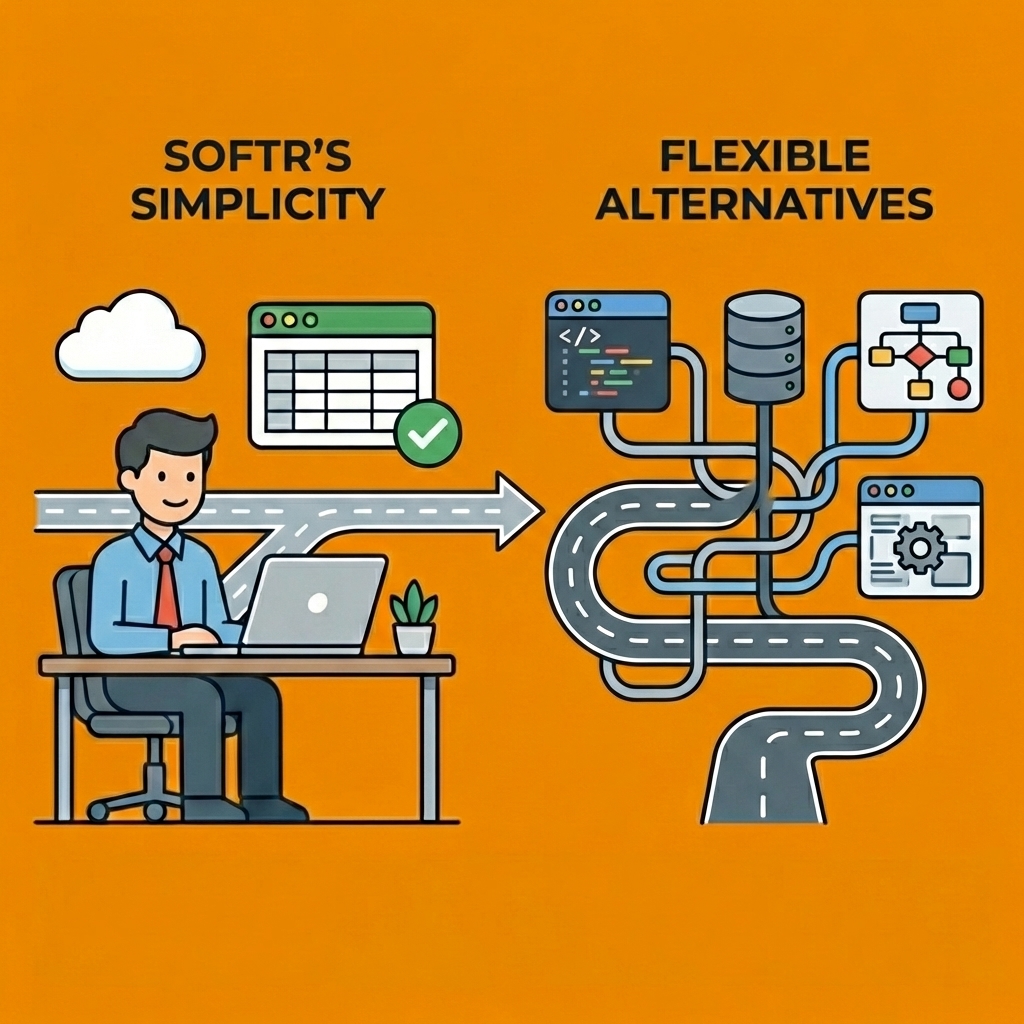
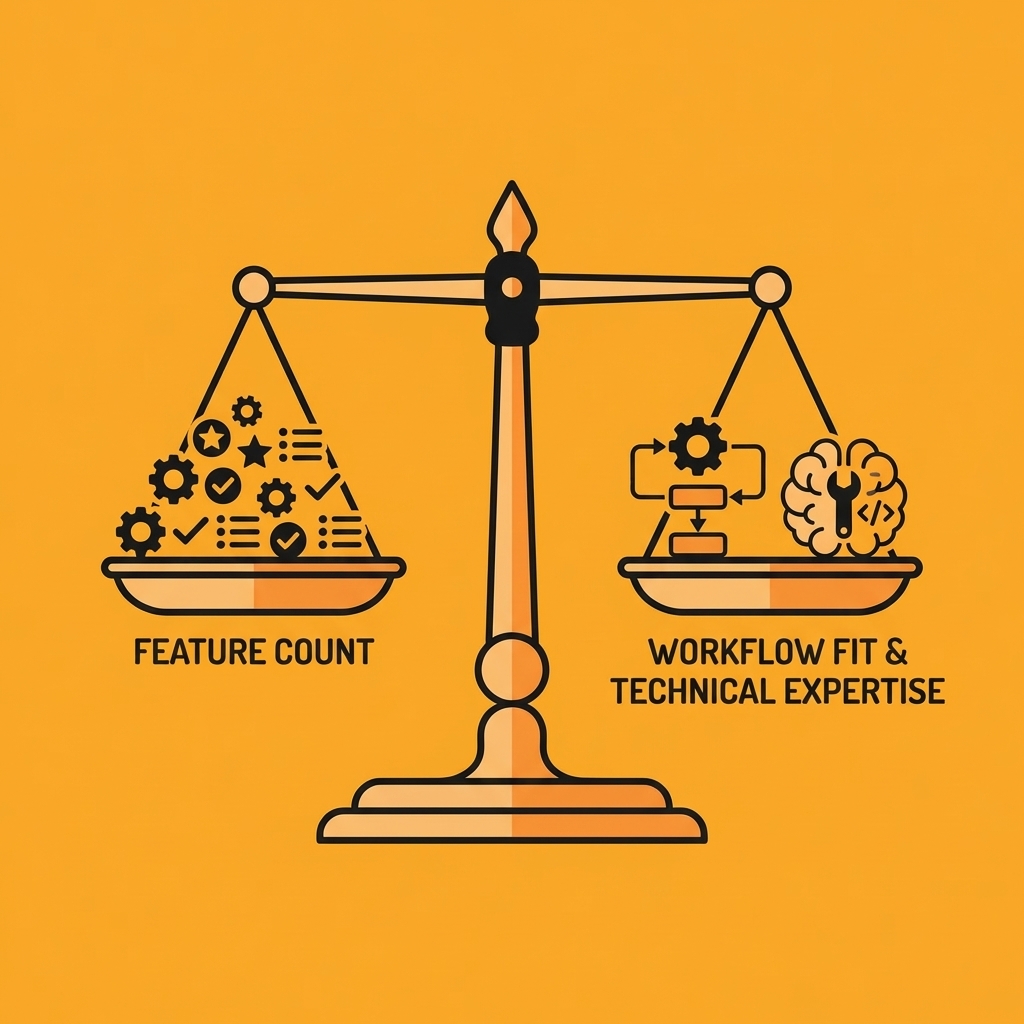
Key Point: The best Softr alternative isn't necessarily the most feature-rich platform—it's the one that matches your technical expertise, budget constraints, and long-term scalability requirements.
"73% of no-code projects fail because teams choose platforms based on features rather than actual workflow needs and technical capabilities." — No-Code Survey Report, 2024
Warning: Before switching platforms, evaluate your current data structure, user permissions, and integration dependencies—migration complexity can significantly impact your timeline and budget.
1. Orchids
Orchids lets you write code and ship real apps fast with an AI app generator, not preset template websites. Build anything (web, mobile, scripts, bots, extensions), bring your own LLM/API keys to control costs, and connect your preferred stack for database, auth, and payments. Deploy in one click with custom domains, import existing code, run security audits, and manage any app. Claim your database and deploy to your own Vercel when ready. Build your first app for free with the AI app generator today.
Best for
Developers and technical teams who want AI assistance without sacrificing control over their tech stack, framework choices, or deployment infrastructure.
Standout features
Works with any language and framework (React, Next.js, Python, Swift, Flutter), lets you use existing AI subscriptions or API keys, generates full-stack code you can modify and export, and offers one-click deployment with custom domains.
Limitations
Requires technical understanding to maximize capabilities; not designed for users seeking purely visual no-code interfaces.
2. Hostinger Horizons
Hostinger Horizons uses AI to build apps, landing pages, and websites from chat descriptions. The platform automatically fixes errors and prioritises speed through conversational AI development, unlike Softr's focus on integrations.
The platform includes a built-in backend for user accounts, file uploads, and automated emails. Integrated hosting and domain management eliminate the need for external services. Start for free or upgrade to premium plans starting at $19.99 for more daily messages.
Best for
Beginners building web apps quickly and businesses needing integrated hosting and domain management.
Standout features
AI-powered development through chat, built-in backend with authentication and file storage, integrated hosting and domain management.
Limitations
Limited customization for complex apps and unsuitable for developers requiring detailed code control.
3. Glide
Glide focuses on mobile app development, making it ideal for small businesses building apps that integrate with Google Sheets. The platform simplifies development through pre-built templates and a visual interface optimised for smartphones and tablets.
Glide offers a free plan with basic features, while paid plans starting from $49/month unlock additional customization, storage, and advanced features.
Best for
Small businesses creating mobile apps with Google Sheets integration.
Standout features
Mobile-first design, smooth Google Sheets integration, and a visual interface with pre-built templates.
Limitations
Limited customization for full-featured web apps; primarily optimized for mobile rather than desktop.
4. Bubble
Bubble gives you complete flexibility and control over your app's appearance, functionality, and data handling. Unlike Softr, which uses a simpler connection to Airtable, Bubble lets you customize nearly everything. You can build anything from simple prototypes to full-featured SaaS products with user authentication, databases, and automated workflows.
Bubble offers a free plan for testing and building prototypes. Paid plans start at $29 per month and include custom domain names, higher traffic limits, and more storage space.
Best for
People starting businesses and companies are building complicated web apps that require advanced features and complete control over functionality.
Standout features
Flexibility for complex web apps, complete control over functionality and appearance, and scalability for large, evolving applications.
Limitations
Steeper learning curve for beginners; more complex than no-code alternatives.
5. Replit
Replit is a cloud-based development environment supporting both coding and no-code options. Unlike Softr's focus on simplicity, Replit offers real-time collaboration and supports multiple languages, including Python, JavaScript, and HTML. Teams can edit and test apps simultaneously, while no-code tools enable non-developers to create functional apps with deeper customization available when needed.
The free plan includes basic features. Premium plans start at $20 a month and offer private workspaces, faster performance, and increased computing power.
Best for
Teams need real-time collaboration with both code-based and no-code development options.
Standout features
Real-time collaboration, flexible development for different skill levels, and support for both coding and no-code approaches.
Limitations
Works better for users with coding skills. It may not suit those seeking simple no-code platforms.
6. Stacker
Stacker turns your data into working applications. It integrates smoothly with Airtable and Google Sheets. Unlike Softr, which targets external-facing design, Stacker excels at internal business tools. It helps teams manage and visualize data with advanced user permissions and workflow controls.
Stacker offers free and paid plans with pricing available upon request. Premium plans include increased storage space, enhanced collaboration tools, and greater customisation options.
Best for
Organizations are building internal business applications with advanced user permissions and workflow features.
Standout features
Easy Airtable and Google Sheets integration, powerful internal business applications, advanced user permissions, and workflow features.
Limitations
Works better for internal tools than customer-facing web apps; customization is more limited than fully customizable platforms.
7. Airtable
Airtable combines spreadsheet simplicity with database power, enabling you to create custom web apps and manage data. People use it for project management, CRM systems, and workflows. It offers more customization and control than Softr, particularly with large datasets, and includes powerful automation features and integrations with other apps.
Airtable offers a free plan for individual users with basic features. Paid team plans start at $20 per month and include automation, integrations, and expanded storage.
Best for
Teams managing complex data and workflows require strong automation and integration capabilities.
Standout features
Powerful combined database and spreadsheet functionality with strong automation and integration capabilities.
Limitations
Steeper learning curve than Softr; requires more setup to build apps than Softr's drag-and-drop simplicity.
8. Lovable
Lovable is a no-code platform for building web apps with automated workflows and AI-powered features. Unlike Softr, which excels at quickly building apps with Airtable data, Lovable offers more automation features and AI-driven tools. It suits users needing apps with workflows, task automation, or advanced analytics.
Lovable offers a free trial and paid plans starting from $25/month, which unlock workflow automation and API integrations.
Best for
Startups and innovators need workflow and AI-powered task automation without extensive development.
Standout features
Automated workflows, AI-powered task automation and analytics, smooth third-party integration.
Limitations
Focuses more on workflow automation than deep app customization; pricing may exceed simpler platforms for basic-feature needs.
9. Betty Blocks
Betty Blocks is a robust no-code platform for large enterprises building complex applications. It excels in scalability, security, and integration with enterprise tools. Unlike Softr, which targets startups, Betty Blocks enables teams to build solutions that grow with their business.
Betty Blocks offers custom pricing based on project size and complexity.
Best for
Large-scale enterprise applications require high scalability and advanced security.
Standout features
High scalability, advanced security, and extensive third-party integrations for complex workflows.
Limitations
Custom pricing makes it harder for small businesses to adopt; setup is more complex than simpler platforms like Softr.
10. Adalo
Adalo is ideal for users who need both mobile and web apps with direct publishing to app stores, which Softr cannot do. It offers a drag-and-drop interface, custom workflows, API integrations, and direct publishing to the App Store and Google Play.
Free plan available; paid plans start at $36/month.
Best for
Users who need both mobile and web app development with direct publishing to app stores.
Standout features
Mobile and web app development, custom workflows and API integrations, direct publishing to app stores.
Limitations
Higher pricing than simpler platforms; steeper learning curve.
11. Froala
Froala is an excellent alternative to Softr for users building apps or websites with substantial content that requires rich-text editing and customization. Its standout feature is a WYSIWYG (What You See Is What You Get) editor with drag-and-drop functionality, streamlining content creation. Froala integrates smoothly with other platforms and offers advanced styling customization without adding development complexity.
If you're creating a platform with dynamic, content-driven pages and a flexible content management system, Froala offers more design freedom than Softr's data-focused approach. Free trial available; paid plans start from $719/year.
Best for
Users creating apps or websites that require extensive content or rich text editing with advanced styling.
Standout features
WYSIWYG editor for easy content creation, advanced customization for rich media and styling, and smooth third-party integration.
Limitations
Not ideal for data-heavy apps, focuses on content creation rather than backend development, and costs more than comparable alternatives.
12. Appy Pie
Appy Pie is a no-code platform offering drag-and-drop app-building tools for web and mobile applications. It's designed for non-technical users, providing templates and intuitive features to create apps quickly.
Best for
Users seeking simple, accessible app-building tools without technical backgrounds.
Standout features
Drag-and-drop functionality, a variety of templates, and support for web and mobile app development.
Limitations
Limited customization for complex applications and enterprise-level needs.
13. OutSystems
OutSystems is a low-code platform for building web and mobile applications, from small projects to enterprise scale. It offers visual development tools with custom code integration and effectively handles complex business logic and enterprise system integration.
Best for
Developers and enterprises requiring advanced capabilities.
Standout features
Rapid application development, visual tools with custom code integration, complex business logic handling, and enterprise system integration.
Limitations
Higher cost than pure no-code platforms; requires technical knowledge to use effectively.
14. Mendix
Mendix is a low-code platform for developers and business users that helps them quickly build web and mobile apps using a visual environment. It works with many different data sources and supports custom code, making it well-suited for large enterprises where IT and business teams collaborate.
Best for
Large companies need IT and business teams to collaborate on rapid app development.
Standout features
Visual development environment, rapid web and mobile app development, data source integration, and custom code extensions.
Limitations
High cost for smaller organisations; steep learning curve.
15. Zoho Creator
Zoho Creator is a no-code platform for building web applications with drag-and-drop functionality, workflow automation, and reporting features. It integrates smoothly with other Zoho products, making it ideal for businesses already using Zoho's ecosystem to create custom applications that connect with CRM, accounting, or other business functions.
Best for
Businesses using Zoho's ecosystem that need custom applications with integrated functionality.
Standout features
Integration with the Zoho suite, drag-and-drop functionality, workflow automation, and reporting features.
Limitations
Best suited for Zoho users; may have limitations for complex applications outside the Zoho ecosystem.
16. Quick Base
Quick Base is a no-code and low-code platform for building custom applications with reporting, automation, and workflow management. It excels at handling complex data relationships and business processes, making it ideal for departmental applications, project management tools, and enterprise custom solutions.
Best for
Enterprises creating departmental applications with complex data relationships.
Standout features
Reporting and automation, workflow management, and handling complex data relationships.
Limitations
Expensive; steep learning curve for users new to database-driven development.
17. Microsoft Power Apps
Power Apps is part of the Microsoft Power Platform and lets users create custom web and mobile apps through two main options: canvas apps (drag-and-drop) and model-driven apps (data-focused). It integrates smoothly with Office 365, SharePoint, and Dynamics 365, making it particularly well-suited for organisations already using Microsoft products. The platform offers strong integration capabilities and enterprise-level security.
Best for
Organizations using Microsoft products that require strong security and integration.
Standout features
Smooth integration with Microsoft services, canvas, and model-driven app options, and enterprise-grade security.
Limitations
Works best for Microsoft users; difficult for those unfamiliar with Microsoft's ecosystem.
18. Wix
Wix is a no-code website builder with an easy-to-use drag-and-drop interface. It offers templates, design options, hosting, domain management, and basic e-commerce features, making it ideal for individuals and small businesses creating portfolios and simple web applications.
Best for
Individuals and small businesses are creating smaller projects, portfolios, and simple web applications.
Standout features
Intuitive drag-and-drop interface, variety of templates and design options, hosting and domain management included.
Limitations
Limited functionality for complex web applications, not ideal for enterprise-level needs.
19. Coda
Coda is a no-code platform that combines documents and applications into custom web apps with interactive tables and forms. It enables users to build applications that look like documents but function as databases, making it ideal for internal tools, project management systems, and collaborative workspaces.
Best for
Teams are creating internal tools and collaborative workspaces that integrate documentation with functionality.
Standout features
Brings together documents and applications with interactive tables and forms, serving multiple purposes.
Limitations
May not work well for customer-facing applications or traditional app development features.
20. Emergent
Emergent is a full-stack AI-powered vibe-coding platform that lets technical and non-technical teams build production software in plain English. Users describe what they want to build, and Emergent generates the entire system: frontend interfaces, backend logic, databases, authentication flows, APIs, and cloud infrastructure.
The platform runs entirely in the browser on isolated cloud environments powered by Kubernetes on Google Cloud Platform. Each project receives its own dedicated virtual machine, live preview environment, and one-click deployment pipeline, eliminating the need for local development stacks, DevOps workflows, or multiple tools.
How does Emergent's AI agent system work?
Emergent works through specialized AI agents that handle system design, UI generation, backend logic, testing, deployment, monitoring, and optimization. These agents function as an automated software team that plans, builds, validates, and ships applications.
Users describe an entire product in plain English, and Emergent generates real frontend components, backend services, API layers, database schemas, and authentication flows following modern engineering patterns.
Emergent sets up hosting, configures environments, manages SSL certificates, and handles routing automatically, enabling production-ready deployment in minutes without infrastructure scripts or cloud configuration.
What quality assurance features does Emergent provide?
The platform runs automated unit and integration tests, as well as static analysis, on generated systems, detecting logical errors, broken dependencies, and performance issues early to ensure production standards are met.
Each project runs inside its own isolated virtual machine with a private filesystem, runtime, and dependency graph, providing strong security and stability that mirrors real production infrastructure.
Ultra Mode allows Emergent to process large product specifications using up to 1,000,000 thinking tokens, enabling complex multi-module systems rather than simple MVPs.
How flexible is Emergent for development teams?
Teams can directly change, improve, and add to generated code within the platform, creating a hybrid workflow where AI handles basic setup while developers retain full control over organisation and custom business rules.
Emergent generates production-grade source code that can be downloaded, self-hosted, and maintained independently, eliminating vendor lock-in.
Unlike black-box AI builders, Emergent shows what each agent does at every stage, allowing users to inspect generated files, executed tests, and applied changes for full auditability.
What integration and customization options are available?
Emergent supports a protocol that allows agents to retrieve structured context from tools such as GitHub, Notion, Figma, and documentation systems, enabling product specs and designs to directly influence the generated code.
Teams can assign different large language models to different agents based on reasoning depth, cost, latency, or output style, providing precise control over performance and operational expenses.
Users can define custom AI agents for domain-specific tasks such as compliance checks, SEO automation, QA validation, or data processing, converting internal processes into reusable AI systems.
How does Emergent learn and adapt to team preferences?
Emergent tracks project patterns, coding styles, naming conventions, and team preferences, learning how teams build software and ensuring future outputs match internal standards.
Emergent supports chained workflows where one agent's output automatically triggers the next step, creating a fully independent software delivery pipeline from code generation through testing, deployment, and monitoring.
Best for
Technical and non-technical teams building production software, complex SaaS products, or enterprise-grade applications using plain English descriptions.
Standout features
Multi-agent architecture for end-to-end software creation, full-stack code generation from natural language, built-in cloud infrastructure with one-click deployment, automated testing and quality validation, exportable production code with zero vendor lock-in, transparent multi-agent workflow, Model Context Protocol integration, multi-model AI orchestration, custom AI agent builder, and contextual memory with adaptive learning.
Limitations
Ultra Mode can be costly for large projects, advanced workflows require conceptual understanding, offline development is not supported, and large systems may require post-generation optimization.
According to Noloco Blog, the landscape of Softr alternatives continues to expand as teams demand greater flexibility, customization, and control. The right platform depends on whether you're building internal tools, customer-facing products, mobile apps, or enterprise systems.
But knowing which platforms exist matters only if you understand how to start building.
Build Your First App for Free with Our AI App Generator
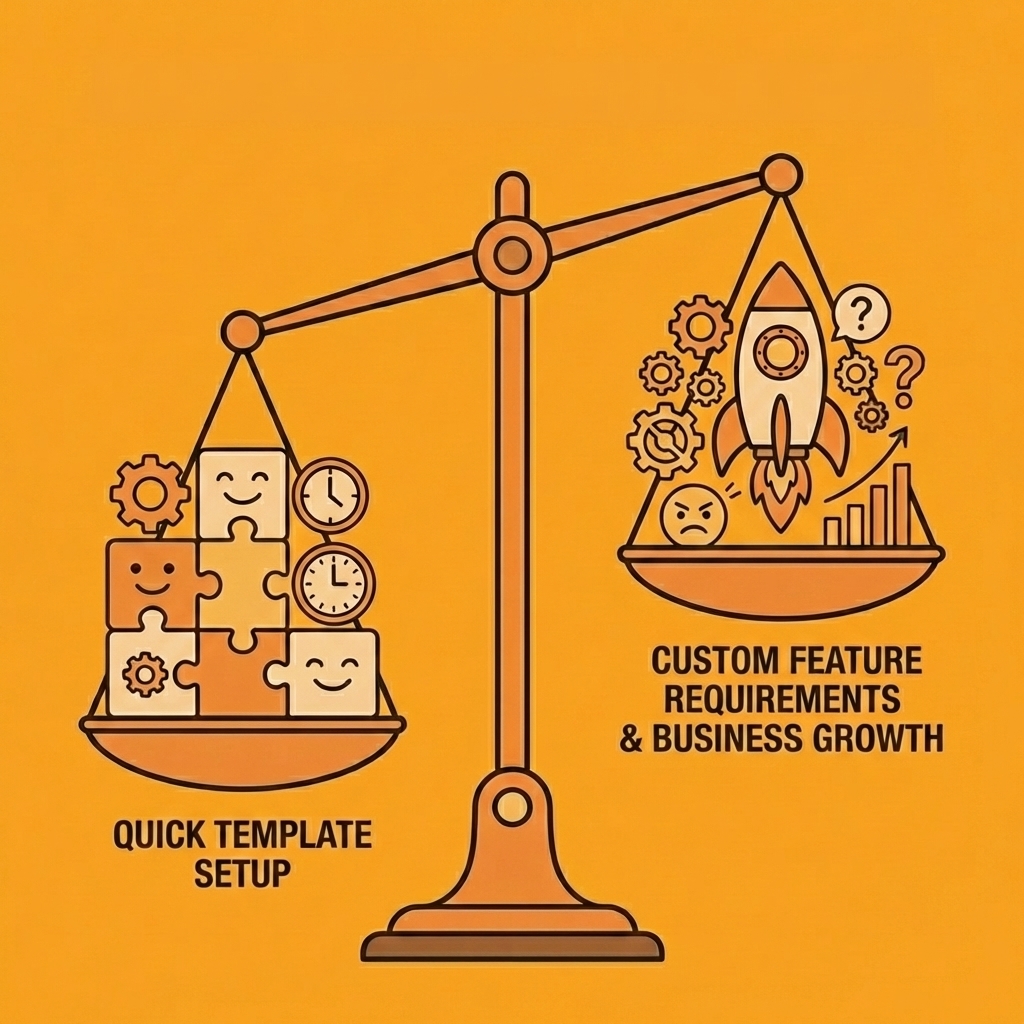
Templates give you speed until your app needs custom user roles that don't fit preset permissions, workflows that branch on real-time data, or interfaces that reflect your brand. When you hit these limits, you face a choice: compromise your product vision or rebuild from scratch elsewhere.
Tip: Before choosing a template-based platform, map out your long-term feature requirements and verify they're actually supported, not just promised in roadmaps.
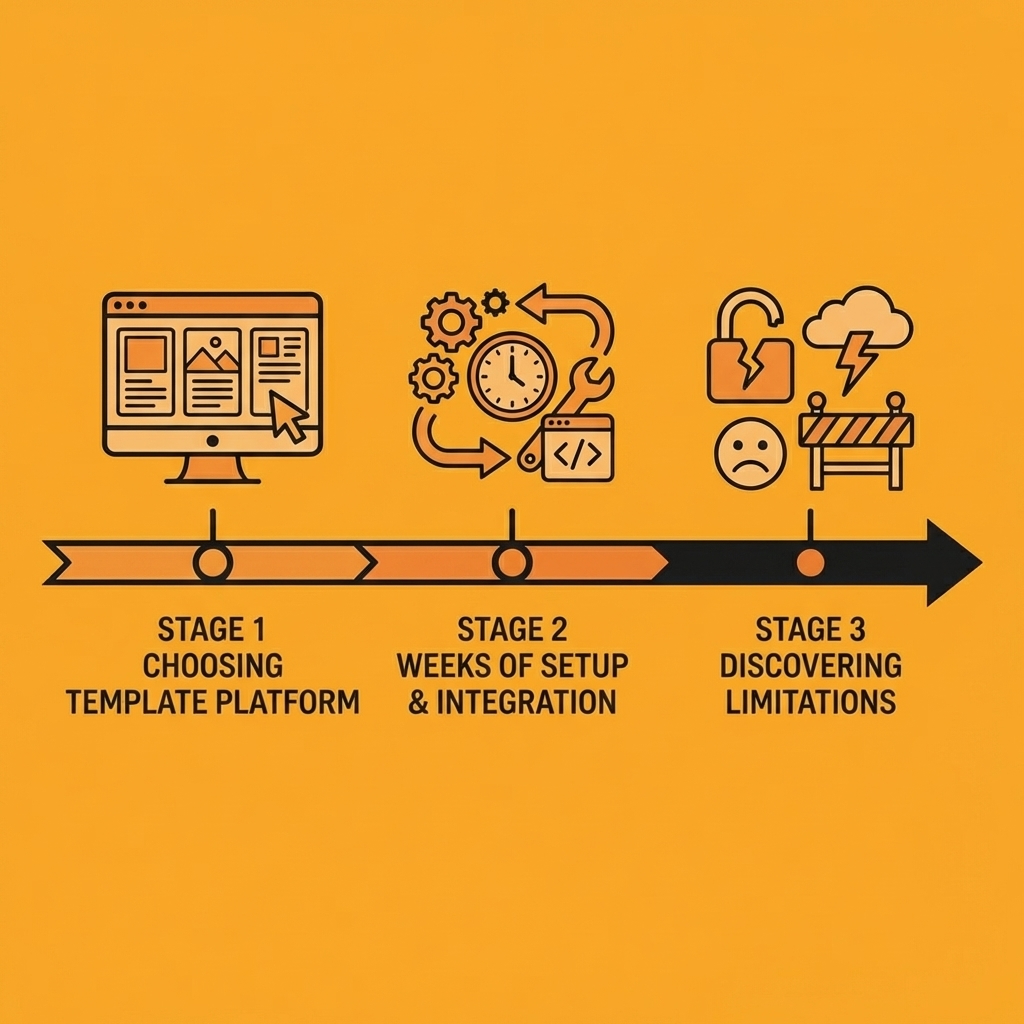
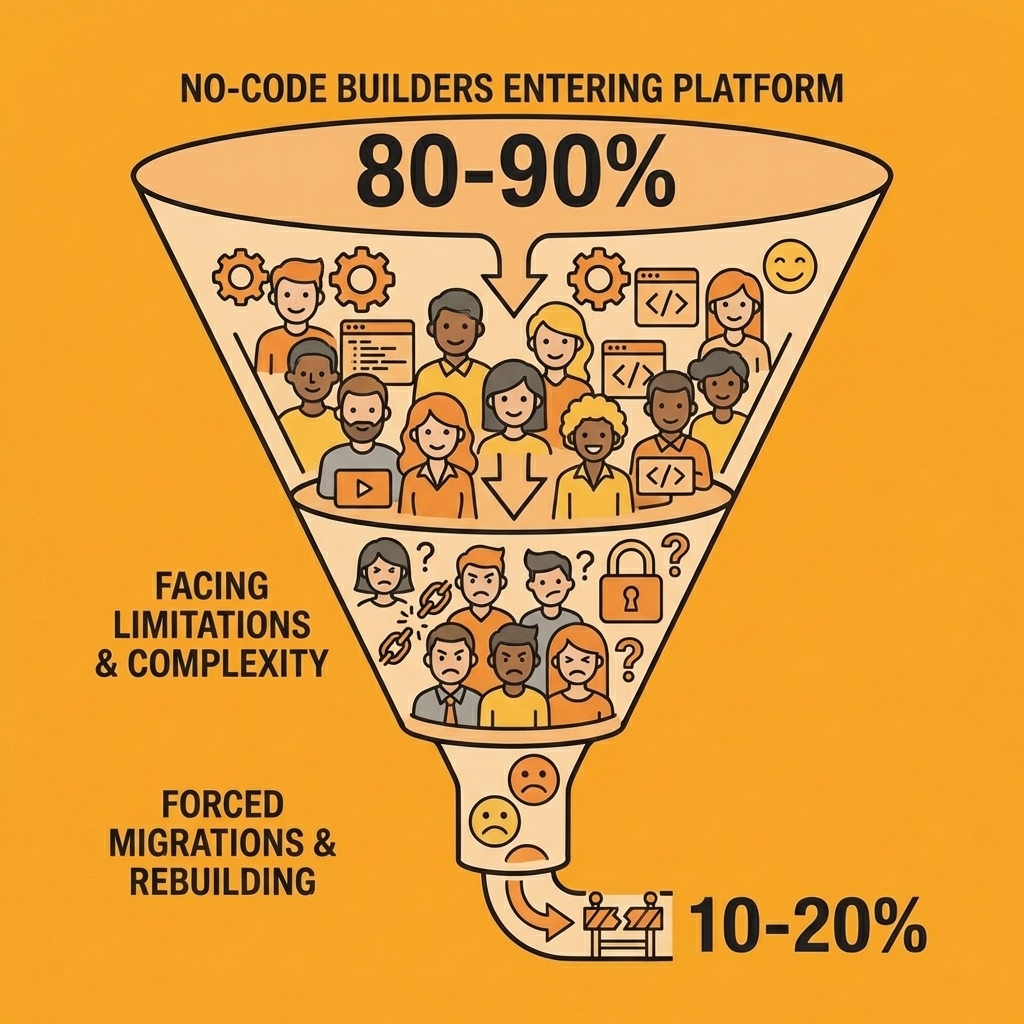
"85% of no-code builders encounter platform limitations within their first 6 months of development, forcing costly migrations or feature compromises." — No-Code Development Survey, 2024
Most builders discover this too late. They've invested weeks setting up blocks, configuring integrations, and training their team on a platform that can't grow with them. The migration cost feels unbearable, so they accept the constraints and watch competitors ship features they can't match.
| Template Limitation | Business Impact | Migration Cost |
|---|---|---|
| Fixed user roles | Can't serve enterprise clients | 2-4 weeks |
| Static workflows | Manual processes remain | 3-6 weeks |
| Generic branding | Poor user experience | 1-2 weeks |
Takeaway: The real cost of templates isn't the monthly subscription — it's the opportunity cost of features you can't build and customers you can't serve.
From description to deployment
Orchids remove that ceiling entirely. Describe what you need in plain language and get working code across any stack—React, Next.js, Python, Swift, or Flutter. You're generating full-stack applications you can modify, extend, and deploy to match your architecture. Bring your own LLM or API keys to control costs. Connect any database, authentication system, or payment provider without waiting for platform support. Deploy with a custom domain in one click, or export to your own Vercel environment to own the infrastructure completely.
Start with something small
Build a prototype of the app you were planning to create with Softr: a customer portal with custom workflows, an internal tool that connects to your existing systems, or a mobile app that needs native functionality. See how quickly Orchids generates a working version you can test, not a mockup.
You're not fighting the platform's assumptions about how apps should work. You're working with real code that solves your specific problem, with AI handling basic setup while you retain control over logic, performance, and user experience. Security audits, debugging, and deployment happen in the same environment, so you maintain momentum instead of switching between tools.
Build your first app for free with the AI app generator and go from idea to a deployable app in minutes.
Related Reading
Bilal Dhouib
Head of Growth @ Orchids