17 Best Mobile App Builders (And What They're Actually Good At)
Creating a mobile app without coding expertise or a massive investment has become achievable through modern app development platforms. The best mobile app builder transforms brilliant ideas into professional applications by offering intuitive interfaces, drag-and-drop functionality, and comprehensive features that eliminate the need for traditional development teams. These platforms handle everything from design templates to backend infrastructure, allowing entrepreneurs and businesses to focus on their core vision rather than technical complexities.
Success depends on choosing the right platform that matches specific project requirements and technical comfort levels. Different builders excel in various areas, from simple prototyping to complex enterprise solutions with advanced integrations. Understanding these distinctions helps creators make informed decisions that save time, money, and frustration throughout the development process. For those seeking intelligent automation that streamlines the entire creation workflow, Orchids offers an innovative AI app generator that transforms concepts into published applications.
Table of Contents
- Why Most Mobile App Builders Look Great—But Fail in Practice
- 17 Best Mobile App Builders (And What They're Actually Good At)
- How to Choose the Best Mobile App Builder for Your Needs
- The Best App Builder Is the One That Gets You to Launch
Summary
- Mobile app builders promise effortless launches with drag-and-drop interfaces, but customization demands often force non-developers into programming territory. Platforms like Bubble require understanding custom states and temporary variables to build interactive features, while adding unique components means integrating external JavaScript libraries like Chart.js. This creates a hidden barrier where users must think like developers to move beyond basic templates, and according to NY Technologies, most mobile apps still fail in 2025 because builders can't adapt when requirements evolve beyond platform limitations.
- Security risks escalate when builders offer custom code freedom without proper safeguards. Running your own JavaScript in no-code platforms creates vulnerability to attacks through poorly sanitized inputs or unprotected endpoints, introducing liability that most non-developers never anticipated. Third-party plugins offer a safer middle ground but slow app performance and introduce compatibility risks, with each addition increasing memory usage and increasing the chance that platform updates will break existing functionality.
- True native app publishing narrows the field significantly compared to web-based alternatives. Only platforms like Adalo, FlutterFlow, Thunkable, and Bravo Studio deliver apps to the Apple App Store and Google Play Store, while most builders produce progressive web apps that live in browsers rather than on device home screens. Adalo offers the lowest publishing cost at $36 per month, with no usage caps, while FlutterFlow provides an export of actual Flutter code for eventual developer handoff.
- Pricing models create vastly different cost trajectories as apps scale beyond initial launch. Per-user pricing multiplies with growth, per-seat pricing charges for builders rather than end users, and usage-based models like Bubble's workload units generate unpredictable monthly bills tied to database operations and API calls. According to WeWeb's analysis of 15 app-building tools, flat-rate pricing provides the most predictable costs at scale, but only when platforms don't throttle performance or restrict features at higher usage tiers.
- Prototype speed and production readiness represent opposing strengths across the builder landscape. AI-powered prompt-led tools and Glide transform ideas into clickable prototypes within hours, but this velocity collapses when projects require custom authentication, complex data relationships, or integrations beyond pre-built connector libraries. Platforms like Adalo, FlutterFlow, and Bubble take longer to learn, but avoid forced rebuilds when requirements evolve beyond the initial scope.
- Real containerized execution separates simulated previews from production-ready deployment in modern app builders. Orchids' AI app generator runs Docker containers for actual package installation and dependency management, producing predictable production behavior while letting teams iterate on conversational prompts without managing infrastructure or paying per-seat AI fees.
Why Most Mobile App Builders Look Great—But Fail in Practice
Every app builder promises "no code" and "launch fast." The demos look easy. But when you build something real that reflects your actual vision, you hit problems: the template becomes a ceiling rather than a starting point.

Key Point: Templates create artificial limits that become apparent only after you've invested significant time and effort into development.
The false belief is that all mobile app builders are the same. Templates equal real apps, right? Wrong. You're not choosing a tool—you're choosing how much control you'll surrender, how many workarounds you'll need, and whether you'll rebuild from scratch when your app needs to grow.

"The template isn't a starting point; it's a ceiling that limits your app's potential from day one."
Warning: Most developers realize these limitations only after they've already committed significant resources to a platform that can't deliver their vision.

What happens when templates don't meet your needs?
Templates work great until you need something they don't offer. You want a unique checkout flow, a custom animation, or integration with a specific API. Suddenly, you're not just a user anymore: you're becoming a developer.
That shift reveals the first barrier: mastering abstract logic. On platforms like Bubble, building interactivity requires managing custom states—temporary variables stored in the browser that control dynamic features such as dark mode toggles or multi-step forms. It demands thinking like a programmer, not a designer arranging elements on a page.
Why do external integrations become problematic?
The second barrier emerges when built-in components fall short. Their chart tools lack sophistication, and their forms impose rigid constraints. The solution: integrate external JavaScript libraries like Chart.js or D3.js.
Now you're responsible for finding, checking, and adding code from another source, managing documentation and compatibility, and hoping it doesn't break when the platform updates. According to NY Technologies, most mobile apps still fail in 2025 because builders can't adapt when requirements exceed what the platform expected.
What are the risks of custom JavaScript features?
For unique features, most builders offer an escape hatch: run your own JavaScript. Complete freedom. Complete risk. One poorly cleaned input, one unprotected endpoint, and you've exposed user data. You're now responsible for security practices like sandboxing, techniques most non-developers have never heard of.
That burden is why customization feels so hard: it's not just technical complexity, but liability.
Why do third-party plugins create performance problems?
Third-party plugins seem like the perfect middle ground: pre-built features without coding. However, each plugin slows your app's launch time, increases memory usage, and introduces compatibility risks.
A plugin that worked yesterday might conflict with today's platform update, breaking your entire app. With over 5 million apps competing for attention, performance issues are fatal to user retention.
What's the true cost of unreliable foundations?
The real cost isn't the subscription fee—it's the opportunity cost of building on a foundation that collapses when you need it most.
What separates a mobile app builder that works from one that merely looks good in a demo?
Related Reading
17 Best Mobile App Builders (And What They're Actually Good At)
The builder you choose determines whether you're putting together a real product or decorating a cage. Some platforms excel at speed but trap you with no way to export. Others offer flexibility but require understanding REST APIs and database schemas. The right choice depends on what you're building, who's building it, and what happens six months after launch when you need to make changes.
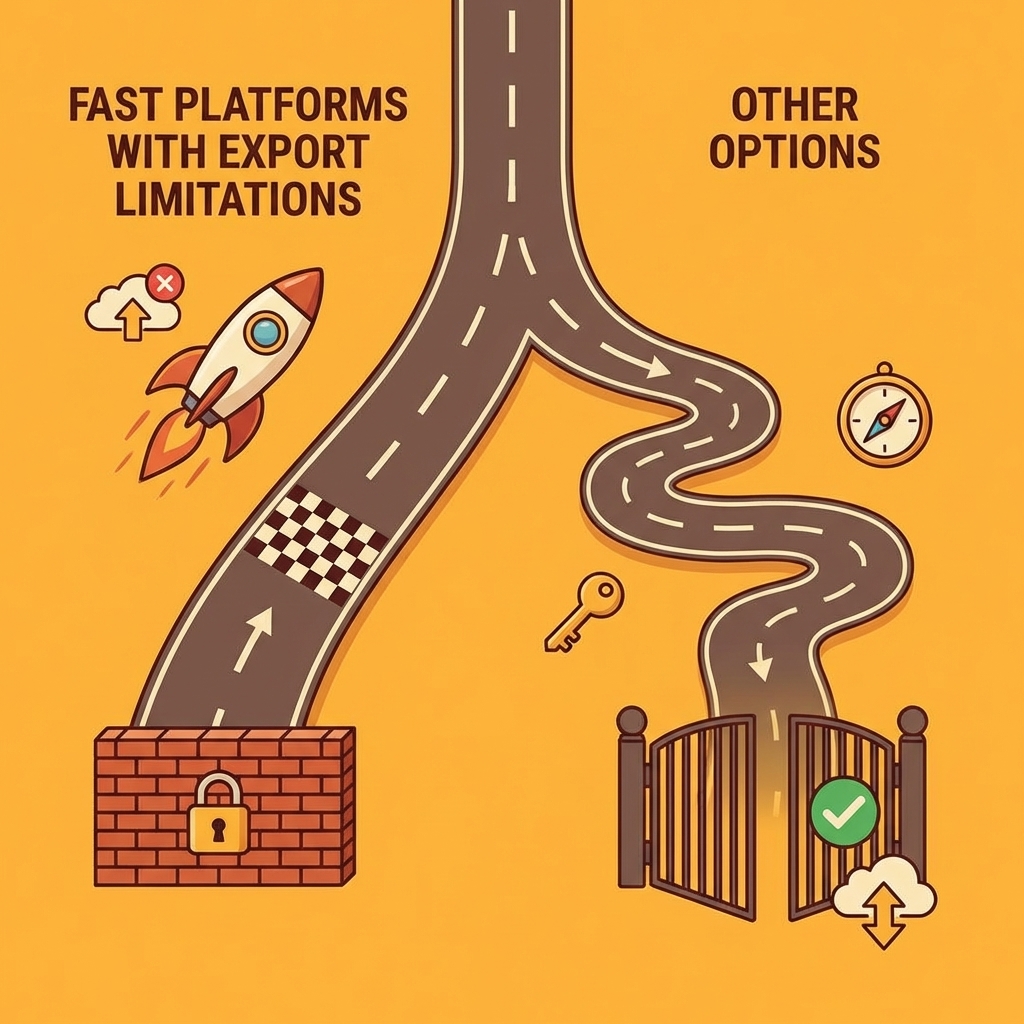
Key Point: The most feature-rich platform isn't always the best choice - match your specific needs to a platform's core strengths.
"The right app builder depends on what you're building, who's building it, and what happens six months after launch when you need to make changes."

What follows is a map of trade-offs. Each tool solves specific problems well while creating new limits elsewhere. Match your needs to a platform's strengths, not its longest feature list.
Warning: Don't get seduced by extensive feature lists - focus on the core capabilities that matter most for your specific project and team.

1. Orchids
Why I picked Orchids
Orchids runs real code execution through containerized builds and lets you bring your own LLM keys, meaning you control costs and aren't locked into one AI provider's pricing or capabilities.
Ideal for
Technical founders and small teams who want to ship across platforms (web, mobile, scripts, extensions) without managing infrastructure or paying per-seat AI fees.
How does Orchids handle code execution and development workflow?
Orchids spins up actual Docker containers, installs dependencies, and builds the same way production environments do. You describe what you want in plain language, and our platform generates working code that runs in isolated environments with real package management and database connections.
The workflow separates planning from execution. You start by describing your idea, and Orchids asks clarifying questions before writing code. This prevents the common AI builder problem where small changes cascade into broken layouts or lost features. Once the plan is locked, the system builds your app, handles authentication setup, manages database migrations, and automatically wires up payment integrations.
What makes Orchids different is its flexibility in both direction and ownership. You can build CLI tools, browser extensions, Discord bots, or internal dashboards using whatever stack suits your project. Connect your preferred database, authentication provider, and payment processor. When ready to scale, export the full codebase and deploy to your own Vercel or AWS account with custom domains and environment variables already configured.
The platform includes tools for ongoing changes. You can modify UI copy, adjust layouts, or add features through conversational prompts while preserving existing functionality. Import existing codebases to extend them rather than starting from scratch. Run security audits before deployment.
Pros
- Bring your own API keys for ChatGPT, Claude, Gemini, or GitHub Copilot to control costs.
- Containerized execution produces predictable production behaviour.
- Full code export and deployment to your own infrastructure prevents vendor lock-in.
- Build across platforms (web, mobile, scripts, bots, extensions) from one environment.
- Import existing code to extend rather than rebuild from scratch.
- Built-in security audits catch vulnerabilities before deployment.
Cons
- Requires understanding basic technical concepts such as environment variables and API keys.
- Free tier has feature limitations compared to paid plans.
- Learning curve exists for teams unfamiliar with modern development workflows
2. Adalo
Why I picked Adalo
Adalo publishes directly to iOS and Android app stores from a drag-and-drop interface, eliminating the technical barrier between building and shipping.
Ideal for
Non-technical entrepreneurs and small businesses who need functional mobile apps with databases and user authentication deployed to app stores quickly.
How does Adalo work for mobile app development?
Adalo focuses on getting mobile-first products to market quickly. You design screens visually, connect them to a built-in relational database, add user authentication, and publish to native app stores without writing code. The platform includes pre-built components for user profiles, Stripe-based payment processing, and push notifications. You can connect external services through Zapier or Make for automation, or use the API connector for custom integrations.
The built-in database supports complex relationships between data types, allowing you to model real business logic without external backend services. For apps that outgrow its capabilities, you can connect external databases while maintaining the visual interface for frontend development.
Adalo's strength lies in its reliability for medium-sized apps. The platform handles over 20 million requests daily and offers unlimited app actions on all paid plans.
Pros
- You can publish directly to iOS and Android app stores from the platform.
- The built-in relational database eliminates the need for an external backend.
- SOC 2 and GDPR compliance meet enterprise security requirements
- Unlimited app actions on paid plans eliminate surprise usage-based costs.
- Enterprise customers get 24/7 live chat support
- You can connect to many third-party tools through Zapier, Make, and custom APIs.
Cons
- You cannot export your code, which creates a risk of platform lock-in.
- Advanced AI features require third-party integrations rather than being built into the platform.
- Performance can slow down with complex data models or when many users are present.
3. Thunkable
Why I picked Thunkable
Thunkable combines visual block-based logic with AI-powered app generation from prompts, accelerating development while remaining accessible to beginners.
Ideal for
Designers and non-technical founders who want native iOS and Android apps with AI assistance without writing code.
How does Thunkable's AI-powered development work?
Thunkable works in two ways: you can use traditional drag-and-drop building or AI-powered generation. Describe your app idea in everyday language, and the AI creates screens, layouts, and basic features. You can then refine it using visual components and block-based logic to control how your app works, without writing code.
The platform connects to external backends, including Airtable, Firebase, Google Sheets, and Xano, for data storage. Built-in integrations with RevenueCat handle in-app purchases and subscriptions, while push notifications keep users engaged out of the box.
What AI tools does Thunkable include throughout development?
Thunkable includes AI tools throughout the workflow: an AI Chatbot Helper for development questions, Style AI for design consistency, and an AI Debugger that identifies and suggests fixes for common issues. The platform generates apps for both iOS and Android from a single build and publishes directly to app stores.
Pros
- AI generates complete app structures from text descriptions
- Highly intuitive block-based logic requires no programming knowledge
- Strong integration ecosystem connects to major backend services
- Native iOS and Android app generation from a single codebase
- AI debugging tools catch common errors before deployment
- Free tier available for testing and small projects
Cons
- No source code export limits long-term flexibility
- Apps are native, but performance can lag with complex features
- Limited built-in analytics require external integrations
- Relies on external databases rather than built-in data management
4. AppGyver (SAP Build Apps)
Why I picked AppGyver
AppGyver (now SAP Build Apps) integrates with enterprise SAP systems while maintaining visual no-code development, bridging business users and professional developers.
Ideal for
Enterprise teams building internal tools and business applications that need to connect with existing SAP infrastructure and data systems.
What makes SAP Build Apps unique for enterprise development?
SAP Build Apps evolved from the original AppGyver platform following SAP's acquisition. It now focuses on enterprise-grade applications with pixel-perfect design control and deep integration into SAP Business Technology Platform. The visual interface remains accessible to business users while offering low-code extensions for professional developers.
The platform includes "Joule for developers," an AI copilot that assists with UI design, logic flows, and data integration through natural language. You can build across web, mobile, tablets, and desktop from a single project with pre-built connectors for SAP and non-SAP systems. The Universal Theme System ensures design consistency across all screens and platforms.
How does SAP Build Apps handle security and pricing?
Security certifications include SOC 2, ISO 27001, PCI DSS, and GDPR compliance. The Community Edition is free; the enterprise version costs 10€ per developer monthly.
Pros
- Deep native integration with SAP systems and the BTP platform
- Enterprise-grade security with multiple compliance certifications
- AI-powered development assistance through Joule Copilot
- Free Community Edition with web app CLI export
- A hybrid no-code/low-code approach serves both business users and developers
- Cross-platform deployment from a single codebase
Cons
- Templates can feel dated compared to consumer-focused builders
- Limited explicit analytics tools require external integrations
- Primary value proposition centers on SAP ecosystem integration
- Smaller community and fewer third-party resources than general-purpose platforms
5. Bubble
Why I picked Bubble
Bubble handles full-stack web application complexity with visual programming, enabling you to build sophisticated SaaS products and marketplaces without traditional backend development.
Ideal for
Technical founders and product teams building complex web applications such as marketplaces, social networks, or internal tools that require custom logic and workflows.
How does Bubble's platform architecture work?
Bubble works as a complete application platform, not a frontend builder. The visual editor lets you design interfaces, define database structures, create workflows with conditional logic, and manage user permissions in one place. The built-in database handles complex queries and relationships.
The platform includes native mobile app capabilities, allowing you to publish iOS and Android apps from the same codebase used for web applications. The AI-powered editor generates app designs, database schemas, and workflows from descriptions, then lets you refine them through visual editing or custom code when needed.
What makes Bubble's integration capabilities unique?
Integration depth sets Bubble apart. The API Connector links to almost any external service, from payment processors to analytics platforms. You can import Figma designs directly, use thousands of pre-built templates, or build from scratch. The platform scales automatically to handle millions of users, with enterprise plans offering dedicated infrastructure and advanced security controls.
Pros
- Most powerful no-code platform for complex web applications
- Full-stack capabilities include database, workflows, and frontend in one system
- AI generates designs, databases, and workflows from natural language
- Native mobile app builder publishes to iOS and Android
- Extensive integration options through API Connector
- SOC 2 Type II compliance with automatic scaling for enterprise use
Cons
- Steeper learning curve than simpler builders
- No direct code export creates vendor dependency
- Usage-based pricing through "workload units" can become expensive at scale
- Visual programming requires understanding technical concepts such as APIs and data structures
6. Bravo Studio
Why I picked Bravo Studio
Bravo Studio converts Figma and Adobe XD designs directly into native mobile apps, preserving your design while connecting to real backend services.
Ideal for
UI/UX designers and design-focused founders who want complete creative control over their mobile app's appearance without learning to code.
How does Bravo Studio transform designs into working apps?
Bravo Studio converts static designs into working native iOS and Android apps. Export your Figma or Adobe XD project, import it into Bravo, tag design elements to connect them to data sources and functionality, then pull real data from APIs.
Your exact fonts, spacing, animations, and interactions are translated into native components. Connect to backends such as Airtable, Xano, or Firebase via REST APIs. Add payment processing via Stripe, Apple Pay, or Google Pay. Implement push notifications through OneSignal.
Web Components leverage AI (OpenAI, Claude) to generate custom HTML, JavaScript, and CSS for features beyond standard components. The Bravo Assistant provides AI-powered guidance, while the platform includes collaboration features for team workflows and testing through shareable links or email invites.
Pros
- Easy conversion of Figma and Adobe XD designs to native apps
- Let designers release apps without needing developers
- Strong connections to major services and custom APIs
- Payment integration works with Stripe, Apple Pay, and Google Pay.
- AI tools that help create custom components
- Free plan available; paid plans start at $22/month
Cons
- No built-in CMS means you need outside content management solutions.
- Limited custom code support beyond Web Components
- Needs outside integrations for analytics
- Scalability may require optimization for large datasets or complex features.
7. Draftbit
Why I picked Draftbit
Draftbit exports the full React Native source code, giving you complete codebase ownership and the ability to hand it off to developers or deploy anywhere without platform dependencies.
Ideal for
Teams need native mobile apps quickly while retaining the option to take full code ownership and continue development outside the platform.
How does Draftbit blend visual building with professional development?
Draftbit mixes visual building with professional development workflows. The drag-and-drop interface creates native iOS and Android apps with real-time device preview and generates clean React Native code you can export, modify, and deploy independently.
The platform includes AI-powered help, including an image generator and a Code Assistant, for custom features. You can connect dozens of backend services, analytics platforms, and monetisation tools through built-in connectors or custom code.
What support and collaboration features does Draftbit offer?
Human support sets Draftbit apart from platforms relying solely on automation. The Launch Guarantee Program provides one-on-one expert guidance, video courses, and direct assistance to ensure your app launches. Your team can collaborate in shared workspaces that track changes, and the platform publishes directly to app stores with a single click.
Pros
- Full React Native code export for complete ownership
- Blends no-code visual building with low-code customization
- 24/7 human expert support and Launch Guarantee Program
- Strong cross-platform native mobile development
- AI-powered Code Assistant and image generation
- Integration-ready for dozens of services
Cons
- Requires understanding technical concepts like JSON and REST APIs
- Higher cost for advanced plans and expert support
- No built-in CMS functionality
- Steeper learning curve than pure no-code alternatives
8. Glide
Why I picked Glide
Glide converts spreadsheet data into working apps instantly, eliminating the need to set up a database for teams already using Google Sheets or Excel.
Ideal for
Operations teams and non-technical managers who build internal tools, dashboards, and CRMs from existing spreadsheet data.
How does Glide work with existing data sources?
Glide works on a simple idea: connect Google Sheets, Excel, Airtable, or SQL databases, and it creates responsive web and mobile apps (PWAs) that read and write to those sources in real time.
The platform excels at data-driven interfaces: dashboards that show trends, CRMs that track customer interactions, employee portals displaying personalized information, and inventory systems that update across devices. Glide AI creates custom apps from prompts, builds automation agents, and enhances workflows with intelligent features.
What enterprise features does Glide offer?
Big Tables can handle up to 10 million rows for business use. Security features include SSO, SOC 2 Type 2 certification, and custom terms of service.
The platform offers over 400 templates and allows apps to launch immediately via a URL, QR code, or website embed, without submitting to the app store.
Pros
- Instant app creation from existing spreadsheet data
- Real-time data syncing with Google Sheets, Excel, Airtable, and SQL
- Glide AI generates apps from prompts and creates automation agents
- Enterprise-grade security with SOC 2 Type 2 and SSO
- Big Tables handle up to 10 million rows for serious scale
- 400+ templates and extensive customization options
Cons
- Creates PWAs, not true native app store applications
- No native push notifications (requires third-party integration)
- Monetization features are less prominent than development tools.
- Limited to web and mobile web rather than native iOS or Android applications.
9. Appy Pie
Why I picked Appy Pie
Appy Pie combines ease of use for beginners with strong security certifications, making it suitable for solo founders and regulated industries.
Ideal for
People new to app building and small businesses that need to launch apps quickly while maintaining security and compliance.
How does Appy Pie's AI-driven builder work?
Appy Pie focuses on ease of use. The AI-powered builder creates app designs from text descriptions, then lets you customise them through drag-and-drop without coding. The platform generates native iOS and Android apps plus PWAs from a single build and can automatically convert existing websites into mobile apps.
What security certifications does Appy Pie offer?
Security certifications include EU-GDPR, PCI DSS, ISO 22301/27001, and SOC-1/2, meeting the needs of healthcare and finance companies. The platform offers WAF protection, DDoS mitigation, and two-factor authentication. Enterprise customers receive a dedicated account manager, 24/7 live chat, and phone support.
What integrations and monetization options are available?
Integration covers 1000+ apps through the Connect feature, including Shopify, WooCommerce, and Google Analytics. Push notifications work across iPhone, Android, and web with personalization and targeting. Monetization options include in-app advertising (AdMob, Facebook), subscriptions, product sales, and appointment booking.
Pros
- Easy for beginners to use with a simple drag-and-drop interface.
- Complete AI tools built into designs, writing, and layouts
- Strong security certifications (GDPR, PCI DSS, ISO, SOC)
- Support available 24/7 with dedicated account managers for enterprise customers
- Can connect to over 1000 apps and CMS platforms
- Several ways to make money are built right in
Cons
- Templates can feel restrictive for unique design requirements
- Basic integrations compared to developer-focused platforms
- No code export creates vendor lock-in
- Lower design and performance quality than premium alternatives
10. OutSystems
Why I picked OutSystems
OutSystems handles mission-critical enterprise applications with automatic scaling and deep system integrations, making it ideal for organizations replacing legacy systems or building at scale.
Ideal for
Enterprise development teams building complex, high-performance applications that integrate deeply with existing systems like SAP, Salesforce, and ServiceNow.
How does OutSystems combine visual development with custom coding?
OutSystems operates as a professional low-code platform rather than a no-code tool. The visual IDE includes pre-made templates, drag-and-drop components, and workflow modeling, but assumes developers will add custom code when needed. AI powers the entire lifecycle: creating apps from prompts, recommending data models, automating security scans, and identifying technical debt.
What makes OutSystems excel at enterprise integration?
The platform integrates with 400+ business systems via REST/SOAP APIs and custom connectors. The Forge marketplace offers 4000+ open-source modules and components to accelerate development. You can download source code for individual modules, providing more flexibility than typical no-code platforms while maintaining visual development speed.
How does OutSystems handle scalability and infrastructure?
Your apps can grow automatically across more computers. OutSystems Developer Cloud (ODC) manages infrastructure, security, and performance. The platform includes detailed analytics tools, with AI and OpenTelemetry providing deep insight into how your applications work.
Pros
- Designed for enterprise-grade, mission-critical applications
- Exceptional automatic scaling with unlimited horizontal growth
- Deep AI integration across development, security, and maintenance
- Extensive system integration (400+ platforms, including SAP, Salesforce)
- Module source code download provides flexibility
- Comprehensive built-in analytics and observability
Cons
- Primarily low-code, requiring coding knowledge for advanced features
- High cost with enterprise plans starting at $36,300 annually
- No traditional built-in CMS (requires custom building or integration)
- Steeper learning curve than pure no-code alternatives
11. Lindy
Why I picked Lindy
Lindy runs automated quality checks that test apps the way a human would, catching broken flows and edge cases before launch.
Ideal for
Founders and small teams who want to work on apps fast without managing infrastructure, databases, or testing before launch.
How does Lindy Build create full-stack applications?
Lindy Build creates full-stack applications from descriptions and automatically tests them. You describe what you want—an internal tool, a customer-facing app, or an automated workflow—and Lindy creates the database, backend logic, integrations, and frontend as a single working system. The platform runs automated QA that clicks through forms, tests flows, and identifies breaks before deployment.
The system works across email, CRMs, spreadsheets, calendars, and dashboards. A single prompt creates an app that runs outreach, updates records, and reports results without constant supervision. Lindy connects to Stripe for payments, syncs code with GitHub, and automatically enables Google login.
How do you modify and iterate on Lindy applications?
Iteration happens through natural language. Adjust workflows, add features, or change behaviour by describing what you want rather than rebuilding from scratch. The Lindy Academy provides practical use cases and implementation guidance.
Pros
- Built-in automated testing catches issues before deployment
- Prebuilt templates for common automation tasks
- HIPAA and SOC 2 compliance for regulated industries
- Fast execution from idea to a working full-stack app
- AI phone numbers for large-scale calling workflows
- Natural-language interface lowers the barrier for non-developers
Cons
- Complex automations require significant setup time
- Generated apps may need refinement for sophisticated user experiences
- Limited control over underlying code architecture
- Platform dependency without code export options
12. NxCode Best AI app builder for no-code backends and data logic
Why I picked NxCode
NxCode runs backend logic through real code execution and containerized builds, making production behaviour predictable.
Ideal for
Founders and builders who need serious backend logic, APIs, and databases without managing servers or writing boilerplate code.
Most AI app builders simulate execution in a browser sandbox. They appear capable until you need something backend-heavy, like user authentication tied to a payment flow or a database handling concurrent writes. NxCode doesn't simulate. It runs your app inside isolated Docker containers, installs real packages, and builds the same way production does.
How does NxCode's workflow process work?
The workflow starts with a plain-language description of what you want to build. NxCode's Conductor agent acts as a product manager, asking clarifying questions and breaking your idea into tasks with clear acceptance criteria.
Once the plan is locked, the Virtuoso agent takes over execution: it starts a container, generates backend services, sets up authentication, manages database migrations, and handles dependencies automatically.
When I built a simple Snakes and Ladders demo, I could watch the app come together in a live preview and request changes through chat, without touching local setup or config files. NxCode pushes the same build to platforms like Vercel, AWS, and Cloudflare, automatically handling environment variables, SSL certificates, CI/CD pipelines, and build checks.
What advanced features does NxCode provide?
As projects grow, NxCode's AI creates unit, integration, and end-to-end tests, fixes errors through multiple self-healing passes, and updates documentation as the code changes. You can test its free planning tools—database schema designers to startup cost calculators—to think through an idea before building.
Pros
- Pro plans let you export the full project code
- Creators keep 70% of all generated revenue
- First purchase includes generous bonus credits
- Pro supports up to three active Docker containers
- Well-documented tutorials alongside Discord and GitHub communities
Cons
- Lite plan apps include watermarks
- Every AI action uses up project credits
- Lite users only get community-level support
13. Lovable Best AI app builder for fast MVPs and demos
Why I picked Lovable
Lovable converts vague ideas into working full-stack apps while preserving code ownership and enabling continuous refinement.
Ideal for
Founders, indie hackers, and small teams shipping web apps quickly while maintaining control of their codebase.
How does Lovable generate working apps from descriptions?
Describe what you want to build as if talking to a teammate: pages, features, colours, and layout quirks. Lovable generates a working app immediately with frontend, backend, database, and authentication, plus live preview as code writes.
Refine the app through conversation, similar to ChatGPT's voice mode. Request new pages, adjust layouts, add authentication, or connect payments. The AI updates the app while preserving the existing structure.
What makes Lovable's code generation approach unique?
Lovable creates real, portable code. You can sync with GitHub, make changes by hand, or hand it off to a developer without starting over. I tested this with The Backyard Guitarist, a custom guitar-gear site my brother wanted to use. We described the idea, and it immediately built a working product.
While building, Lovable asks specific follow-up questions about the scope of customization and user permissions. It examines the project, suggests approaches, and waits for your approval before making changes.
Switch to Agent mode once you know your direction, keeping planning separate from execution to prevent small changes from breaking layouts or rewriting code. Lovable runs security checks before deployment and lets you revert to earlier versions as you build.
Pros
- Stripe sandbox mode for testing payments
- Students get up to 50% off with verification
- Secure API key handling through Lovable Cloud
- Built-in connectors for Stripe, Supabase, and Shopify
- Pre-built templates for landing pages, apps, and common layouts
Cons
- Plan mode messages use up credits
- Some prompts cost more credits than others
- Stripe checkout testing requires opening real URLs
14. Bolt.new Best AI app builder for prompt-to-app generation
Why I picked Bolt.new
Bolt.new feels built for people who want to stay close to the code while letting AI handle the heavy lifting.
Ideal for
Founders, product teams, and developers who want to ship real apps fast without sacrificing visibility or control over the codebase.
How does Bolt.new balance visual interface with code control?
Bolt.new occupies an interesting middle ground. You work within a familiar visual interface while agents like Claude Code and OpenAI models handle most of the work. You can click UI elements directly to request changes via chat, or open the code view to make manual edits yourself. Both approaches work smoothly without fighting the system.
Publishing is handled for you, with hosting and a live URL included. Teams often hit the headache of AI builders losing context halfway through a project: you add a feature, tweak a flow, and something you fixed ten prompts ago breaks again. With Bolt.new, that problem occurs far less often.
How well does Bolt.new handle complex project builds?
Say you're building an internal tool and the conversation keeps growing: auth logic, database changes, and UI tweaks layering on top. Bolt.new tracks what's already there, tests changes as it goes, and refactors code when things get tangled. I tested this by sketching out a small internal dashboard. Bolt.new handled database setup, API integrations, and basic analytics with minimal prompting.
API keys and environment variables were managed in one place. Connecting to Supabase required no jumping between docs or configuration screens. Instead of wiring things together, you could customize how the app behaves.
Bolt V2 brought built-in databases, authentication, server functions, and analytics, along with private sharing links for testing prototypes.
Pros
- Strong context handling for long, complex builds
- Built-in hosting with private and public sharing options
- Click-to-edit UI elements alongside direct code access
- Two-way GitHub sync for professional code management
- Bolt V2 includes chat-based image editing and flexible AI model selection
Cons
- Clearing chat history requires deleting the project
- Free projects include a visible "Made in Bolt" badge
- Version history doesn't track manual code view changes
15. Replit Agent: Best AI app builder for full-stack app development
Why I picked Replit AI
Replit's Agent creates code and autonomously runs, tests, fixes, and launches apps for extended periods without constant intervention.
Ideal for
Founders, marketers, and small teams who want to turn rough ideas into working apps without managing infrastructure.
Replit Agent 3 has become popular on Reddit, with threads covering best practices, honest reviews, and credit use. This mix of excitement and frustration indicates a popular tool that users are still learning to use effectively.
How does Replit Agent handle full-stack development autonomously?
Say you're a solo founder building a lead tracker with authentication, a database, and basic UI. You describe what you need, and Replit Agent builds it end-to-end. If a button fails or an API call breaks, the agent detects, fixes, and retries without waiting for you to intervene. That self-checking loop makes it more reliable than most prompt-to-app tools.
Replit's advantage comes from vertical integration. The agent catches broken frontend interactions, backend errors, and file handling issues as a human would in a browser, making debugging across multiple files far more reliable as projects grow.
What can you expect from real-world testing results?
I tested this with a Strava-style running app covering core flows for tracking runs, weekly plans, and gamification, without polish. The first attempt was more complete than expected. With a basic prompt, the app had dynamic typography, a solid dashboard, and features I anticipated adding later. Since the core structure was in place, I refined rather than fixed the basics.
Replit removes early friction by handling basics natively. When it works, it feels like delegating an entire build rather than requesting help. Replit's YouTube channel offers 280+ videos with focused playlists for specific problems.
Pros
- You can see how many credits each task uses.
- It comes with its own database, authentication, and one-click deployment.
- You can see a live preview and check how things work in an environment that resembles the real thing.
- You get enterprise-level security options and expert support.
- The autonomous agent can build, test, and fix apps independently without constant direction.
Cons
- Starting a new chat can interrupt your existing plans.
- You can only upload files that are around 500 MB or smaller.
- You use many Power credits even when tasks don't work.
16. Cursor is the best AI app builder for code-first teams
Why I picked Cursor
Cursor understands your codebase before touching it, making it more reliable for large or complex projects.
Ideal for
Developers and teams who want AI assistance inside a real IDE, especially when working with large repositories, complex logic, or long-running builds.
How does Cursor understand your existing codebase?
When building a real product on an existing codebase with shared conventions and undocumented decisions, Cursor indexes the entire repository first. It understands how files relate to each other, how patterns repeat, and what the code already does. When you ask it to add a feature or refactor, it uses context rather than guessing.
Cursor lives inside a native desktop IDE, giving you full access to local files, a real terminal, and version control. Parallel subagents handle different parts of the job simultaneously: one explores the codebase, another runs commands, and another writes tests. You're not waiting on a single linear response, which matters for complex projects.
What makes Cursor effective for complex refactoring?
Cursor Tab carries edits forward, updating related functions, imports, and references, so refactors stay intact instead of spiralling. The tool instruments code, watches real execution, and uses that data to pinpoint logic bugs you'd normally debug by hand. Issues like stale closures or subtle state problems surface faster because the AI observes how the app behaves.
For teams, the value compounds. Cursor scales well across large repos and shared workflows, which is why it's been widely adopted within companies like eBay. New engineers ramp up faster, migrations move quicker, and routine fixes no longer bottleneck senior developers.
Pros
- SOC 2 certified for enterprise-grade data security
- Code changes link directly to AI chat explanations
- SKILL.md files enable domain-specific AI workflows
- Community plugins connect tools like Slack and Figma
- Optimized training infrastructure for high-performance workloads
Cons
- Requires local Git and Node setup
- AI attribution features are enterprise-only
- The agent pauses when clarification is needed
17. v0 (by Vercel) Best AI app builder for UI-first development
Why I picked v0
v0 converts prompts and designs directly into production-ready React code and ships it on Vercel without requiring infrastructure or deployment configuration.
Ideal for
Design engineers, frontend developers, and product teams who prioritise shipping polished UI quickly with production-ready code.
How does v0 handle rapid development cycles?
Consider you're one day from launch, and the landing page still isn't right. You paste a rough prompt for the hero, pricing section, and signup flow into v0. It renders real React immediately, wired into a live preview. A layout bug appears, gets fixed, and you continue making changes. By the time it looks right, it's ready to deploy.
I usually notice it when rebuilding a marketing page or gathering layout ideas from an existing site. I drop sections into v0, adjust spacing, change copy, and click through the preview. Links work, layouts hold, and when something breaks, it's fixed immediately.
What makes the deployment process smooth?
You add a new page, adjust a component, and link it into the navigation. Routing works as expected, data loads cleanly, and the layout remains consistent across pages. It feels like editing a real Next.js app. When ready, you deploy the same setup without changes.
How does v0 support AI-heavy applications?
According to research published in early 2024, mobile apps account for 90% of mobile internet time, making the UI layer the entire experience. When building an AI-heavy frontend, you may want to avoid locking your app to a single model. Vercel's AI Gateway sits in front of your models as a single API.
You route all AI requests through a single endpoint, set spending limits, track usage, balance traffic across providers such as OpenAI and Anthropic, and configure fallbacks for failures. When costs rise or quality shifts, you switch models without modifying your frontend code. Usage, budgets, and traffic are centralised in one place, making multi-model features an infrastructure choice rather than a rewrite.
Pros
- Built-in fix-it loop catches runtime issues early
- Strong support for UI-heavy workflows and design iteration
- Tight integration with Vercel enables fast previews and global deployment.
- Large template ecosystem for dashboards, AI apps, and marketing sites
- Generates clean, production-ready React components from prompts or designs.
Cons
- Complex AI workflows can drive up token usage
- Enterprise features require higher-tier Vercel plans.
- Primarily focused on JavaScript and frontend frameworks
Related Reading
- Vs Code Alternatives
- AI Tools For Product Managers
- Softr Alternatives
- Replit Alternatives
- Appsheet Alternatives
- Mobile App Ideas
- Hire an App Developer
How to Choose the Best Mobile App Builder for Your Needs
The best builder depends on what you're building and who's building it. Define success criteria before evaluating features. Are you validating an MVP in 72 hours? Building an internal tool that connects to existing databases? Launching a consumer product requiring App Store distribution at scale? Each scenario eliminates half your options immediately.
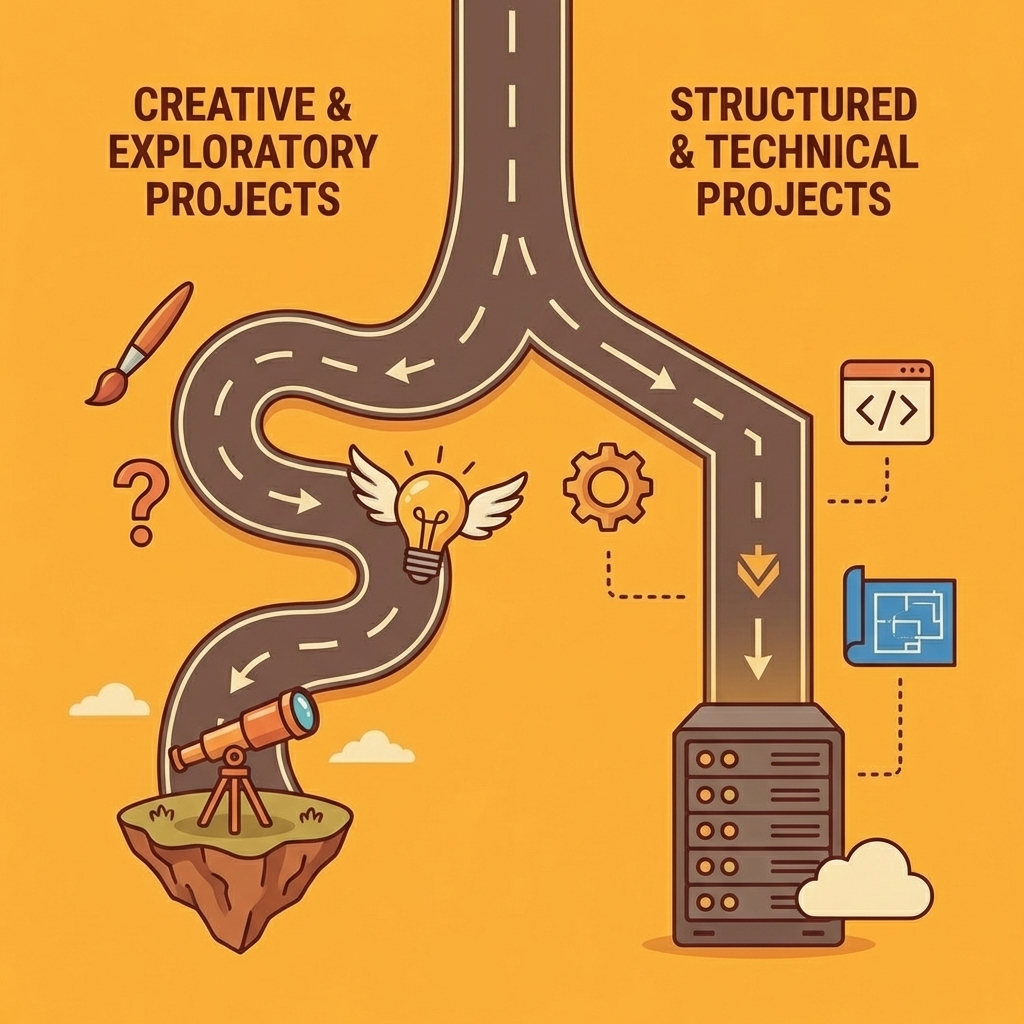
Key Point: Your project timeline and technical requirements should eliminate 50% of builders before you even compare features. A rushed MVP has completely different needs than a long-term enterprise solution.
"Each scenario eliminates half your options immediately when you define clear success criteria upfront." — Mobile App Development Best Practices, 2024

Warning: Don't get distracted by feature lists until you've answered the fundamental question: What does success look like for your specific project and timeline?
Native Apps or Web Apps?
If your app needs to be in the Apple App Store or Google Play Store, your choices are limited to Adalo, FlutterFlow, Thunkable, and Bravo Studio. Everything else produces web apps or progressive web apps that work in browsers. Among native builders, Adalo offers the lowest publishing cost at $36/month with no usage limits and a built-in database, while FlutterFlow provides actual Flutter code export for handing off to developers. According to Natively's 2025 analysis of mobile app development tools, platforms with 4.8+ ratings consistently offer native app features alongside web deployment.
Technical Skill Level Matters More Than Features
Adalo, Glide, Jotform Apps, and Softr require no coding knowledge—you drag components, connect data sources, and publish. FlutterFlow assumes familiarity with Flutter and rewards it with deeper customization options. Budibase targets IT teams managing internal tools with REST API knowledge. Thunkable's block-based logic feels intuitive until you need production-grade performance, at which point the visual builder hits its limits faster than code-first platforms. The real problem isn't learning the tool; it's hitting a ceiling where your skill level can't go beyond what the platform allows.
Calculate Total Cost of Ownership, Not Starting Price
Per-user pricing (Budibase, Softr, Power Apps) grows with your team or customer base. Per-seat pricing (FlutterFlow) charges for builders, not users. Usage-based pricing (Bubble) scales with database operations and API calls, creating unpredictable monthly costs. Per-app pricing (Appy Pie) remains fixed regardless of traffic. According to WeWeb's comparison of 15 app-building tools, flat-rate pricing offers the most predictable costs during growth, provided the platform maintains performance and features at higher usage levels. Calculate costs at 10 times your current size: the cheapest option today often becomes the most expensive at 1,000 users.
Prototype Speed Versus Production Readiness
Prompt-led builders and Glide turn ideas into clickable prototypes within hours through AI-generated screens and flows. This speed breaks down with custom authentication, complex data relationships, or integrations beyond pre-built connectors. Adalo, FlutterFlow, and Bubble are designed for production from the start: they take longer to learn but avoid rebuilds as requirements change. Platforms like Orchids let you prototype and scale in the same environment by running real code in containers rather than simulating behaviour, enabling iteration through chat while maintaining production-quality architecture.
The Decision Shortcut
Pick two to three tools that match your answers above. Build the same core feature in each platform within 30 to 60 minutes—not a full app, but one meaningful interaction: user signup, data entry with validation, or API integration. Compare speed to working prototype, flexibility for customisation, and output quality when tested as a user would. The platform that feels fastest without forcing workarounds is your answer.
The best mobile app builder gets your app live faster without limiting your growth.
The Best App Builder Is the One That Gets You to Launch
The difference between app builders isn't features. It's whether you can ship. Most tools get you halfway there: templates break when you need something specific, and customization slows you down. Engineering becomes the bottleneck between idea and live product.

Key Point: Speed to market beats feature complexity every time.
Orchids remove that friction. Build real apps (web, mobile, bots, scripts, extensions), not just templates. Bring your own LLM or API keys to control cost and performance. Connect any stack: database, authentication, payments, without limitations. Deploy instantly with a custom domain and keep the momentum going.
"The best app builder isn't the one with the most features. It's the one that gets you shipped." — Development Reality
Tip: Don't get stuck in endless customization loops - focus on launching and iterating.
The best app builder isn't the one with the most features. It's the one that gets you shipped. Build your first app for free and see how quickly you can go from idea to live product.

Related Reading
Bilal Dhouib
Head of Growth @ Orchids