25+ Best No-Code AI Tools for Apps, Workflows, and Automation
AI promises to transform how we work, but most tools assume you can read code or hire developers. That gap between possibility and reality keeps brilliant ideas locked inside people who simply want to build something useful. No code AI tools bridge this divide by letting anyone create apps, automate workflows, and build real solutions without technical expertise. The best platforms handle the complexity while you focus on solving actual problems.
These tools range from simple automation builders to sophisticated app creators, each designed for different needs and skill levels. Some excel at connecting existing services, while others help you build custom applications from scratch. When you're ready to turn ideas into working applications, Orchids's AI app generator gives you a direct path forward.
Table of Contents
- What Are No-Code AI Tools and Why Are They Suddenly Everywhere?
- Real Examples of What People Are Building with No-Code AI Tools
- 28 Best No-Code AI Tools to Try Right Now
- Stop Exploring No-Code AI Tools—Start Building Something Real
Summary
- No-code AI platforms can reduce development time by up to 90%, according to Forrester Research. That compression matters when you're validating ideas or responding to market shifts faster than traditional development cycles allow. The gap between "I have an idea" and "I have a working prototype" has shrunk from months to days, fundamentally changing who can build functional software.
- Gartner forecasts the low-code development technologies market to exceed $30 billion in 2024, driven by talent shortages, the generative AI boom, and urgent demand for faster digital transformation. By 2025, 87% of businesses plan to adopt or expand their use of no-code AI solutions. The shift happened because AI models became accessible through APIs, interfaces now translate prompts into working systems, and non-developers can ship functional tools without touching code.
- Modern no-code AI tools generate workflows, automate business processes, build internal tools, and create customer-facing applications. People are shipping lead-qualification bots that route prospects based on behavior, content systems that adapt messaging to audience segments, customer-support automation that resolves common issues without human intervention, and even simple SaaS products that solve niche problems. The capability gap between concept and working prototype has collapsed.
- Templates get you started, but they slow you down when requirements change. You hit customization limits, integrations break, and what felt fast at first turns into workarounds and compromises. The real test of any platform isn't how quickly you can launch a demo; it's whether you can keep building when your needs evolve beyond preset options without starting over from scratch.
- AI-powered chatbots built on no-code platforms handle repetitive questions that drain support teams. Response times drop from hours to seconds, customer satisfaction improves because people get help immediately, and support teams stop burning out on the same five questions asked a hundred times a day. When bots encounter something they can't resolve, they route conversations to human agents with full context already captured.
- Orchids's AI app generator lets you build across any stack, web apps, mobile tools, bots, scripts, and extensions, without forcing you into templates that constrain what you can ship.
What Are No-Code AI Tools and Why Are They Suddenly Everywhere?
Building AI used to require hiring engineers, setting up computer systems, and waiting months for results. That barrier has fallen away. AI models are now available through APIs, interfaces convert prompts into working systems, and non-developers can create and share working tools without writing code. This shift occurred because large language models, cloud computing, and drag-and-drop platforms became advanced enough to obscure the complexity that once required specialized knowledge.
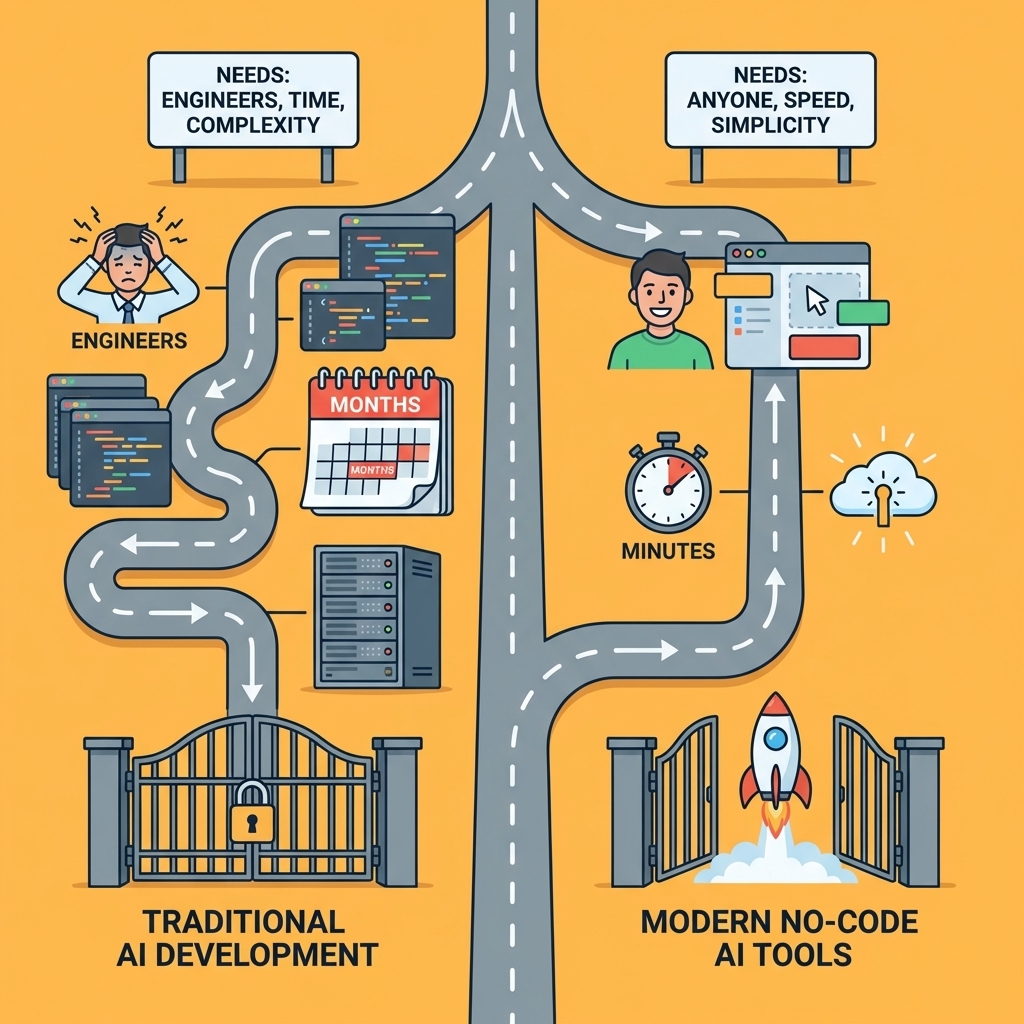
Key Point: No-code AI tools eliminate the technical barriers that previously made AI development exclusive to programmers and data scientists.
"The democratization of AI through no-code platforms has reduced development time from months to minutes for many applications." — Industry Analysis, 2024

Example: Instead of hiring a development team for $50,000+ and waiting 6 months, you can now build a customer service chatbot using platforms like Zapier or Bubble in just 2-3 hours with zero coding experience required.
The False Belief About No-Code AI
Many people still think no-code AI tools are simple website builders with a chatbot added on top. Today's platforms generate workflows, automate business processes, build internal tools, and create customer-facing applications. Teams are shipping lead-qualification bots that route prospects based on behaviour, content systems that adapt messaging to audience segments, customer-support automation that resolves common issues without human intervention, and SaaS products that solve niche problems. The capability gap between "I have an idea" and "I have a working prototype" has shrunk from months to days.
What's driving the market explosion?
Gartner forecasts that the low-code development technologies market will exceed $30 billion in 2024. Growth is driven by a shortage of skilled workers, the rise of generative AI, and demand for faster digital transformation. Non-technical founders resist paying expensive development teams to test ideas. Marketers want to build automation without waiting weeks for engineering sprints. Teachers need custom tools that their districts cannot afford to commission.
How do modern no-code tools work?
Chatbot builders like Tidio handle customer conversations without requiring knowledge of natural language processing. AI image generation platforms like RunwayML let designers create visual content without having to master complex software. Automated machine learning platforms like Obviously.AI turn data analysis into a guided workflow. Workflow automation tools like Zapier and Make integrate AI capabilities into existing processes, connecting systems and triggering actions based on conditions you define in plain language.
The interface changed. You describe what you want, and the system translates that into working logic. According to AI Business, 65% of organizations are expected to adopt no-code or low-code platforms by 2024 because speed and agility matter more than perfection when validating ideas or responding to market shifts. Traditional development cycles take weeks; no-code tools compress that timeline into hours.
What changed with conversational AI models?
The shift occurred when AI models became conversational enough to handle ambiguous situations. Early automation required exact logic: if this, then that. Modern tools understand intent, adapt to varied phrasing, and generate natural-sounding outputs. Non-programmers can now build working prototypes. Platforms like Orchids go further, letting you describe what you want to build and watch it materialise across any language or framework—web app, mobile tool, or AI agent—without sacrificing professional-level capability.
The tools are only as good as your ability to direct them.
Related Reading
Real Examples of What People Are Building with No-Code AI Tools
People are building working systems that solve real problems. Marketing teams automate email campaigns that organize audiences based on behavior and send personalized follow-ups without manual work. Customer support teams use chatbots that handle common questions, guide users through troubleshooting steps, and escalate complex issues to human agents only when needed. Healthcare providers create predictive analytics tools that analyze patient data to recommend treatment plans, freeing clinicians to focus on care instead of administrative tasks. These systems are now running in production.

Key Point: No-code AI tools are already powering real business operations across industries, not just experimental prototypes.
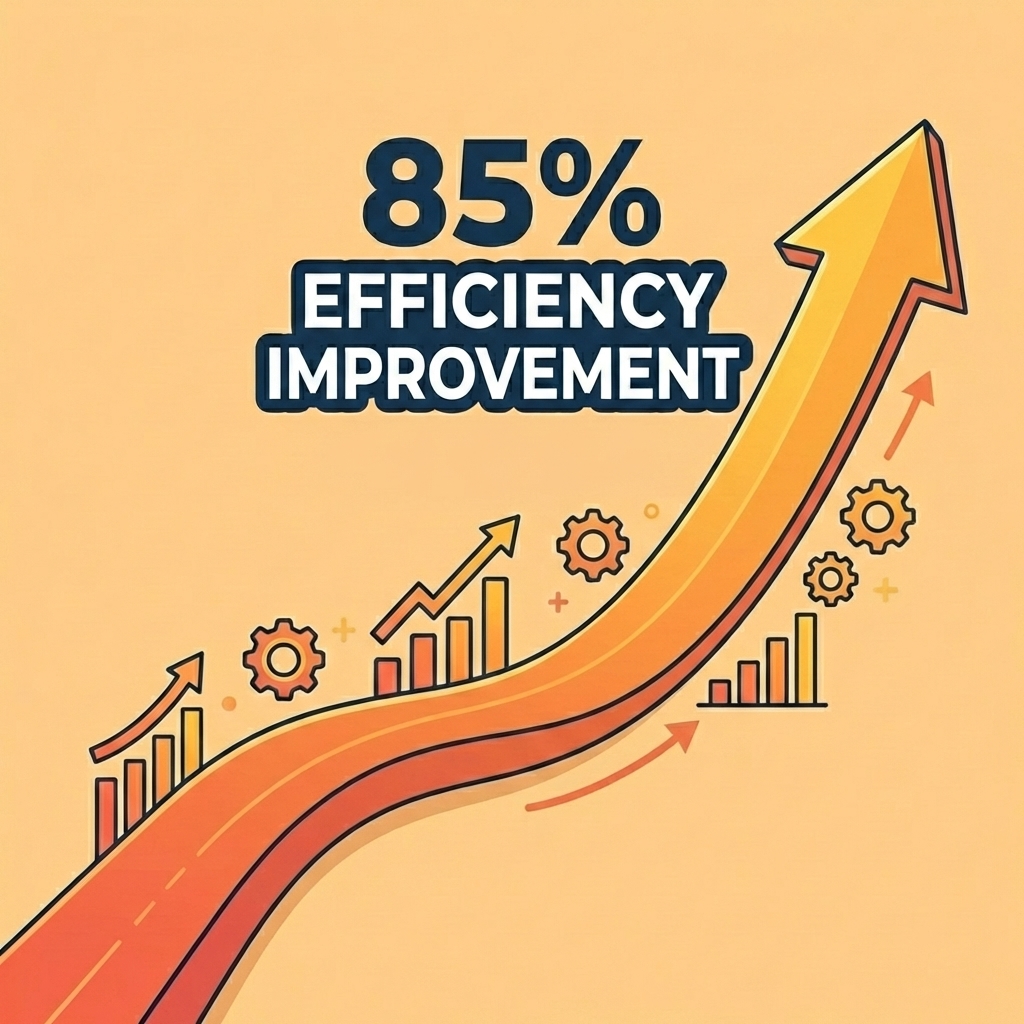
"These AI-powered automation systems are transforming how teams work, with 85% of businesses reporting improved efficiency after implementing no-code solutions." — McKinsey Digital Report, 2024
| Industry | Common Use Case | Key Benefit |
|---|---|---|
| Marketing | Automated email campaigns | Personalized outreach at scale |
| Customer Support | AI chatbots | 24/7 availability with human escalation |
| Healthcare | Predictive analytics | Data-driven treatment recommendations |
Tip: Start with one specific workflow in your organization—the repetitive task that takes the most time—and build your first no-code AI solution around that single pain point.

Marketing Automation That Actually Converts
No-code AI platforms let marketers build campaigns that improve in real time. A small online store can create a system that tracks customer browsing behaviour, identifies cart abandonment, and sends personalized emails with product recommendations based on viewed items. The system learns which subject lines and send times generate the most opens, then adjusts automatically. What previously required a development team and weeks of planning now takes an afternoon to set up. This increases engagement, improves conversion rates, and accelerates testing without engineering support.
Customer Support Without the Bottleneck
AI-powered chatbots built on no-code platforms handle repetitive questions that drain support teams. A SaaS company can deploy a bot that answers billing questions, resets passwords, and walks users through common setup issues while learning from each interaction. When the bot encounters something it cannot resolve, it routes the conversation to a human agent with full context already captured. Response times drop from hours to seconds, customer satisfaction improves with immediate help, and support teams stop burning out on repetitive inquiries.
Retail and Finance Applications That Scale
Retail platforms use no-code AI to build recommendation engines that analyse purchase history and browsing behaviour to surface likely purchases. A clothing retailer can personalise the homepage for each visitor based on preferences, increasing conversions without hiring a data science team.
What fraud detection capabilities do financial institutions deploy?
Financial institutions use fraud detection systems that flag unusual transaction patterns and alert customers immediately, identifying activity that would take human analysts hours to spot. The barrier is no longer technical ability but knowing what problem you are trying to solve.
Platforms like Orchids let teams describe what they want to build and watch it take shape across any stack—web apps, mobile tools, or AI agents. You get simplicity and power by building full-stack applications through conversational interfaces without compromising language, framework, or deployment environment.
HR, Manufacturing, and Education Use Cases
Recruitment teams use AI to automatically screen resumes, evaluating qualifications and skill sets at scale and surfacing the best candidates faster than manual review. Manufacturing operations analyse production data to identify inefficiencies and recommend process improvements, reducing waste and increasing output.
Educators create adaptive learning experiences that adjust content based on student performance, providing targeted support where needed. Real estate professionals use AI for property valuation and lead scoring to prioritise high-conversion prospects. Creative teams generate written content, graphics, and music, automating repetitive tasks to focus on higher-level work.
But knowing what's possible differs from knowing which tools to use.
Related Reading
- Hire an App Developer
- AI Tools For Product Managers
- Appsheet Alternatives
- Vs Code Alternatives
- Softr Alternatives
- Replit Alternatives
- Mobile App Ideas
28 Best No-Code AI Tools to Try Right Now
No-code AI tools now enable you to build real applications, train machine learning models, and deploy intelligent agents across business operations. The platforms below are organized by what they help you build and who benefits most from their design, distinguishing between tools where AI manages workflows versus tools where AI is another step.

Key Point: The distinction between AI-first platforms and AI-enhanced tools determines which solution fits your specific use case and technical requirements.
"No-code AI platforms are democratizing artificial intelligence, allowing non-technical users to build sophisticated applications that previously required months of development and specialized expertise." — TechCrunch, 2024

Tip: Start with AI-enhanced tools if you're automating existing workflows, but choose AI-first platforms when building entirely new intelligent applications from scratch.
1. Orchids
Orchids lets you write code and ship real apps fast with our AI app generator, not websites in preset templates. Build anything (web, mobile, scripts, bots, extensions), bring your own LLM/API keys to control costs, and connect whatever stack you need for database, authentication, and payments. Deploy in one click, add a custom domain, and make UI and copy changes without slowing engineering.
Who should use Orchids, and what can you build with it?
Best for: Developers and teams who need complete flexibility across the whole stack without vendor lock-in or per-person pricing.
What it helps you build: Production-ready web apps, mobile applications, automation scripts, chatbots, browser extensions, and internal tools. You can integrate existing code, run security checks, and manage any app with Orchids.
What makes Orchids different from other builders?
Real capabilities: Unlike template-based builders, Orchids generates actual applications with complete control over technology choices. It supports any language, framework, and database, and you can deploy to your own Vercel when ready.
Pros: Complete technical flexibility, cost control through your own API keys, one-click deployment with custom domains, and the ability to import and audit existing code.
Cons: Requires more technical understanding than drag-and-drop builders. The flexibility demands more architectural decisions rather than following a preset path.
2. Zapier + OpenAI
Zapier connects over 6,000 applications and automates workflows between them. When integrated with OpenAI, it performs AI-powered tasks such as generating email responses, creating content, enriching customer data, and classifying information.
Who should use Zapier + OpenAI, and what can you build with it?
Best for: Operations teams managing cross-application workflows who need AI to analyse, categorise, and route information between systems without manual intervention.
What it helps you build: Automated support ticket routing, intelligent CRM data enrichment, content generation pipelines, and multi-step approval workflows that adapt based on AI analysis.
What are the key capabilities and trade-offs?
Real capabilities: The platform excels at workflows connecting different apps. A typical setup automatically reviews incoming support emails, prioritises them by urgency, extracts key information, and routes them to the appropriate team member while saving details in a CRM system.
Pros: Extensive library of 6,000+ integrations, proven effectiveness for critical business workflows, and abundant templates for common use cases.
Cons: Costs escalate as task usage increases. Complex workflows require understanding how to connect multiple steps. AI features demand a separate OpenAI account and incur additional API costs.
3. Make
Make uses a visual, flowchart-style interface to map complex automation processes. Users connect apps and services through modules, creating workflows that handle multiple steps, data transformations, and real-time coordination.
What makes Make ideal for visual automation workflows?
Best for: Teams who think in pictures and need advanced automations with complex branching logic, error handling, and conditional processing based on AI analysis.
What it helps you build: Multi-path workflows that change behaviour based on AI decisions, data transformation pipelines, and event-driven automation systems with advanced error recovery.
How does Make handle AI-driven automation decisions?
Real capabilities: Makes AI process automation include advanced branching logic that routes actions based on content analysis. Incoming data gets analysed by AI, then triggers different workflow paths depending on sentiment, urgency, or extracted entities.
What are Make's key advantages and limitations?
Pros: A visual interface makes complex logic easier to understand and troubleshoot. It handles powerful data transformations and manages complicated scenarios that simpler tools cannot address.
Cons: It requires more time to learn than simpler automation tools. Visual complexity becomes overwhelming with large workflows. Operations-based pricing can surprise teams processing high volumes.
4. Microsoft Power Automate With AI Builder
Power Automate works closely with other Microsoft tools. AI Builder provides ready-to-use models that process documents, recognise forms, and predict outcomes. You don't need machine learning expertise to use these tools.
What is Microsoft Power Automate best suited for?
Best for: Organizations using Microsoft 365, Dynamics, or Azure who need document processing, sentiment analysis, and predictive capabilities integrated into their existing systems.
What it helps you build: Invoice processing systems that extract structured data from PDFs, customer feedback analysis pipelines, predictive models based on historical business data, and automated approval workflows.
What are the key advantages and limitations?
Pros: Works smoothly with Microsoft products and services. Pre-trained AI models eliminate the need for machine learning expertise. Security and compliance features meeting enterprise standards are built in.
Cons: You get the best value if you already use other Microsoft products. It's less flexible if your organisation uses different platforms. AI Builder features require premium versions.
5. UiPath Studio Web
UiPath focuses on robotic process automation (RPA) through a web browser interface, specializing in automating back-office tasks, document processing, and screen-based activities that require human interaction with software interfaces.
Who should use UiPath Studio Web?
Best for: Finance, HR, and operations teams handling repetitive data entry, form processing, and legacy system interactions.
What it helps you build: Attended bots that work alongside humans during complex tasks, unattended bots that run independently on schedules, and document understanding systems that read and extract information from PDFs and images.
What are UiPath's key capabilities and trade-offs?
Real capabilities: Document understanding reads and extracts information from invoices, forms, and scanned documents in various formats. Both attended and unattended bots handle finance, HR, and operations processes.
Pros: Excels in RPA scenarios where other platforms struggle. Handles both attended and unattended automation and has strong document-processing capabilities.
Cons: Focused specifically on RPA use cases rather than general automation. Requires understanding of bot development concepts. Enterprise pricing can be significant for large deployments.
6. Workato
Workato combines workflow automation with strong governance features, using "recipes" (pre-built automation templates) and AI-powered recommendations to optimise workflows.
What teams benefit most from Workato?
Best for: Growing teams that need powerful integration capabilities and administrative controls over automation creation and modification, with governance, audit trails, and role-based permissions.
What it helps you build: Event-driven automation systems, enterprise integration workflows with sophisticated error handling, and governed automation environments where different teams have controlled access.
What capabilities does Workato offer?
Real capabilities: Event-driven automation triggers actions based on changes in connected applications. According to Primotly, the no-code AI market is expected to reach $68.9 billion by 2025, driven partly by enterprise demand for controlled automation platforms.
What are the pros and cons of Workato?
Pros: Enterprise-level governance and security controls. AI-powered suggestions to optimise workflows. A large library of pre-built recipes.
Cons: Pricing targets enterprise customers, so smaller teams may find more affordable alternatives. Initial setup requires time to plan your governance structure.
7. Pabbly Connect
Pabbly Connect serves small businesses seeking cost-effective automation. The platform provides essential integrations and supports AI APIs through webhook connections and third-party services.
Who is Pabbly Connect best suited for?
Best for: Small businesses new to automation seeking low monthly costs, and teams with simple workflows that don't require complex branching logic.
What can you build with Pabbly Connect?
What it helps you build: Basic multi-step automations connecting popular business apps, AI-enhanced workflows through webhook integrations, and scheduled data syncs between systems.
Real capabilities: A minimal learning curve allows users to set up basic automations quickly while keeping monthly costs low.
What are the main advantages and limitations?
Pros: Low prices for small businesses. Easy-to-use interface with a short learning curve. Unlimited automation tasks on paid plans.
Cons: Not as full-featured as enterprise platforms. AI features require webhook integration rather than built-in functionality. Not suitable for complicated, mission-critical workflows.
8. Parabola
Parabola specializes in data workflow automation for analytics, ETL (extract, transform, load), and reporting. Its visual interface handles data processing, enrichment, and integration with APIs or CSV files.
What is Parabola best suited for?
Best for: Analytics teams and data analysts who clean, transform, and combine data from multiple sources for reporting and decision-making.
What it helps you build: Automated data cleaning pipelines, recurring ETL processes that feed dashboards, data enrichment workflows pulling from multiple APIs, and scheduled reporting systems.
How does Parabola perform in practice?
Real capabilities: Automated data cleaning, data transformation, and scheduled data pulls that feed dashboards or business intelligence systems. The platform excels at repetitive data tasks that inform business decisions.
Pros: Built specifically for data workflows. A visual interface simplifies complex data changes. Handles scheduling and automation of repeated tasks.
Cons: Focused on data processing rather than general automation. Steep learning curve for complex data changes. Pricing scales with data volume and complexity.
9. Chatbase
Chatbase creates AI chatbots using ChatGPT technology without requiring code. Users upload content, documents, or FAQs to train chatbots for customer support, lead qualification, and self-service interactions.
What is Chatbase best suited for?
Best for: Customer support teams and sales organisations that need AI chatbots trained on company-specific knowledge bases, product documentation, or FAQ content without requiring developers.
What it helps you build: Customer support chatbots trained on help documentation, lead qualification bots for website visitors, self-service knowledge base assistants, and FAQ automation systems.
How does Chatbase perform in real applications?
Real capabilities: Chatbots connect with websites, messaging platforms, and customer service systems. They answer questions from uploaded knowledge bases, escalate complex issues to human agents, and collect lead information for sales teams.
Pros: No coding required. Train on company-specific content easily. Integration with popular platforms and human agent escalation.
Cons: Focused specifically on chatbot creation. Quality depends on training data. Requires ongoing maintenance as knowledge bases change.
10. Adalo With GPT-4
Adalo builds mobile applications without coding and includes GPT-4 for conversational AI features. Users create branded customer apps, membership portals, and engagement tools with chat functionality and AI-powered guidance.
What is Adalo best suited for?
Best for: Businesses seeking custom mobile experiences with conversational AI, including membership apps, customer portals, and engagement tools. No mobile development expertise required.
What can you build with Adalo?
What it helps you build: Branded mobile apps for iOS and Android, membership portals with AI-powered support, customer engagement apps with personalized recommendations, and mobile-first business tools.
Real capabilities: AI features improve user engagement through personalized recommendations, automated responses, and intelligent content suggestions within the mobile app.
What are the advantages and limitations?
Pros: Creates native mobile apps without coding. GPT-4 integration enables conversational features. Supports branded, customer-facing applications.
Cons: Mobile app focus limits web-only use. AI features supplement core mobile building rather than drive it. App store deployment requires separate accounts and fees.
11. Tally With OpenAI
Tally creates smart forms that use OpenAI to analyse responses automatically, summarising feedback, tagging responses by category, and generating insights from survey data without manual review.
Who should use Tally with OpenAI?
Best for: Customer success teams, product managers, and researchers who collect feedback through forms and need automatic analysis and sorting of hundreds of responses.
What can you build with this integration?
What it helps you build: Smart feedback forms that sort responses automatically, NPS surveys that use AI to generate insights, lead qualification forms that score automatically, and customer research tools that analyse sentiment and opinions.
Real capabilities: Form automation collects data, sends follow-up emails automatically, scores responses, and connects with other business tools. This works especially well for customer feedback, NPS surveys, and lead qualification forms.
What are the advantages and limitations?
Pros: Converts regular forms into smart data collection tools. Automatic analysis eliminates manual review. Integrates with business tools for automated follow-up.
Cons: Focused only on form-based data collection. AI analysis quality depends on response volume and clarity. Not suitable for complicated application workflows.
12. AI Magicx
AI Magicx provides ready-made AI tools for everyday business tasks: data extraction, content sorting, and automated content creation. It prioritises quick setup and team collaboration.
What is AI Magicx best suited for?
Best for: Teams building multiple AI workflows who need consistency across projects, or organisations where different departments create automations and need reusable components to maintain standards.
What it helps you build: Reusable AI workflow components, standardized automation templates across teams, and collaborative automation projects with shared building blocks.
How does AI Magicx deliver real capabilities?
Real capabilities: Reusable AI blocks let teams build complex workflows by combining different AI functions, reducing setup time, and creating consistency across automation projects.
What are the advantages and limitations?
Pros: Pre-built components accelerate development and ensure consistency across projects. Team collaboration features enable shared automation building.
Cons: Limited information about specific capabilities and pricing. Newer platform with a less established track record. Requires organisational commitment to a component-based approach.
13. Arahi AI
Arahi AI specializes in creating custom AI agents that work across business technology stacks. The platform's integration marketplace connects with over 1,000 applications and includes complete data privacy controls and audit capabilities.
What is Arahi AI best suited for?
Best for: Businesses that must follow regulations, maintain compliance, or prioritise security. They need AI automation with detailed audit trails and robust management features.
What it helps you build: Custom AI agents that handle support tickets, sales processes, and day-to-day tasks with minimal human oversight, plus automated workflows that track activity and generate compliance documentation.
What are the advantages and limitations?
Pros: Over 1,000 application integrations. Strong data privacy and audit features. Suitable for highly regulated industries.
Cons: Enterprise pricing reflects advanced features that smaller teams may not need. The agent-based approach requires a different way of thinking than traditional automation.
14. DataRobot
DataRobot provides a no-code machine learning platform that automates the end-to-end process of creating ML models, from data preparation to model selection and deployment.
What is DataRobot best suited for?
Best for: Finance, healthcare, and retail organizations needing predictive models for risk assessment, patient outcomes, inventory optimization, or customer behaviour without dedicated data science teams.
What it helps you build: Predictive models for business forecasting, risk assessment, customer churn prediction, and automated model deployment pipelines.
How does DataRobot's automation work?
Real capabilities: Automated model building handles data preparation, feature engineering, algorithm selection, and hyperparameter tuning. Strong data visualization and collaboration tools support teams through model development and deployment.
What are DataRobot's advantages and limitations?
Pros: Automates the complete ML pipeline from data to deployment. Offers powerful visualization and collaboration tools. Designed for industries with serious predictive modelling needs.
Cons: Enterprise pricing reflects advanced capabilities. Requires understanding of ML concepts despite the no-code interface. Overkill for simple automation needs.
15. H2O.ai
H2O.ai offers a no-code AI platform with AutoML features for rapid machine learning model building. It integrates with major cloud platforms (AWS, Azure, GCP) and supports custom AI model configurations.
What is H2O.ai best suited for?
Best for: Larger companies needing custom machine learning models with detailed settings and cloud platform integration.
What it helps you build: Custom ML models with specific settings, cloud-integrated predictive systems, and automated machine learning pipelines for large-scale deployments.
What are the advantages and limitations?
Pros: Quick model development using AutoML. Cloud platform connections for business deployment. Customisable model settings.
Cons: High pricing and complexity for large businesses. Advanced features require machine learning knowledge. Not suitable for simple automation tasks.
16. Lobe
Microsoft created Lobe, a free platform that requires no coding and helps you build simple AI models for image recognition tasks.
Who is Lobe best suited for?
Best for: People, students, teachers, and hobbyists who want to explore AI and learn about image recognition without advanced technical skills.
What can you build with Lobe?
What it helps you build: Simple image recognition models, object detection systems, educational AI demonstrations, and proof-of-concept image classification tools.
What are Lobe's key capabilities and trade-offs?
Real capabilities: An easy-to-use interface with pre-trained image recognition models lets you experiment without advanced skills. You can export trained models for use in other applications.
Pros: Completely free. Easy-to-use interface for beginners. Ideal for learning and experimenting with new ideas.
Cons: Works only with image recognition and is not designed for large-scale business use.
17. Akkio
Akkio is a no-code AI platform for business intelligence and data analytics, offering predictive modeling, lead scoring, and sales forecasting tools designed for sales and marketing teams.
Who should use Akkio, and what can you build with it?
Best for: Sales and marketing teams seeking to improve lead conversion and sales forecasting, plus revenue operations professionals who need predictive insights without data science expertise.
What it helps you build: Lead scoring systems that rank prospects by priority, sales forecasting models based on historical data, customer behaviour prediction tools, and marketing campaign optimisation systems.
What are Akkio's key strengths and limitations?
Real capabilities: The platform converts business questions into predictive models without requiring technical machine learning knowledge, making advanced analytics accessible to business users, not just data scientists.
Pros: Easy-to-use interface with clear language. Predictive models that require no data science expertise. Purpose-built for sales and marketing use cases.
Cons: Focused on specific use cases rather than general-purpose AI. Pricing is difficult to find. Performance depends on data quality and volume.
18. Airtable
Airtable is an AI-native app platform that transforms data into custom interfaces, automations, and agents through conversational building and no-code components with Omni, your expert AI app builder.
What is Airtable best suited for?
Best for: Teams managing complex data across multiple workflows who need to build custom applications, automate processes, and deploy AI agents without traditional development resources.
What it helps you build: Enterprise-grade applications with your data, AI agents that work across thousands of records, automated business processes, and custom interfaces for data management.
What are Airtable's key capabilities and features?
Real capabilities: You can deploy powerful AI agents across thousands of Airtable records built into every business process. Airtable's intelligent agents think in new ways, make decisions, and take actions across your business, handling hundreds of millions of records at scale.
Pros: AI-native architecture with conversational building. Supports AI models from OpenAI, Gemini, Llama, and Anthropic. Enterprise-grade security and compliance. smooth integration with existing tools.
Cons: The complexity can overwhelm users expecting simple spreadsheet functionality. Advanced features require understanding relational database concepts. Pricing scales with usage and team size.
19. Glide
Glide is a no-code AI platform that builds mobile apps from data in Google Sheets, Excel, and Airtable. It includes generative AI, AI-powered workflows, and a library of ready-to-use templates.
What is Glide best suited for?
Best for: Teams with business data in spreadsheets seeking mobile apps without coding, and non-technical users building internal tools, customer portals, or simple mobile experiences.
What it helps you build: Mobile apps from spreadsheet data, internal business tools, customer-facing portals, and data collection applications.
What are Glide's capabilities and limitations?
Real capabilities: The platform converts spreadsheet data into working mobile applications using generative AI. Advanced design and user experience customization require Business or Enterprise plans.
Pros: Builds mobile apps from existing spreadsheet data. Generative AI assistance. Large template library.
Cons: Advanced customization is available only with higher-tier plans. The platform supports limited data sources. The mobile-first design focus may not suit the needs of web-only applications.
20. Bubble
Bubble is an AI app development platform for building fully responsive web applications without code, covering both front-end design and back-end functionality.
What is Bubble best suited for?
Best for: Business owners and teams building SaaS products, web applications, or complex internal tools who need full-stack capabilities without hiring developers.
What it helps you build: Fully responsive web applications, SaaS products with user sign-in and payments, internal business tools with custom workflows, and data-driven applications with complex logic.
What are Bubble's key capabilities and trade-offs?
Real capabilities: A visual design canvas for dragging and dropping customizable elements. A built-in database lets you create tables, set up fields, and build connections between them, supporting data-driven apps and SaaS tools.
Pros: Full-stack capabilities, including a database and backend logic. Extensive customization of visual development. Strong community and robust plugin ecosystem.
Cons: Learning it can be difficult when building complex applications. Very large applications may experience performance issues. Pricing scales with usage and capacity requirements.
21. Replit
Replit is a no-code AI app builder that lets you describe an app in plain language, and an AI agent builds it for you.
What is Replit best suited for?
Best for: Developers and technical teams looking to accelerate development with conversational AI while maintaining code control.
What it helps you build: AI chatbots, e-commerce websites, full-stack applications with database and authentication, and mobile-accessible projects.
How does Replit's AI development process work?
Real capabilities: The AI agent handles database setup, backend logic, interface design, authentication systems, and file management. You refine the output through conversational feedback until it matches your needs. Mobile access lets you build and manage apps directly from your phone.
What are the advantages and limitations?
Pros: You can develop by talking naturally to the AI. It handles database setup, backend systems, and authentication. You can access it on your phone to work on development away from your desk.
Cons: Output quality depends on the clarity of your requirements. You may need technical knowledge to improve the AI-generated code. Iterative refinements can be time-consuming.
22. Softr
Softr is a no-code app builder for non-technical users. It works with 14 data sources, including SQL, Google Sheets, and Airtable, letting you build apps from data you already have.
What is Softr best suited for?
Best for: Non-technical people building apps from business data across multiple sources. Teams are creating client portals, CRMs, or internal tools from spreadsheets and databases.
What it helps you build: CRMs, client portals, order management tools, dashboards, and membership sites from 14 different data sources.
What are Softr's key capabilities and trade-offs?
Real capabilities: Softr offers a visual programming interface with drag-and-drop blocks and customizable templates for CRMs, client portals, order management tools, and dashboards.
Pros: Works with 14 different data sources. Includes ready-made templates for common uses. Designed for non-technical users.
Cons: The free plan limits you to one app. The next tier costs $59, making it one of the pricier no-code app builders. Customisation options are more limited than platforms designed for technical users.
23. Appy Pie
Appy Pie is a no-code app development platform featuring a drag-and-drop interface and an AI assistant to support development.
Best for: Teams building multiple types of applications that need AI assistance throughout development and want both app development and conversational AI agent deployment capabilities.
What can you build with Appy Pie?
What it helps you build: Apps through a drag-and-drop interface, conversational and voice agents for sales and customer support, and operational automation agents.
Real capabilities: Appy Pie's AI assistant suggests features and app descriptions to streamline decision-making. The platform includes an AI agent builder for creating and deploying conversational, voice, and computer-use agents that automate tasks in sales, customer support, and operations.
What are the pros and cons?
Pros: AI assistance while building. A separate AI agent builder for automation. Compatible with multiple application types.
Cons: The abundance of features creates complexity. Pricing is confusing due to multiple product options. Quality varies across different uses.
24. Bildr
Bildr is a visual web development tool for building data-driven web applications, including sign-up funnels, internal business tools, and Chrome extensions. Users drag and drop elements into the design canvas, then use AI prompts to style them and customise colours.
Best for: Teams building data-driven web applications that require deep customization through AI-assisted styling.
Pros: AI prompts enable deep customization, support data-driven web applications, and facilitate the development of Chrome extensions.
Cons: Narrower focus than general-purpose builders. Learning curve for advanced customization. Limited information about pricing and support.
25. Backendless
Backendless is a no-code app builder featuring a 100% browser-based interface, app blueprints, real-time NoSQL database capabilities, and cloud code features.
Best for: Developers creating business applications who need detailed control over data, infrastructure, and API connections while maintaining visual development tools.
What can you build with Backendless?
What it helps you build: Enterprise applications with complex backend requirements, real-time data systems, applications requiring custom API integration, and cloud-based business tools.
Real capabilities: The platform offers detailed control over datasets and infrastructure, plus the ability to integrate Backendless APIs into the frontend: essential for enterprise app development where infrastructure decisions matter.
What are the main advantages and limitations?
Pros: 100% browser-based visual development. Real-time NoSQL database. Detailed infrastructure and API control.
Cons: Designed for developers, not non-technical users. Complexity may overwhelm simple projects. Enterprise-focused pricing.
26. nandbox
nandbox is an AI-driven no-code app builder that lets you build and launch native mobile apps through conversation with an AI chatbot.
Who is nandbox best for and what can you build?
Best for: No-code founders launching native mobile apps on Google Play and Apple App Store, and entrepreneurs building mobile-first businesses without development teams.
What it helps you build: Native mobile apps for Android and iOS, and conversational AI-powered applications ready for app store publication.
What are nandbox's key capabilities and trade-offs?
Real capabilities: The platform offers hundreds of pre-built components for customisation and supports light and dark modes. nandbox automatically generates separate Android and iOS versions for direct publication to Google Play and the Apple App Store.
Pros: Conversational app building with an AI chatbot. Automatic generation of both Android and iOS versions. Hundreds of pre-built components.
Cons: Mobile-only focus. App store publication requires separate developer accounts and fees. Quality depends on conversational input clarity.
27. FlutterFlow
FlutterFlow is an AI no-code app builder for creating cross-platform apps. It features a drag-and-drop editor with over 200 pre-designed widgets (lists, icons, text, and buttons) and a visual logic editor to control app behaviour.
Who should use FlutterFlow, and what can you build?
Best for: Intermediate developers who want to simplify cross-platform app development while maintaining control through visual logic editing.
What it helps you build: Cross-platform mobile and web applications, Flutter-based apps with custom logic, and responsive applications.
What are FlutterFlow's capabilities and trade-offs?
Real capabilities: Built on Google's Flutter framework, FlutterFlow provides low-code tools for moderately complex apps with visual logic editing to control app behaviour.
Pros: Built on Google's Flutter framework. Over 200 pre-designed widgets. Visual logic editor for controlling app behaviour.
Cons: Works best for developers with some experience, not complete beginners. You need to understand app development concepts and may need to write code for complex situations.
28. Knack
Knack is a no-code AI and machine learning tool that enables non-technical users to build, deploy, and improve ML models. The platform combines a drag-and-drop editor with AutoML features and connections to popular data sources.
What is Knack best suited for?
Best for: Non-technical people who need to build and use ML models, then deploy those models into working business applications without coding knowledge.
What it helps you build: Machine learning models from business data, working business apps powered by ML predictions, and automated prediction systems that integrate with your existing tools.
What are Knack's key capabilities and trade-offs?
Real capabilities: Knack offers an AI-powered app builder that enables non-programmers to turn ML models into working business apps, combining drag-and-drop editing with AutoML.
Pros: Enables non-technical users to build ML models with AutoML capabilities and deploy them as business apps.
Cons: Pricing starts at $59 per month, making it one of the more expensive no-code AI tools. ML model quality depends on the quality and quantity. Understanding results may require ML knowledge.
How should teams evaluate AI platforms strategically?
Most teams evaluate platforms based on feature comparison charts, but the real question is whether AI leads your work or serves as another automation step. That distinction determines whether you're building something that grows with your ambition or simply connecting apps in smarter ways.
Related Reading
Stop Exploring No-Code AI Tools—Start Building Something Real
You've seen the platforms and understood what's possible. The question isn't whether no-code AI works—it's whether you'll use it or keep researching. Most people get stuck in evaluation mode, comparing features while their problem sits unsolved. The gap between knowing and doing is where momentum dies.
Tip: Set a 48-hour rule. If you've been researching for more than 2 days, start building instead of comparing.
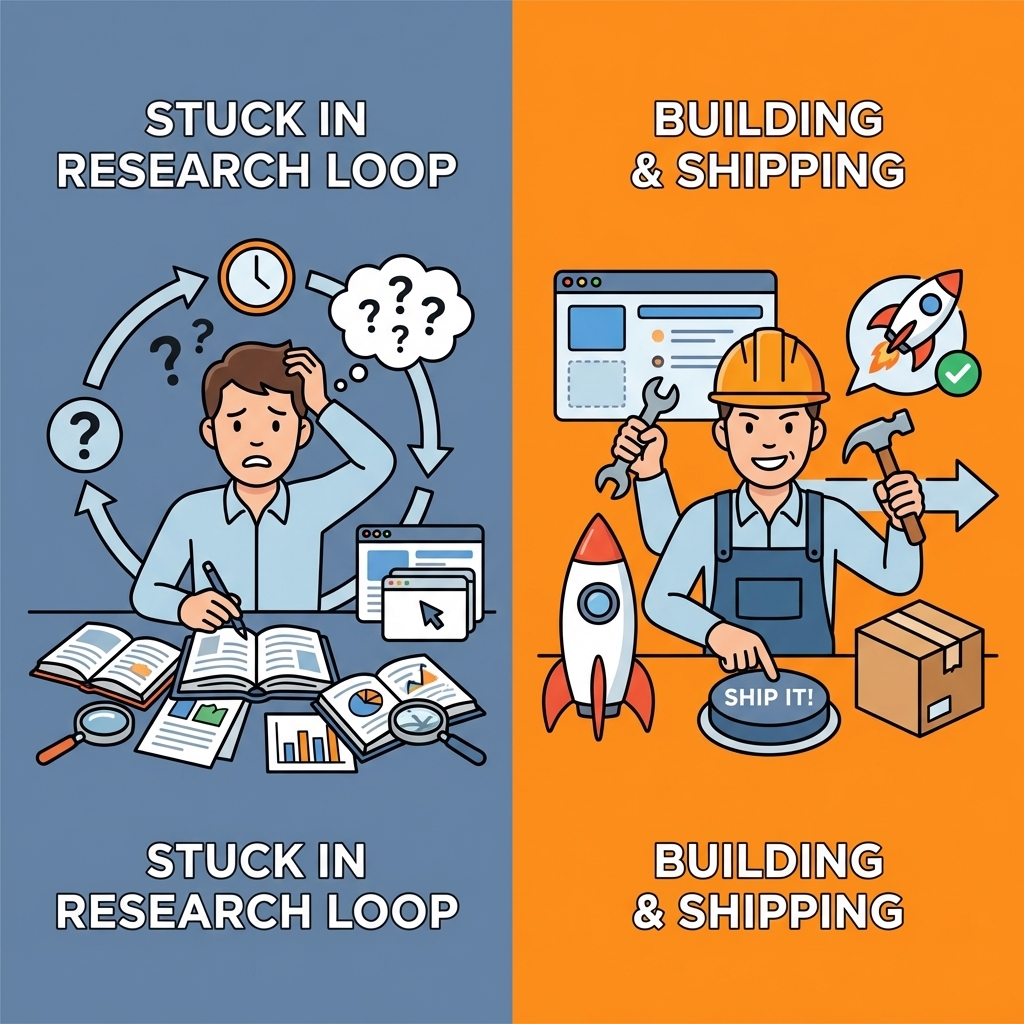
Templates get you started, but they slow you down when requirements change. You hit customization limits, integration breaks, and workarounds replace speed. The real test isn't how quickly you launch a demo—it's whether you can keep building when your needs evolve beyond preset options without starting over.
Warning: Template-based platforms often hide their limitations until you're deep into development. By then, switching costs become prohibitive.
Platforms like Orchids eliminate that friction by letting you build across any stack: web apps, mobile tools, bots, scripts, and extensions. Bring your own LLM or API keys to control cost and performance. Connect your database, authentication, and payment systems without hitting artificial limits. Deploy instantly and iterate without rebuilding from scratch.
| Traditional No-Code | Full-Stack Platforms |
|---|---|
| Template limitations | Custom builds |
| Platform lock-in | Bring your own APIs |
| Fixed integrations | Any database or auth |
| Rebuild required | Smooth iteration |

This isn't about choosing between simplicity and power. It's about removing bottlenecks between your idea and a live product. Once you ship something real, learning accelerates. You see what users need, discover which features matter, and get feedback that only emerges when something runs in production.
"The fastest way to validate an idea isn't through research—it's by putting a working product in front of real users and measuring their response."
Takeaway: Real user feedback beats theoretical planning—but you need something live to get it.
Build your first app for free and get it live today. The fastest way to understand what no-code AI can do is to use it to solve a problem on your list, watch it work, and realize you could have shipped this months ago.

Bilal Dhouib
Head of Growth @ Orchids